New year, new OwnerRez features - including the wide releases of Rezzy AI, Tasks, and PMv2; also, the addition of Rate Change History, the Template & Trigger Library, two new Nightly Rent Field Codes, and so much more!
New Features
Rezzy AI (Wide-Release)
In case you missed our January 16th 'Rezzy AI - Available to Everyone on January 28th!' email blast, Rezzy AI is now available to everyone. You may have already heard a little about Rezzy, our new intelligent assistant for guest messaging, task automation, and sentiment analysis. As of the 28th, she's available throughout the entire month of February for free to everyone!
(That’s right, Rezzy is a she :-))
We want to express our sincere thanks to the 1,000+ OwnerRez users who participated in the beta program. Your feedback, real-world testing, and suggestions have been instrumental in shaping Rezzy into what she is today. 
Here are the key dates:
📅 On Wednesday, January 28, Rezzy became available to all OwnerRez accounts!
📅 On Friday, February 6, we are hosting a live demo webinar (Hear from Paul Waldschmidt, Co-Founder and CEO of OwnerRez)
📅 Starting March 1st, billing will be $9/property per month and charged on your regular monthly billing day.
That’s right, Rezzy will be completely free for the entire month of February (and into March depending on your billing day)! That makes it easy to turn on and use for the month of February to see how it works and become comfortable with her.
Tasks (Wide-Release)
Using a task management tool for your vacation rental business helps prevent forgotten requests, assign accountability, track maintenance, and ensure a consistent guest experience across multiple properties. With our January 28th release, OwnerRez has added our own in-app Tasks area that centralizes your to-dos, guest requests, and maintenance needs in one place. Assign tasks to team members and set urgent priorities when needed to ensure nothing is forgotten, keeping your rental operations organized and accountable.
NOTE: Rezzy supercharges the tasks area by auto-creating tasks based on guest needs and requests, but if you don't use Rezzy, you can still use the new Tasks area for manual task management.
The main menu includes the Tasks item, which displays the number of unresolved tasks, so you can stay on top of them.
Create a new task by selecting Tasks from the left navigation menu and clicking + New Task.
Enter the Task Category, Description, Status, Property, Booking, whether this task is a Priority, attach any files if necessary, and Save.
You can update your task details at any time, and each task can be assigned to your team members and marked as complete when finished.
Rate Change History
Tracking your nightly rate history reveals pricing patterns, helps optimize future pricing, identify high-demand periods, and maximize revenue while staying competitive. With our January 7th release, OwnerRez added the Rate Change History, allowing you to view the history of nightly rate and rule changes made directly from the Rate Calendar. This new Rate Change History includes the name of the person who made the nightly rate or rule change, the date it was changed, and features a convenient sparkline visualization that displays rate trends over time.
On the Rate Change History fly-out, the nightly rate and rules changes are displayed, along with the following details.
- The date the nightly rate or rules were changed.
- Nightly rate or rule changes, along with who made those changes.
- Nightly rate or rule changes made by dynamic pricing tools, with a logo displayed on the right side.
- Team Access members' names if they made changes with the Impersonated label displayed on the right side.
- If adequate data is available, a sparkline visualization displays rate trends over time.
- If changes to the nightly rate or rules were made by a Team Access member or the dynamic pricing tool, the date may be a clickable link that opens a log of those changes.
To see the Rate Change History, navigate to Tools > Rate Calendar, select a date, and click on the upper-right circle arrow icon.
On the Rate Change History fly-out, you can select individual dates by clicking the calendar icon or move forward or backward a night by clicking the left and right arrows.
This Rate Change History identifies when the rate and minimum nights were added on July 28, 2025, by Fancy Rental, the account owner, as well as a subsequent rule change made by Fancy on January 7, 2026.
If nightly rates or rules are changed by dynamic pricing tools, the Rate Change History includes the following.
- Nightly rate or rule changes made by the dynamic pricing tool, with a logo displayed on the right side
- A sparkline visualization displays rate trends over time if adequate data is available
- Each date may be a clickable link that opens a log of nightly rates or rules changes
If your Team Access member added the initial nightly rate or made changes to the nightly rates or rules, their name is displayed with the Impersonated label on the right side of the Rate Change History.
If changes to the nightly rate or rules were made by a Team Access member or the dynamic pricing tool, the date may be a clickable link that opens a log of those changes.
Template & Trigger Library
Using OwnerRez email, channel, and SMS templates with triggers to automatically send them streamlines your guest communication, makes guests feel welcome, builds trust, and improves their experience, increasing your rental's success. OwnerRez added the ability to add prepopulated email, channel, and SMS templates and triggers directly to your account from our Template and Trigger Library, both in-app and in some of our support articles, with our January 14th release.
Users can add templates directly into their account by navigating to Settings > Messaging > Templates, selecting the message type (e.g., Email, SMS, or Channel) tab, and clicking on the Copy from Library button.
Click on any of the templates in the Template Library to add them to your account.
When the template opens, you can edit or customize it to your liking.
Then head over to the Trigger section by navigating to Settings > Messaging > Triggers, and click the Copy from Library button to find the associated trigger.
When the trigger opens, you can edit or customize it to your business needs.
Additionally, you can also add templates directly from some support articles, if available, by clicking on the +Add Template to My Account.
Similarly, you can add triggers directly from some support articles, if available, by clicking on the +Add Trigger to My Account.
PMv2 (Wide-Release)
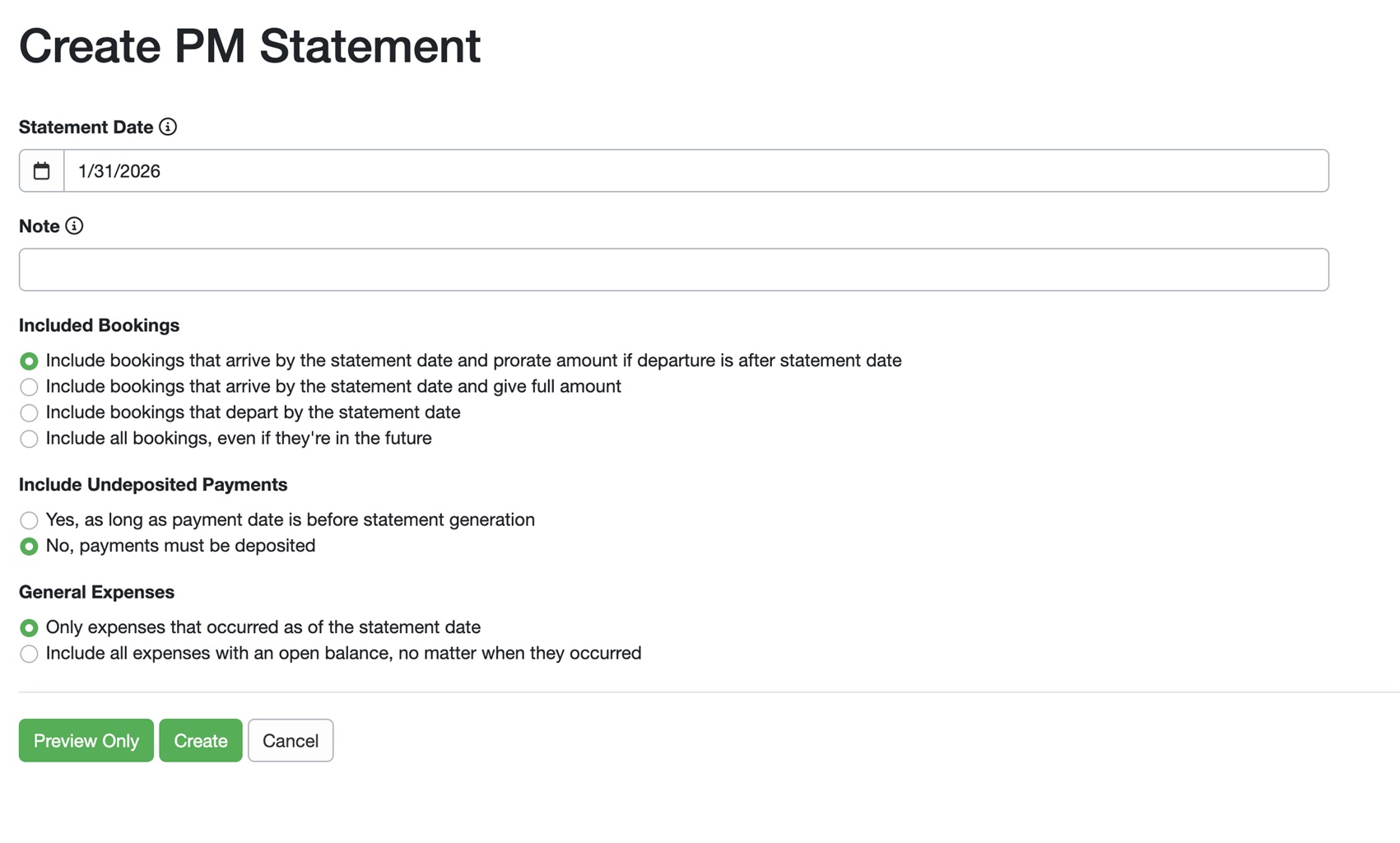
Over the past year, OwnerRez has rebuilt our Property Management (PM) system from the ground up. With our January 14th release, all PM users can opt into the PMv2 upgrade. The upgrade is not yet automatic, but it is available to everyone. What’s new in PMv2? PMv2 was built on a new statement and remittance foundation that fixes long-standing limitations of the old PM system and unlocks more powerful tools, a future-proof PM foundation with quicker updates, including the following improvements.
💰 Accurate expense tracking for Commission, Taxes, and Damage Protection
📊 Summary statement report for assisting with year-end owner reporting
⚙️ Fully customizable Statement Views
🎯 Better fee & expense controls
🔄 Cleaner Proration & Historical Corrections
✅ Clear, intuitive remittance totals
Are you starting to manage properties for others? Check out our Property Management premium feature.
Nightly Rent Field Codes
There may be times when hosts may be required to produce a detailed nightly rate receipt for guests, particularly if those guests are traveling for work. Providing a table or list of nightly rent by date ensures compliance with specific governmental billing requirements, demonstrates pricing transparency, and simplifies the purchase order process. There wasn't an easy way to do this until now. OwnerRez added two new field codes to offer more flexibility in your guest messaging with our January 14th release.
| Field | Description |
|---|---|
| {BNRENTT} | A table showing the nightly rent breakdown by date |
| {BNRENTL} | A list showing the nightly rent breakdown by date |
Here's an example using the {BNRENTT} field code, which shows the nightly rent breakdown by date in a table format.
Alternatively, if you only need a list that displays the nightly rent breakdown by date, use the {BNRENTL} field code.
Kicbac
With our January 7th release, OwnerRez added KicBac as a new integrated payment method partner. Kicbac's approach is simple: what you see is exactly what you pay. Kicbac simplifies the fee structure and removes hidden markups, helping you keep more of your earnings within your business.
Considering adding a new payment processor? Check out all of OwnerRez's payment processor options.
Enhancements
Cancellation Policies
Cancellation policies help protect your business while setting clear expectations with guests. With our January 21st release, OwnerRez improved the Cancellation Policies area by changing the language from "It's complicated" to "Tiered policy," properly hiding options when "None" is selected, and generally enhancing this in-app section layout, all while dynamically updating your cancellation policy at the bottom.
Booking.com Surcharges & Taxes
Identifying and recording non-English Booking.com charges and taxes ensures accurate financial reporting, tax compliance, and prevents costly errors when managing international properties or serving global guests. OwnerRez added support for correctly identifying and syncing Booking.com charges and taxes in non-English languages with our January 21st release.
Previously, charges and taxes in languages other than English couldn't be properly matched to the correct charge types, but now they'll be correctly identified and synced to the appropriate OwnerRez surcharges and taxes.
Airbnb Host Reviews
Reviewing Airbnb guests helps future hosts make informed decisions, promotes accountability, builds your credibility as a host, and creates a two-way feedback system that improves the overall Airbnb community. As part of our January 21st release, OwnerRez added the ability for hosts to now add optional text comments (50 characters maximum) when rating guests with 1 to 5 stars across three categories: Cleanliness, Communication, and House rules.
Users can leave a host review for their Airbnb guests by navigating to the Booking > Review tab and clicking on the + Record New Review button. If fewer than 5 stars are given, hosts must select at least one descriptive tag.
Airbnb Guest Profile Photos
Airbnb guest profile photos help hosts put a face to names, personalize communication, quickly reference guests, and maintain enhanced communication throughout the guest's stay. With our January 28th release, when available, OwnerRez will download and display Airbnb guest profile photos in the guest information area once the booking is confirmed.
PM Statement View Discount Charge Categorization
Having the right discount strategy can give you a competitive edge without sacrificing profitability. And with our January 7th release, discounts can now be organized into specific charge categories, rather than being grouped solely under "Discounts." PM Statement views and associated statements now support displaying discounts by category, making it easier to track discounts for rent and other charges. This change provides greater flexibility in statement view design and enables more accurate tax calculations.
You can add these new Discount Categories to your Statement Views (PM > Settings > Statement Views > and either edit an existing Statement View or + Create View), and + Add Column > Discount Categories.
After your Statement View is saved and selected for your Owner Statement (PM > Statements & Payouts > Owner Statements), the new Discount Categories will be displayed on your Owner Statement.
Standard Surcharges and Discounts
Strategic discounts can significantly boost your vacation rental's performance, while surcharges help cover operational costs and services for maintaining and managing your short-term vacation rental property. Following the August 27th, 2025, release of our Discounts & Surcharges, we decided to remove all unsupported criteria from standard surcharges and discounts to ensure they are passed correctly to Airbnb and Vrbo. Those unsupported conditions include the following.
Tags
Tags let you easily filter, locate, and organize guests using your own labels, turning static data into valuable insights. Adding guest tags to the Activity Timeline on mobile was not functioning as expected until our January 28th release, when OwnerRez enhanced mobile guest tag functionality and improved the header menu.
PM Owner Statement Expenses Report
Generating PM Owner Statement Expense reports regularly can enhance expense tracking and provide valuable insights for informed operational and pricing decisions within your property management company. OwnerRez has expanded our PM Owner Statement Expenses report to include a new booking expenses filter and an "Included in Booking" column, providing property managers with clear expense data for informed business decisions, as of our January 14th release.
Navigate to PM > Reports > Owner Statement Expense Remittance to see our expanded PM Owner Statement Expenses report that now includes a new booking expenses filter option.
After you run the PM Owner Statement Expenses report, you'll see the new "Included in Booking" column displayed on the far right.
Owner Statement Summary Report
The Owner Statement Summary shows total income and expenses, grouped by category, based on owner remittances during a period of time. Resembling a classic P&L type of layout, it summarizes the owners' revenues, expenses, and net profit or loss over a specific period, making it useful for end-of-year reporting. With our January 14th release, we enhanced the PM Owner Statement Summary report by implementing the following improvements.
- Rework "Hide Categories" to be "Show as Other"
- Removed the "Group Uncategorized" option so uncategorized expenses are always grouped under "Other"
- Add an informational tooltip when "Other" appears
- Removed the redundant "Owner" prefix from "Income" and "Expenses" labels
Property Photos
High-quality photos help potential guests envision their stay, highlight your property's best features, set accurate expectations, and boost booking rates by creating emotional appeal and reducing uncertainty. OwnerRez improved the design and user experience of the in-app Property Photos area with our January 7th release.
Now, when adding property photos (Properties > specific Property > Listing Content > Photos > Upload Photos), you can add photo captions (descriptions), assign the photo to a specific room or accessibility amenity, or add a video during the upload process.
Property Accommodation Types
Accurate property accommodations (e.g., year built, square footage, etc.) build credibility, help guests find the right fit for their needs, improve search visibility, set proper expectations, and justify nightly rates. With our January 7th release, we improved and reorganized the in-app Property Accommodations (Properties > specific Property > Listing Content > Accommodations) area layout for enhanced usability.
Discounts
Strategic discounts boost your Vrbo listing by attracting guests, encouraging longer stays, and filling booking gaps. With our January 21st release, OwnerRez improved Vrbo in-app discount tiles by making titles more consistent, enhancing mobile responsiveness, adding the Vrbo "Promos" label, and creating a uniform layout across discount types.
Tweaks
January 7th Release with 8 Tweaks
Add dynamic character counter for hosted website CSS editor. Instead of only updating the character count after saving, OwnerRez added a dynamic text character counter to the hosted website CSS editor, which updates in real-time as you type.
Add English (UK) calendar culture support. OwnerRez added English (UK) to the Display Culture dropdown on calendar widgets to support Monday as the first day of the week and to display the GBP currency. We also renamed "Default (English)" to "English (United States)" for clarity.
Display company names in Rezzy AI FAQs and Directives "Created By" filter and row displays. We updated the "Created By" filter and row display in Rezzy AI FAQs and Directives to display account company names when available.
Improve {QPROPAVAILOTHER} field code display. OwnerRez updated the "Other Available Properties" {QPROPAVAILOTHER} field code to display property Public Names by default, falling back to the internal Name only when the Public Name isn't set.
Increase channel thread attachment URL length limit to 1024 characters. OwnerRez has increased the channel message attachment URL length limit from 256 to 1024 characters, allowing for longer attachment URLs in thread messages.
Restore OwnerRez app installation suggestion pop-up on Android devices. OwnerRez restored the ability for Android users to install the OwnerRez app on their home screen via a friendly in-app announcement banner. The prompt appears when the browser indicates that the app can be installed, allowing users to easily add OwnerRez to their device's home screen.
Update channel map display terminology. OwnerRez changed the channel map display options from "Map pin" and "General area" to "Exact location" and "Approximate location" to better align with recent location display changes.
Update Length of Stay discount interface. We updated the Length of Stay discount interface by removing the information icon from "Discount Amount" and adding a help link that opens the Length of Stay Discount support article in a new tab.
January 14th Release with 8 Tweaks
Add billing address to Billing Info section. For easier reference, OwnerRez added account billing addresses to the in-app Billing Info section.
Improve failed payment display on transaction screen. We improved the payment display for failed booking transactions by changing the text color and label from red to gray when the issue has been resolved, when the booking is paid in full, or when the security deposit has been collected.
Improve review listing site labels. We changed the label from "Posted On" to "Listing Site" for channel booking reviews submitted directly by guests in OwnerRez.
Improve standard discounts and surcharges interface and validation. OwnerRez enhanced the Standard Discounts and Surcharges interface by updating the visuals for the conditions selector and adding default descriptions and explanatory text for pet fees, length-of-stay discounts, and early-bird discounts. Additionally, we added duplicate surcharge detection with warning messages.
Rename Airbnb "Transit" property description field to "Getting Around." Since Airbnb renamed their “Transit” description field to “Getting Around,” OwnerRez now syncs this using your property’s “Getting Around” description instead of the older “Getting There” field. All existing Airbnb description overrides have been automatically migrated.
Rename bed type "Sleep Sofa" to "Sleeper Sofa." For consistency and clarity, we renamed the bed type "Sleep Sofa" to "Sleeper Sofa."
Set "Vrbo" as vendor for PM expenses generated during Vrbo Commission CSV import. OwnerRez enhanced the Vrbo Commission CSV import process by automatically designating "Vrbo" as the vendor for PM expenses generated during the import.
Standardize check-in/check-out time descriptions. We standardized the language displayed for check-in and check-out time descriptions to consistently use "is" instead of "at" or other variations.
January 21st Release with 3 Tweaks
Improve rate calendar accessibility and mobile experience. OwnerRez improved the accessibility of the rate calendar for visually impaired users and enhanced the mobile experience. Changes include larger calendar dates, with a more centered layout with improved history button visibility, compressed search fields on mobile, and better visibility of calendar days when scrolling.
Improve Review Template Removal Process. We improved the in-app host review template interface by changing the "Save Templates" button text to "Save Changes" and making the template removal process more intuitive by adding explicit "Remove" and "Restore" text on the buttons instead of just icons.
Update Airbnb revenue categorization for Avalara tax calculations. OwnerRez updated how Airbnb bookings are categorized when sending data to Avalara for tax calculations. Revenue is now properly categorized based on the property's tax collection mode: "Ineligible" or "Stacked" modes are sent as Airbnb revenue, while "None" is sent as direct booking revenue, and "Override" mode sends revenue based on how Airbnb-specific taxes are defined for the listing.
January 28th Release with 2 Tweaks
Add property photo minimum height requirement to ensure proper layout. OwnerRez added a minimum height requirement for property images to ensure proper layout even when images are missing or fail to load, preventing layout shifts and maintaining a consistent user experience across different devices.
Bug Fixes
As of 2026, Bug Fixes will no longer be included in OwnerRez's monthly Product Updates blog posts. Instead, keep an eye on our Changelog for a list of bug fixes each time.