

Kick off the new year with more payment options and better control. 💪 Keep reading to learn more about our powerful December updates that rounded out 2025, including our new PayPal integration for easier and expanded payment options, the new Payment and Security Deposit guest forms, and the ability to ban problematic guests from booking direct.
New Features
PayPal
In case you missed our December 17th blog post about our New PayPal Integration with Venmo & Pay Later, we announced our new integration with PayPal, bringing several significant improvements, including support for Venmo, Pay Later, and a new streamlined guest checkout experience.
Learn more by reading our PayPal support article.
Payment and Security Deposit Guest Forms
Following the October 8th release of the OwnerRez Confirm & Pay Guest Form, OwnerRez continues to improve other guest forms further to bring them up to parity with our Confirm & Pay guest form. These upgraded guest forms are available automatically for users of OwnerRez's new PayPal connections and Stripe payment processing, making it easier for guests to make payments and schedule security deposits as part of our December 17th release.
The Payment guest form was upgraded.
Additionally, the Security Deposit guest form was also updated.
The only time guests would see the "old" version of these two forms is if your OwnerRez account is still using the legacy PayPal connection.
Banned Guests
Banning problematic guests prevents repeat damage, rule violations, and negative experiences while protecting your property, reputation, and future guests from disruptive or destructive behavior. While you cannot ban guests from booking your property on listing channels, such as Airbnb, Booking.com, or Vrbo, with our December 17th release, you can ban guests from booking on your website.
If a banned guest attempts to book on your website via the Booking/Inquiry widget, they will receive a customizable message explaining why they are unable to proceed. To ban a guest, go to the Contacts grid, pick the guest you want to ban, and then choose Notes from the left menu. Add your notes about the guest's stay and check the 'Ban this guest from booking' checkbox at the bottom, then save.
Once banned, the Banned badge will appear on the Guest Information.
The Banned badge also appears on the specific Booking Overview > Guest section.
Additionally, the Banned badge appears in the Tags column on the Contacts grid.
For more information, read our Banned Guests support article.
Enhancements
Batch Update for QuickBooks Sync
Following our September 10th addition of the property filter to the Batch Update for QuickBooks Sync, we decided to add a bit more. With our December 3rd release, we added a Listing Site filter to the Batch Update for QuickBooks Sync, allowing users to refine their Batch Update for QuickBooks Sync based on specific listing sites, such as Airbnb and Booking.com.
Additionally, OwnerRez now populates Payment Reference Numbers to payments synced to QuickBooks with our December 3rd release.
Is it time to add an accounting tool to your tech stack? Explore OwnerRez's Accounting integration options.
Airbnb & Vrbo Automatic Five-Star Host Reviews
Both Airbnb and Vrbo encourage reviews, but many guests don't do so. The primary motivator is when hosts write a review first, prompting Airbnb or Vrbo to send messages like "Read what the host said about you" or "See your rating," which effectively encourages guests to write their own reviews. With our December 10th release, OwnerRez enabled Airbnb Automatic Five-Star Host Reviews (sent five days after departure) for all by default (& Vrbo automatic reviews for new users) to help strengthen your overall listing reputation and performance. This feature automatically posts a professional, positive guest review on your behalf after checkout, something many hosts already use to increase response rates and review quality.
Why did we make this change? Hosts who use Auto-Reviews consistently experience improved listing performance, including the following.
➕ More frequent guest reviews left in return
💪 A stronger path toward Superhost qualifications
📈 Improved standing with Airbnb’s performance metrics
Remember that you always remain in control and can adjust or turn off Airbnb or Vrbo Automatic Five-Star Host Reviews or customize the review templates at any time by navigating to Reviews > Host Reviews tab > Automatic 5-Star Reviews dropdown list, and select either Configure Settings or Turn OFF.
Security Deposits
Security deposits protect property owners from damages, theft, or rule violations, while incentivizing guests to treat the rental property responsibly and follow the house rules. As a follow-up to our November 12th Property Rules design update, OwnerRez has added a dedicated section in the Property > General Info area that allows users to directly edit security deposit rules by clicking on the pencil icon, rather than just editing them in the Payments section only.
Channel Rate Tester for Airbnb
The Channel Rate Tester enables you to run quotes with channel integration logic and compare them to OwnerRez details, ensuring your channel configurations align with expectations and support your fees and discounts. However, determining what Airbnb guests are truly paying was challenging, even when comparing OwnerRez and Airbnb quotes side by side.
With our December 10th release, OwnerRez has improved the Channel Rate Tester, specifically for Airbnb, to display separate guest and host totals clearly. The new Channel Rate Tester display layout features pass-through taxes, host subtotal, Airbnb remitted taxes, and a separate Host Payout section, providing a more transparent and easier-to-understand financial breakdown.
Access the Channel Rate Tester by navigating to the upper right Tools menu > Channel Rate Tester. You can select Airbnb from the middle dropdown list.
Unified Inbox Filter Results
Filtering for messages in the OwnerRez Unified Inbox can be frustrating when your results seem incomplete, or you know a message exists but can't find it. OwnerRez added a "Try searching all messages" link when Unified Inbox displays empty filter results, allowing users to locate guest messages that may exist in other folders as part of our December 10th release.
Explore all of the messaging options accessible to OwnerRez users.
Design Progress
As OwnerRez continues to progress with in-app design updates, we have updated the design of the following areas to enhance styling, with a reduced use of green to help draw your attention to the content of the rows and columns.
Contacts: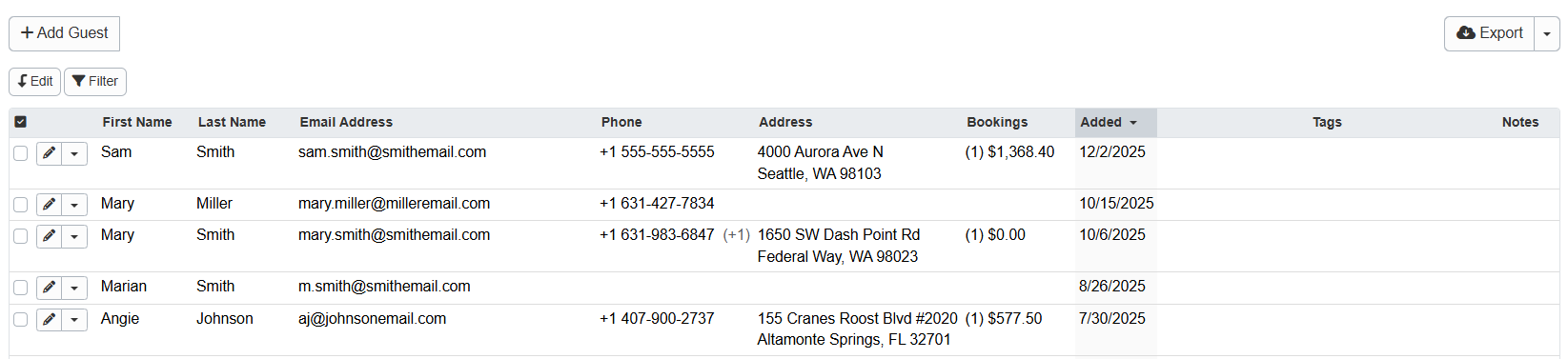
Account Files: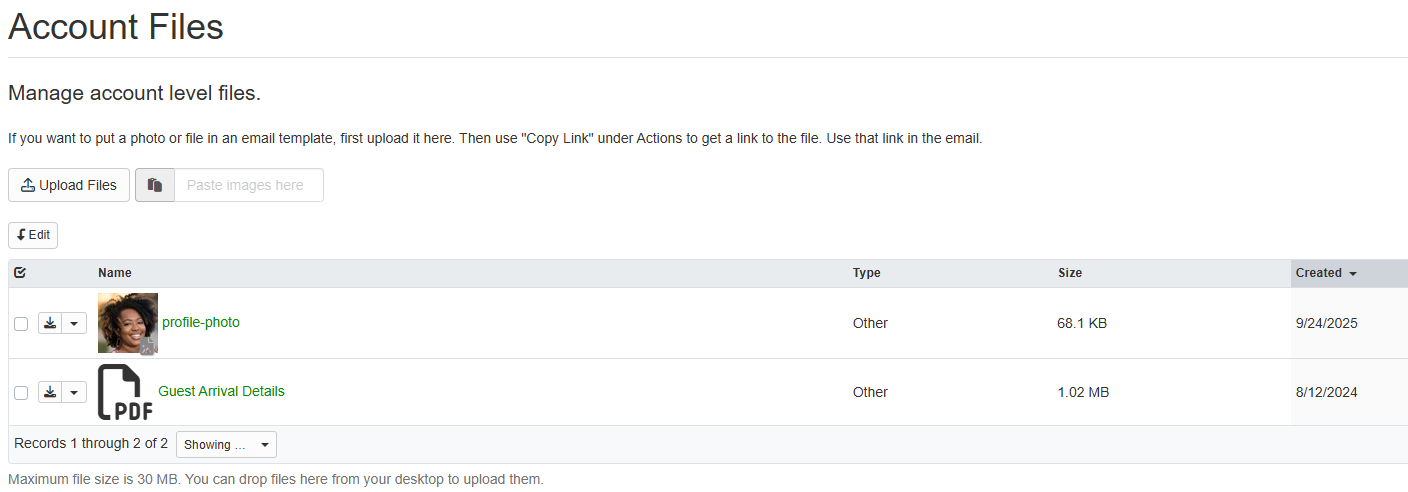
Developer/API Settings: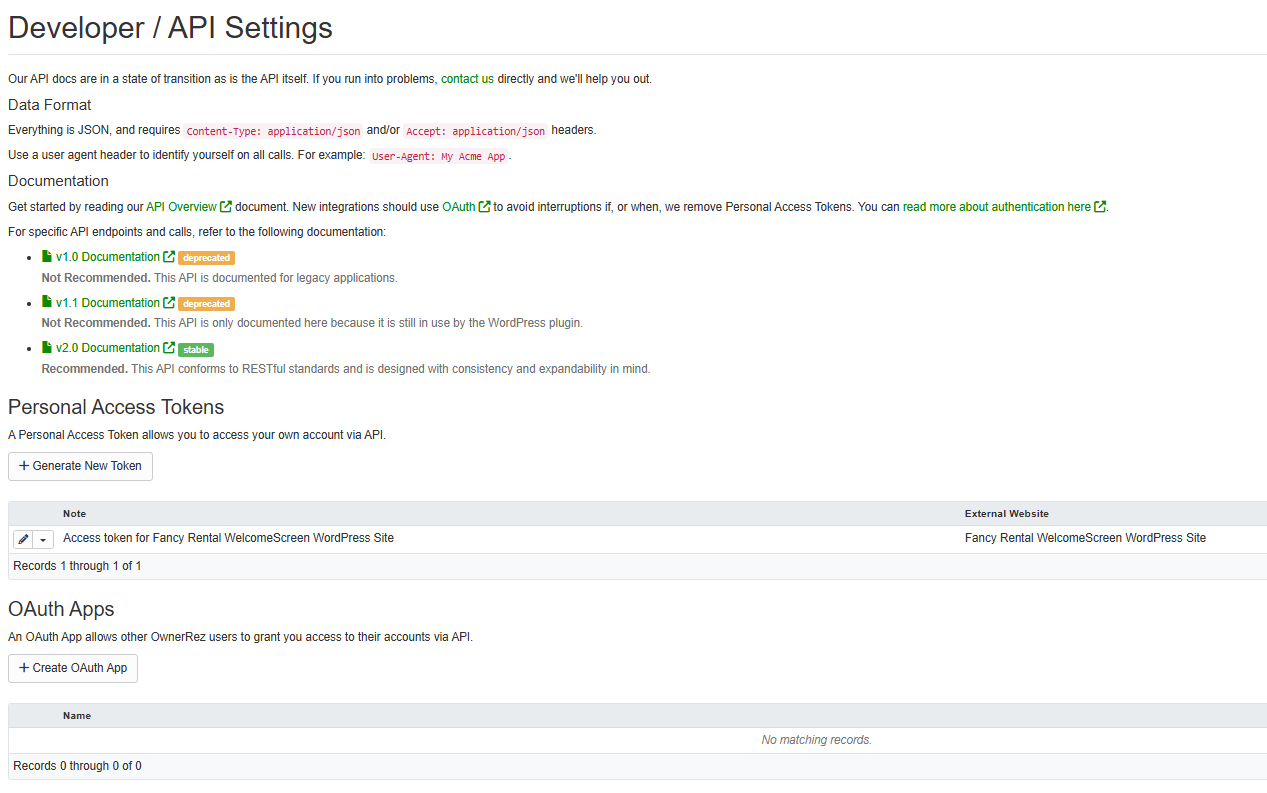
More design updates and changes are on their way soon!
Tweaks
December 3rd Release with 1 Tweak
Improve Google Analytics Performance. OwnerRez encountered Google Analytics performance problems because many widgets attempted to load Google Analytics data simultaneously. We've improved our Google Analytics performance by now allowing widgets to load data only once per tracker intelligently and send it only to the widgets that requested it, greatly reducing network traffic and improving page load times.
December 10th Release with 2 Tweaks
Enhance Batch Update for QuickBooks Sync Design. OwnerRez updated the Batch Update for QuickBooks Sync page to ensure it aligns with other in-app areas.
Enhance Display of Related Information in Communication History Messages. OwnerRez has enhanced the display of linked related information in the in-app Communication History area to now include links for various items, such as payments, reviews, tasks, and more.
December 17th Release with 1 Tweak
Display Airbnb message removed indicator in the Unified Inbox. OwnerRez has added support for displaying when Airbnb messages have been removed in Unified Inbox by displaying an indicator with the text, "Message removed." Removed Airbnb messages, including their content and attachments, will no longer be accessible.
Bug Fixes
December 3rd Release with 10 Bug Fixes
Correct Property Rules > Batch Apply Cancel Button. The cancel button on the Property Rules Batch Apply page was incorrectly redirecting users to the Property page instead of returning them to the correct Property Rules page. OwnerRez corrected this glitch to ensure that the Property Rules > Batch Apply Cancel button redirects users to the Property Rules page.
Ensure Vrbo Discounts and Promotional Dates Handling is Accurate. Due to how our system handled seasons, some Vrbo Discounts and Promotional dates were calculated incorrectly, causing sync errors. We have fixed this bug by ensuring consistent date handling, so that seasons and promo dates are correctly aligned.
Fix Confirm & Pay Guest Form Custom Payment Whitespace and Payment Icon Display. Custom payment whitespace and payment icon formatting were incorrect on the Confirm & Pay guest forms. OwnerRez corrected these glitches so that Confirm & Pay guest forms display correct custom payment whitespace and appropriate payment icons throughout the guest payment flow.
Fix Non-active Account Message Errors. OwnerRez was receiving message errors when sending messages to non-active account participants. We have resolved this issue by now only sending messages to accounts that are actively linked.
Prevent Airbnb Channel Bridge from Importing Duplicate Guest Records. The Airbnb Channel Bridge was inadvertently extracting incorrect guest IDs, resulting in duplicate guest records. OwnerRez fixed this bug so that the Airbnb Channel Bridge now retrieves guest ID information from a more reliable location within Airbnb's data structure.
Prevent Saving Empty Guest Quick Edit Forms after Encountering Errors. Sometimes, when errors occurred after a pop-up Guest Quick Edit form (e.g., Bookings, Inquiries, and Quotes) was saved, the system inadvertently saved the form as an empty form. We corrected this glitch by having the system detect if the Guest Quick Edit form is incomplete and display a helpful error message instructing you to refresh and try again.
Prevent Sending "Unpublished" Notifications to Booking.com Users. After users made changes to their Booking.com (BDC) channel integration, OwnerRez users with active BDC channel integrations received incorrect notifications stating that their BDC channel integration had been unpublished. OwnerRez resolved this issue to prevent sending "unpublished" notifications after users make changes to their Booking.com (BDC) channel integration.
Rezzy AI Improvements (Private Beta)- Prevent Sensitive Pre-booking Messaging Content. This edge case occurred when Rezzy AI mistakenly included incorrect sensitive information in responses to pre-booking messages. We fixed this bug to ensure that Rezzy AI excludes sensitive information in pre-booking message responses.
- Ensure Property Filters Function Correctly. Even when the "All Properties" filter was chosen, Rezzy AI continued to incorrectly exclude properties based on earlier property filter exclusions. OwnerRez corrected this glitch so that Rezzy AI property filters function correctly.
Suppress Discount Code Input Field on the Confirm & Pay Guest Form if No Discounts are Applicable. Even if no discount codes were applicable for a booking, the discount code fields were still displayed on the Confirm & Pay guest forms. We resolved this issue by now properly checking if there are valid discount codes based on booking conditions before displaying the discount code input field on the Confirm & Pay guest forms.
December 10th Release with 16 Bug Fixes
Correct Add Property Page Text to Show That the Address is Required. The text on the Add Property page did not clearly indicate that a property address is required. OwnerRez corrected this glitch to indicate that property addresses are required.
Correct Booking Guest Assignments. Occasionally, guest assignment bookings were not corrected when users edited guest information using the Booking > Overview > Guest > Edit Contact Info popup. We resolved this issue, and the Booking > Overview > Guest > Edit Contact Info data is now properly preserved during the guest assignment process.
Ensure Owner Statement Label Sizes are Consistent. Some Owner Statement label sizes were inconsistent, so OwnerRez corrected them.
Ensure Surcharge Settings are Correct on Confirm & Pay Guest Forms. Surcharges configured to appear below tax line items were not appearing as intended for non-taxable surcharges on the Confirm & Pay guest booking form. We resolved this issue to ensure configured surcharges are displayed correctly on the Confirm & Pay guest booking form.
Ensure PM Lock is Automatically Applied to fully Remitted Bookings. Even when there were no open security deposits and the booking was fully remitted, PM Locks were not automatically applied after owner statements were created. OwnerRez corrected this glitch so that PM Locks are applied correctly.
Fix Airbnb Deposits Incorrectly Marked as Resolved When Still Pending. Despite still having pending resolutions, some Airbnb deposits were sometimes incorrectly marked as resolved. We resolved this issue by improving how we track the resolution status of deposits, ensuring they properly show as "Needs Attention" when they require manual handling of resolutions.
Fix Booking Cancellation Issues that could Make Bookings Uneditable. This edge case occurred when a canceled booking became uneditable due to an expense issue, rendering it impossible to add charges to the booking. OwnerRez fixed this bug to ensure that canceled bookings are editable.
Fix Invalid Length of Stay Discount Issues. Some Length of Stay discounts with invalid configurations were sent to Vrbo, causing synchronization errors. We corrected this glitch so that Length of Stay discounts are configured correctly when sent to Vrbo.
Fix Quick Quote Hidden Single Property Selector. When attempting to create a booking with the Quick Quote tool, the property selector dropdown list was obscured. OwnerRez fixed this bug, so properties are now properly displayed in the Quick Quote tool property selector dropdown list.
Fix Vrbo Promotion Comparison Errors. Some Vrbo OneKey discount tiers could not be compared accurately, resulting in unnecessary syncs and errors. We resolved this issue, and the comparison logic now correctly compares all Vrbo OneKey tiers.
Fix Vrbo Promotions Surcharge ID Format. Due to inconsistent surcharge ID detection, some Vrbo promotions or discounts were not applied correctly. OwnerRez fixed this bug by using standardized surcharge ID detection separators and backward compatibility for existing promotions and discounts.
Prevent Guests From Booking Travel Insurance for Destinations Outside the US. Although travel insurance was unavailable for these property locations, when users attempted to add travel insurance for properties located in the Federated States of Micronesia, the Marshall Islands, and Palau (independent nations, not US states), they instead encountered unhelpful error messages. We resolved this issue by preventing the ability to add Travel Insurance for properties located in the Federated States of Micronesia, the Marshall Islands, and Palau.
Prevent Single Select Dropdown Lists from Displaying Incorrect Placeholder Text. Website property search widget single select dropdown lists incorrectly displayed the text "Select" rather than the correct placeholder text, such as "Any Guest" or "Any Bedroom." OwnerRez fixed this bug to ensure that website property search widget single select dropdown lists display the correct placeholder text.
Rezzy AI Improvements (Private Beta):- Correct Rezzy AI Draft Border Styling Issue. The borders around the draft Rezzy AI in the Unified Inbox were inconsistent. We fixed this bug so that the borders around the draft Rezzy AI in the Unified Inbox are consistent.
- Ensure Booking Lead Times are Correct in Messages. Rezzy AI failed to accurately account for same-day booking lead times in guest messaging, incorrectly informing guests that they could not book the property past check-in time, despite configured Booking Lead Times allowing same-day bookings until midnight. OwnerRez resolved this issue so that Rezzy AI accurately accounts for same-day booking lead times in guest messaging.
- Handle Guest Conversation and Task Management More Effectively.
- Rezzy AI now avoids promising outcomes and instead uses investigative language.
- She creates research tasks immediately without asking for permission and no longer echoes guests' claims of urgency.
- Pre-arrival special requests are handled more accurately.
- Regular hyphens are used instead of em dashes.
December 17th Release with 14 Bug Fixes
Correct Property > Rules > Payment Rules > Offline Payments Typo. The word "checks" was misspelled in the in-app Property > Rules > Payment Rules > Offline Payments section, so we corrected this typo.
Fix Calendar Ribbon View Property Selection. Even though a property had already been selected, the calendar ribbon view still incorrectly displayed "Select a property." OwnerRez fixed this bug to ensure that the calendar ribbon view property selector functions correctly.
Fix Oregon Vrbo Surcharges Ingested as Rent Line Items. Some Vrbo Oregon surcharges were inadvertently sent with a rental fee type, causing them to be ingested as rent line items instead of surcharges. We resolved this issue by correctly identifying these surcharges by their external ID.
Ensure Airbnb Transaction Sync Populates Both First and Last Guest Names. When no guest name was included, the Airbnb transaction sync would sometimes only populate the guests' last names. OwnerRez fixed this bug so that the Airbnb transaction sync correctly populates both first and last guest names from transaction data when available.
Ensure Auto Reviews Use Public Property Name. Rather than using the {PDISPNAME} public property name, Airbnb and Vrbo auto reviews were using the incorrect {PNAME} internal property name. We resolved this issue, and Airbnb and Vrbo auto reviews will use the correct {PDISPNAME} public property name.
Ensure Billing Announcements are Displayed to Team Users with Billing Access. Team access members who had access to billing-related announcements (e.g., unpaid balance, expired credit card, etc.) did not receive those announcements as configured. OwnerRez corrected this glitch to ensure that team access members with access to billing-related announcements receive them.
Ensure Cancellation Policies are Properly Applied to Google Vacation Rentals Bookings. Configured property cancellation policies weren't applied correctly to Google Vacation Rentals bookings, causing issues when calculating refunds during cancellations. We fixed this bug, and configured property cancellation policies are now applied correctly to Google Vacation Rentals bookings.
Ensure Quote creation Updates Associated Block Dates. When creating a quote from an existing block, the system failed to update the associated block's dates. OwnerRez corrected this glitch to ensure that creating a quote from an existing block updates the associated block's dates.
Fix Booking -> Messages > History Dropdown List Styling. The in-app Booking -> Messages > History dropdown list styling was incorrect. We resolved this issue so that the styling is consistent with other in-app dropdown lists.
Fix Incorrect Unsubmitted Host Review Counts. Host review counts incorrectly included expired and unsubmitted Expedia integrated booking reviews that could never be completed. OwnerRez corrected this glitch to ensure that expired and unsubmitted Expedia integrated booking reviews are excluded from host review counts.
Fix Vrbo Channel Bridge Tax Import. Imported Vrbo Channel Bridge tax amounts were not always imported or processed correctly for guest booking amounts. We fixed this bug so that imported Vrbo Channel Bridge tax amounts are correctly processed in guest amounts, allowing for proper handling of different tax collection scenarios.
Prevent Unified Inbox Draft Message Errors. Occasionally, Unified Inbox drafts encountered errors, causing the spinner to spin endlessly when sending draft messages. OwnerRez corrected this glitch to ensure Unified Inbox drafts are sent correctly.
Prevent Channel Unlinking for Channel Hold Blocks Associated with Channel Quotes. A channel quote becomes uneditable when the channel connected to it is unlinked from an existing channel quote. We fixed this bug to hide the channel unlink button on channel quote holds, preventing users from attempting to unlink the channel integration in these situations.
Resolve Vrbo Property Import Failures. Some Vrbo property imports encountered failures. OwnerRez resolved this issue to make Vrbo property imports more reliable by improving error handling and enhancing the detection of complete property information.


