
Feature Requests
Latest Activity...
Check All Check box on the OR Statements in the Bookings and Expenses Sections 4 replies

However, while they consider this request, I did want to mention, kind of an undocumented work around...
by Steven C – Mar 11, 2026 6:31 PM (UTC)
Thanks Steve! Credit where it's due. Tried this and it worked just great! Appreciate it very much!
Show full list of blog categories on mobile 1 reply

I use blogs quite extensively on my hosted site. I organize posts by categories (ex: Attractions, Activities, Fishing, National Park, Events, Cabin Stay Info, and so forth). A blog post may belong to one or more categories. Clicking on a category on the right (desktop) brings up all posts in that category.
However, in mobile view, there is no full list of categories shown. Ex: Fishing category is seen on the desktop, and the viewer can pull up all fishing-related posts by clicking on the Fishing category tag. No such ability on Mobile.
Rezzy to query and analyze data across my whole OwnerRez account 1 reply

I know Rezzy is currently targeted as a chatbot to assist with guest messaging but where my biggest value out of Rezzy could come is if it had the ability to review and analyze all guest communications, booking history, and other data and do analysis.
For example I would love to ask it questions like: "How many times have guests asked about the mattress or bedding in this particular property? What were their concerns, questions, or comments about?"
I could get really nice summaries of this if I was able to access all of this information from another LLM but that's not trivial either.
Another great use of LLM tech would be a documentation chatbot where I could ask questions about how to do specific workflows in OR and have it give me tutorials or suggestions. I currently use Gemini or ChatGPT for this, and it's pretty good - but an even better integration is the support chatbot built into tools like Breezeway which you can ask it how to do something, and it will give you instructions without you searching through docs.
Thanks for your consideration!
Have a "Dynamic photo layout" website template for single property website 6 replies

Request: Enable dynamic photo layout for single property hosted website templates.
The 5-photo grid with organized room/amenity tabs provides a more modern, professional presentation that matches guest expectations from platforms like Airbnb and Vrbo.
Current problem - Single property users are forced to use multi-property template just for the photo feature
The impact - Single-property users are disadvantaged because we either don't get the dynamic photo layout or we have to use the less than ideal multi property template
What I request - Dynamic photo layout for single-property templates
Why I am requesting it - It's better for showcasing properties
I have been using the multi-property template for a single property because the dynamic photo layout is so much better.
The dynamic photo layout in the multi-property template is much better for showcasing all properties, but the single property templates are better for showcasing a single property overall.
Single property users are definitely disadvantaged by not having the dynamic photo layout available on the single property templates.
Step towards unified email inbox 28 replies

It would be great if Rezzy can work with Email in the same way it works with the unified inbox and SMS.
Check All Check box on the OR Statements in the Bookings and Expenses Sections 4 replies

Sorry I didn't see this post earlier...
I do not disagree that all grids that have checkboxes should have a check all option kind of like our Bookings Grid and Properties Grid do. This is a great feature request.
However, while they consider this request, I did want to mention, kind of an undocumented work around.
If you check the first box you want to select.... hold down shift on your keyboard... and then select the last box you want to select... it should select all the boxes in between for you. Then like you said, you could go back and uncheck any that shouldn't be checked.
Here is a quick video of that in action:
How to Select Multiple Items in a Grid System - Watch Video
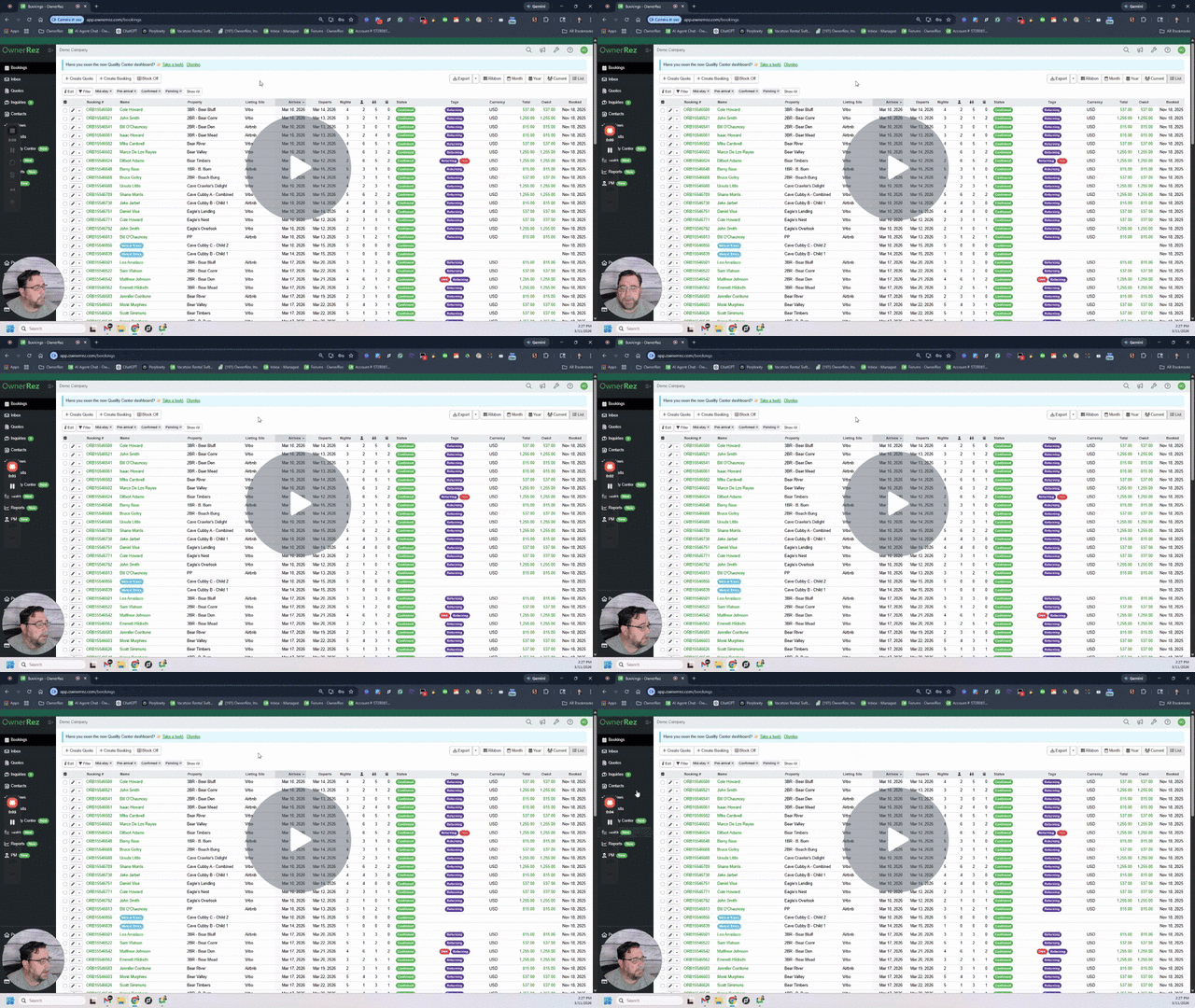
Hope that helps in the meantime!
-Steve
Filter discount tags by date in the system 1 reply

Hi Denise!
Although it's not exactly what you're looking for, you might be able to do this by using the Stays by Date Range report. You can insert a date range you'd like to look at and the properties, and when you run the report, it should have a column that shows you the tags added to a booking, including any discount tags that you created and added to bookings: https://app.ownerrez.com/reports/bookingstayrange
Keep legacy inbox moving forward 2 replies

[This topic has been merged with another topic (Do not remove "compose box"). All unique votes have also been merged.]
Do not remove "compose box" 3 replies
[Another topic was closed as a duplicate of this topic (Keep legacy inbox moving forward)]
Include a hyperlink on the "Join a Property Share" site 3 replies
We've added an information tooltip to the property share form that prompts users to include direct URLs to their property shares along with relevant descriptions.
Allow Rezzy full access to calendar 4 replies

Thank you, Chris. I’ve submitted numerous examples to Support of Rezzy not checking availability — or guessing it incorrectly — and have had countless other instances as well (that I haven’t submitted). Having Rezzy accurately confirm availability is crucial to functionality and use of it.
Allow Rezzy full access to calendar 4 replies

Sorry for the confusion here! Rezzy can see and interact with your calendar fully. She can quote for new bookings, bookings extensions, check availability etc.
What she doesn't instinctively get is a data dump of the entire calendar availability and rates -- she's got to use the availability check or quoting tools. That's a bit of the behind the scenes on how Rezzy does things under the covers.
The important part: she didn't check availability here, and she should have -- so I've escalated this for research into what happened and why.
Ability to create temporary banner/announcement on the hosted sites 1 reply
Also, it would be good to highlight unsold dates. Such as "Easter weekend still available at XYZ! Book now"
Allow Rezzy full access to calendar 4 replies
100%!
There are so many instances where OwnerRez indicates -- directly and indirectly -- that Rezzy does actually have calendar access.
- "Rezzy AI knows availability... for all your properties" from the primary Rezzy AI Overview page »
- "With our February 4th release, we amped up Rezzy's capabilities to provide accurate pricing quotes directly in the Unified Inbox for... modifying existing reservations..." This quote from the recent blog post seems to indicate understanding availability in order to modify existing reservations.
- Some direct quotes from this Rezzy AI webinar:
- "That's live quoting, actually talking about dates, actually talking about rates, getting into the nuts and bolts of actually changing the booking or seeing what's available and being, you know, even more powerful than a human VA would probably be." (45:08)
- "Rezzy has access to your calendar of availability." (46:19)
- During a live demo of quoting an adjacent night: "So Rezzy is right... that night is available." (46:44)
- "So here again it looked at your live availability." (47:29)
Yet we are unfortunately being told that Rezzy does not, in fact, have full calendar access and we must open a feature request to have this stated ability added.
Allow Rezzy full access to calendar 4 replies

Currently, Rezzy lacks calendar visibility. When guests ask about date availability, it gives a vague placeholder response like, "We will look into it." In contrast, almost all other AI tools on the market (such as HostAI and Conduit) provide authoritative, real-time availability answers.
I submitted a support ticket about this and was told by Mike from OR that ""Rezzy has no access to the calendar. Providing full access would be seriously detrimental to performance, so it can't be done. I know there is some discussion about possibly letting her see a day or two before and after the booking she is looking at to help with the 'can I arrive early?' type of questions.
The workaround that was made available to her recently was the ability to create quotes. This provides her with 'pseudo' calendar access. So if the calendar-related question can be answered by a quote, she does pretty good.""
While I appreciate the workaround, I am struggling to understand the performance limitation, given that competitor tools handle full calendar access seamlessly.
My request: please grant Rezzy full access to the calendar. This is essential for providing meaningful, immediate answers to basic guest inquiries like, "Do you have availability from [Date] to [Date]?" rather than relying on unhelpful placeholder responses.
logo for direct booking website 1 reply
[This topic has been merged with another topic (Logo for Direct Bookings). All unique votes have also been merged.]
Logo for Direct Bookings 2 replies
[Another topic was closed as a duplicate of this topic (logo for direct booking website)]
logo for direct booking website 1 reply

It would look much nicer and more consistent if, for direct bookings from our websites, the system could display the website logo (similar to how Booking or Airbnb logos are shown) instead of only showing the text of the website inside the reservation page from OR platform.
This would make the interface cleaner and more intuitive, especially for Portal users.
Add email address associated with VRBO API connection in Channel Tester drop down 5 replies
That's a great suggestion! We'll see what we can do.
PMv2 - Booking status incorrect in owner statements 6 replies
Hi Alece,
Thanks again for raising this and for the detailed examples. We spent some time internally reviewing the logic and talking it through.
The conclusion is that what you’re seeing is currently working as designed, even though I completely understand why it can feel inconsistent at first glance.
The key thing to keep in mind is that the Status column reflects the booking status as of midnight on the statement end date, while the “In Period %” column simply calculates how many nights of the stay fall within the statement range.
Another way to think about it is this:
-
Booking Status is determined using the actual check-in and checkout times.
-
In Period % is calculated based on the nights of the stay that fall within the statement period.
Using your first example:
Booking: April 30 – May 4
Statement period: April 1 – April 30
At midnight on April 30, the guest has not arrived yet, because check-in would normally occur later that day. Because of that, the system considers the booking Pre-Arrival from a status perspective.
However, the In Period % calculation is separate. It looks at which nights occur inside the statement range. Since the night of April 30 falls within the April statement period, the booking is included in the statement.
Your second example works similarly but on the departure side:
Booking: May 30 – May 31 (1 night)
Statement period: May 1 – May 31
At midnight on May 31, the guest has not checked out yet, since checkout would normally occur later that morning. Because of that, the system sees the booking as Mid-Stay at the moment the statement snapshot is taken.
At the same time, the In Period % column shows 100%, because the single night of the stay (May 30) occurs entirely within the May statement window.
So the two columns are answering slightly different questions:
Status
What was the booking status at midnight on the statement end date?
In Period %
What percentage of the booking’s nights fall inside the statement range?
It’s also worth noting that Booking Status is used in many other areas of the system, not just Owner Statements. Because of that, changing how this logic works is a bit more complex than it might initially appear and could have ripple effects elsewhere in the platform. As it currently stands, the status calculation is technically correct based on the check-in and checkout times.
That said, it’s also worth asking how important the Status column is on the statement itself. In many cases owners care more about how many nights fall in the statement period than whether the booking happened to be mid-stay or not at midnight on that date. If the Status column is creating confusion, you could simply remove it from the statement view.
Another idea we discussed internally would be adding a small help-text tooltip explaining that Status reflects the booking state as of the statement date, similar to how the In Period column already has help text indicating that it represents the percentage of nights occurring within the statement period.
I hope, the understanding of how these two columns work and represent different things, better explains why you are seeing this on your statements.
Appreciate you bringing thoughtful feedback like this. Conversations like this help us keep refining how these reports communicate the data.
Steve
Ability to automatically build property FAQ page on hosted site from the Property FAQ/ Rezzy FAQ 2 replies
added: and automatically generate applicable FAQ schema markup
Custom photo gallery for embedding in OR hosted website and/or blog posts 2 replies
and to add: the ability to auto-resize all images in the gallery to be constrained by the same ratio/dimensions.
Add email address associated with VRBO API connection in Channel Tester drop down 5 replies

I am going to include a screenshot of what my dropdown looks like for visual reference. I personally have multiple VRBO API connections. When going to select the correct VRBO connection for channel testing, it only displays the OR account numbers and not the email associated with the API. I don't have said OR account numbers memorized, so I have to go back and look in the API settings. This is an unnecessary annoyance. Could we add the email info to the channel dropdown box for VRBO api connections?
Trigger a webhook when a new task is created 1 reply
When a new task is created, have the possibility of triggering a webhook with the information contained in the task.
Use case: we don't use OR' tasks (we have our own tasks' solution deeply integrated into our ERP); OR creates task for everything and there is no possibility of configuring anything about what deems a task to be created or not, so the way we will use this webhook is to analyze the information on it, and if a task (inside our ERP) is needed, we will create it.
Dynamic Length of Stay Pricing 46 replies

I’d be very interested in trying the beta version when it’s available. Thank you!
Dynamic Length of Stay Pricing 46 replies

Would love to be part of beta! Thank you.
Dynamic Length of Stay Pricing 46 replies
Hey there,
We are officially moving that direction now, yes! I do not have an ETA to provide yet as there's some fine tuning needed behind the scenes before we can fully support this, but we are well on our way.
I'm unsure if we'll be rolling this out as a beta first, but if we do, we'll be sure to let interested users know.
Automated reply messaging during after hours. 6 replies

Still hoping this is added. :)
Trigger 30 day rule 3 replies
At six months, the deadline for leaving a review on VRBO comes up. Why would it be so awful to send a reminder a week or two before and just nudge the guest, letting them know that if they don't post a review, they lose the opportunity to do so? It is specifically related to the booking that the guest had with us.
Likewise, if the guest doesn't complete their Guest Exit Survey with us regarding their stay, it would be good to send them a final reminder about it at six weeks. In our case, if they miss doing it, they lose out on the opportunity to win a nice prize or two. It specifically relates to the stay they booked with us, so what's the big deal?
In my view, this restriction is overkill.
OwnerRez users are business people who have a reputation to maintain. Not anonymous spammers and fraudsters who don't care how many times they upset people who never were their customers by hassling them with spam.
Besides, there are all kinds of ways you could deal with your own concerns if you really wanted to. Limit your users to a maximum of six triggers beyond 30 days, for example. Or a maximum number of 'after 30 days' emails which can be sent per user per month.
Besides... what would be so bad about providing a quality service for marketing correspondence, for your existing customers, when you have all of your user's data anyway? Other companies do it. StayFi is doing it, for example. They're just making themselves more valuable to their customers and out servicing their competition. Since when did that become a bad thing?
Or how about a new integration that your users could actually make use of? Hook up OwnerRez with three or four (so there is choice amongst whom to use) quality email service providers, and offload the risk to them. But don't force your users to store their data in two or more places, and jump through a bunch of import/export hoops which don't work; or Zapier integrations which don't work, you don't have a good connection for, and need a PHD in programming to figure out... just to try and have the two systems work together.
Help your customers with what they need the most, not what's easy, convenient, or the newest shiny toy to come down the internet pike!
Payment Schedules 78 replies

I wish that OwnerRez would pay more attention to what people are requesting on their forums rather than these silly walk around blog posts that don’t improve the software whatsoever.
At some point this refusal to address real improvements in the software will force users to find a different solution on another platform.