
General Help and Questions
Latest Activity...
Forced Changed: "Simplifying Airbnb service fees" 50 replies

I do not agree at all with this change Airbnb is making. Sure we can do a channel rate adjustment of 15.5 % to our Airbnb pricing to recoup our fees, but I believe the customer needs to know the "additional cost" they are paying to use the Airbnb service as opposed to booking direct. Without some sort of breakdown to show the guest the additional cost of using Airbnb, Airbnb comes out looking like a free service to the guest. Airbnb claims this is all about "Fee Transparency" in fact a direct quote from their site is; "Updating our fee structure to a single fee is part of Airbnb’s commitment to improving pricing transparency". But in reality, It's Airbnb's attempt to hide the cost of using their service from the customer.
Forced Changed: "Simplifying Airbnb service fees" 50 replies
I agree with you. I do not agree at all with this change Airbnb is making. Sure we can do a channel rate adjustment of 15.5 % to our Airbnb pricing to recoup our fees, but I believe the customer needs to know the "additional cost" they are paying to use the Airbnb service as opposed to booking direct. Without some sort of breakdown to show the guest the additional cost of using Airbnb, Airbnb comes out looking like a free service to the guest. Airbnb claims this is all about "Fee Transparency" in fact a direct quote from their site is; "Updating our fee structure to a single fee is part of Airbnb’s commitment to improving pricing transparency". But in reality, It's Airbnb's attempt to hide the cost of using their service from the customer.
How to Protect Your Payout After Airbnb’s Fee Update 7 replies

This letter came into my email box from Pricelabs which IMO was interesting b/c I was forced into this host based model about a year ago (I was able to get back to split fee model eventually) and came to the same calculations - 15.5% are really 18.5% because of snowball effect of fees on top of fees. And to the most customers Airbnb will look like a generous benefactor with a greedy host charging them ridicules fees. IMHO I don't want that fee and possible displeasure and associated questions directed to me. I am not charging that fee so I do not think it is fair to expect me to represent it on Airbnb behave. YMMV
"Airbnb’s new 15.5% host-only fee takes effect October 27 — and if you’re connected to Airbnb through a property management system (PMS), this change directly affects your final payout.The fix is simple — and quick. You can keep your net payout the same by updating your Airbnb channel markup in your PMS, not in PriceLabs. PriceLabs pushes prices to your PMS, which then sends them to Airbnb — so the change must happen in your PMS settings.You just need to:
- Adjust your Airbnb channel markup to 18.34% inside your PMS
- Apply it to your nightly rates and cleaning fees (not taxes)
 Watch this 2-minute video to understand the math behind it.
 Want to go deeper?Join our live webinar in which PriceLabs experts break down the math behind the markup in simple terms and get your questions answered.Best regards,
Your PriceLabs Team"
PS Adjusting nightly rates and surcharges to higher values (from 17.2% total in split fees model to 18.5% in host based model obviously will increase the total the guest will have to pay by 1.3%. So, this upcoming Airbnb initiated change won't only shift the blame for ridicules fees to us but will make our listing more expansive and less attractive to our guests making our listings less competitive. Thoughts?
OwnerRez properties suddenly not connected to PriceLabs 1 reply

Same problem
Is there a way to have OR NOT require an ID for a repeat guest? 6 replies

Hi Claudia,
Instructions for setting that up can be found here - https://www.ownerrez.com/support/articles/capture-additional-fields-on-checkout-quote-acceptance
If you have any trouble with it, please reach out to help@ownerrez.com and our Helpdesk will be happy to assist!
Is there a way to have OR NOT require an ID for a repeat guest? 6 replies

Where do I add that renters have to provide ID while signing the rental agreement?
How do i do direct bookings through ownerez? 4 replies

Hello, I'm 2 mo into using ownerez and have primarily had my property on Airbnb, which itself is a pretty well oiled machine. Now I want to have an option for direct booking that I can guide my family n friends to, if they ask. Is there an article on step by step directions on how to go about direct booking? What all agreements and coverage i need to have in place? Also, how do I market my property thru ownerez website? Where do I post it??
Would appreciate insights. Thank you
Extenteam 0 replies

Hi - I'm curious if anyone is using Extenteam to handle their guest communication, and if so, what your experience has been like using their services.
Old messages showing unread 1 reply

Yes, we were aware that Airbnb was sending us notifications that messages had changed when there had not been a change in the message. Yesterday we rolled out a hotfix to avoid marking the old messages as unread. You can mark all of those as read.
If you see any old messages popping up as unread occurring today on forward, please send us a screenshot to help@ownerrez.com with additional detail and we'll take another look at it.
Owner statements and Booking.com 1 reply
If you'd like to drop us a line at help@ownerrez.com, we can better help you there.
When you write in, please provide a few example bookings (the booking number will begin with ORB) where the commission is not calculating correctly, letting us know what you are expecting to see for each. If you have any screenshots, that will help as well.
We'll be watching for an email from you!
Old messages showing unread 1 reply

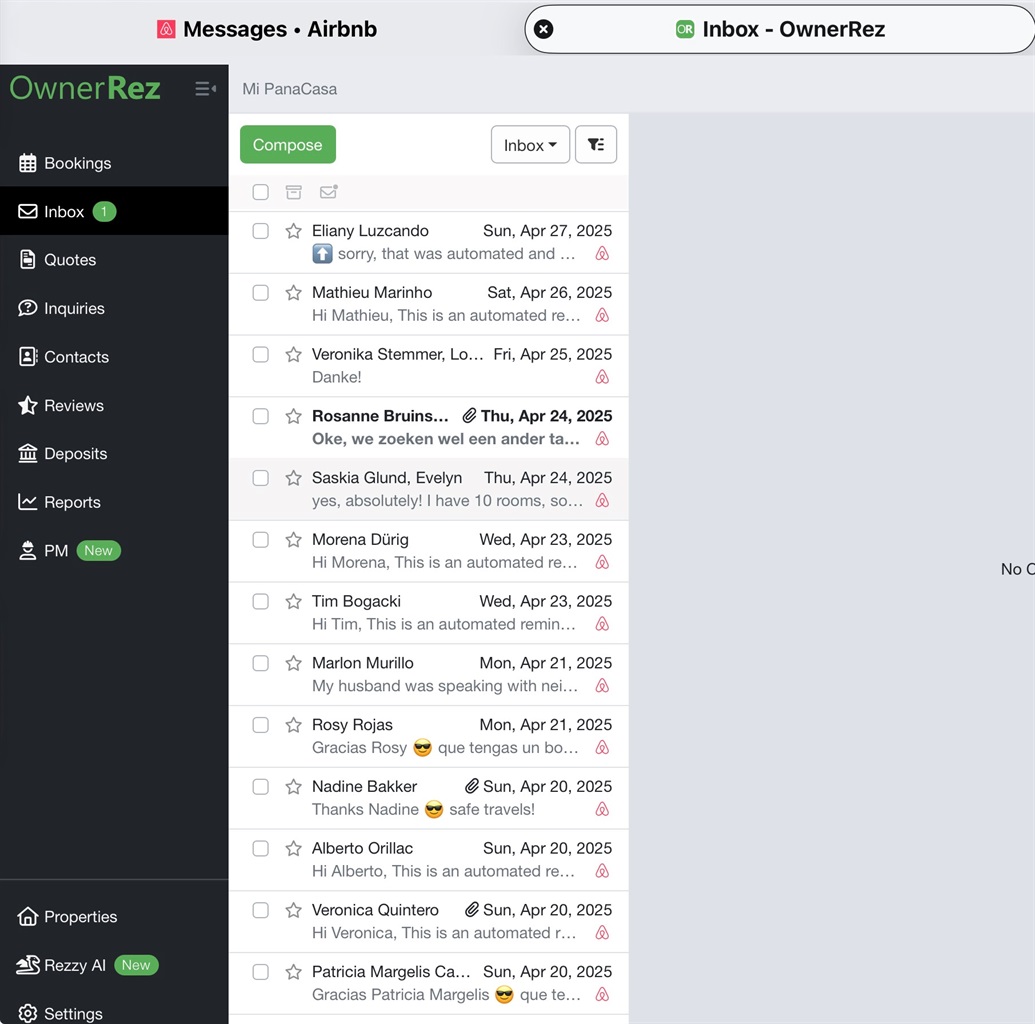
I’ve noticed recently that super old messages are resurfacing as unread even though I previously had a cleared inbox with no unread messages. Now I have to keep scrolling to find the boldfaced message to then click ‘all messages’ to show as read. (Clicking all messages no longer works if the boldface ‘new’ message isn’t showing on my screen) This example shows a message from April that had already been read, but shows as new in my inbox….confused.
One Night Discount 8 replies

Thanks. I thought I was posting in the feature requests. I'll repost at the link you sent me.
One Night Discount 8 replies

Hi Shannon!
This sounds like it would be a feature request! You should submit this here: https://www.ownerrez.com/forums/requests
Our team looks here to see what our users want, and others can upvote it to let us know they'd like to see this feature added!
Question: Can you create a landing page (not linked to the menu) 2 replies

Thanks you kindly, Blue!
For anyone who wants a more detailed walkthrough, what you do is go to the Hosted Websites page (under My Website section), press the "Menu Layout" button, then drag & drop the newly created page under the Links category and drop it into the Hidden category. Press Save, and it is now no longer showing up on the menu.
Question: Can you create a landing page (not linked to the menu) 2 replies

You can create a page and set it to "hidden from menu". That way, only those who have exact URL can open it (you can send them the URL) . in this example, access instructions are hidden from the menu, but when I email guests an email with URL, they can click and open it.
Airbnb will be hiding guest phone #s starting Sept 30! 9 replies
Hi, everyone!
We spoke with our contacts at Airbnb who have assured us that this Airbnb feature is limited to a small number of non-API connected hosts.
The article referenced in the feature request linked above is nearly a year old, and it should also be noted that the article makes no mention of September 30th for a start date. https://www.airbnb.com/help/article/3764
If you are an API connected host with OwnerRez and received an email from Airbnb regarding this, please forward that to us, ensuring we can see the email address Airbnb sent it from and the entire message you received. Please also include your Airbnb Host ID.
Question: Can you create a landing page (not linked to the menu) 2 replies
I am looking to create a webpage that does not have the menu at the top: it is a page people click to collect information, and the only way they find it is because it was sent to them. I don't want it a part of the menu because I don't people that start at the home page or any of the other pages to accidentally stumble upon it: it would be too confusing and create too much unwanted noise for anyone other than the specific people that are targeted via email or SMS to visit.
Is this possible without having to use a widget?
DPGO is a No GO 0 replies

I saw OwnerRez integrated with DPGO recently and decided to give it a try. They advertise that they use AI to analyze 200 market parameters and increase occupancy. It has a 30 day free trial so it was no risk to test drive the software. Integration was easy and seamless, linking listings was also very easy. The setup process for the pricing was fairly simple. You set a style (aggressive, conservative, recommended, etc.) and it adjusts the rates a bit from that first setting. You can adjust seasons, nights of the week, or let it do it for you. Then it of course has the dynamic pricing. It will run rates out 365 days. Everything seemed to work OK, nothing special, but not bad either. The problem I have is the customer service. I had a few simple questions I wanted answered. When first signing up, I received an email from a rep stating to reply to her if I had any questions. I tried replying but the emails will not go through. I tried manually typing the email in multiple platforms but they all come back undeliverable. So I jump on their website. On the website there is a live chat feature, the email (that doesn't work) and a phone number. I decided to try the phone number first, it disconnects you each time. Then I jump on the live chat feature, get connected with an agent (same name from the email I received), she somewhat answers one question (not sure if it's an AI response), then takes over 6 hours before the next response comes through. The last question I asked was about support and she stated that only chat support is available. I felt like the software had some potential but some sort of customer support is essential. I can't trust a software setting my rates if I can't address a problem with someone. Just my experience with this so wanted to share.
Airbnb will be hiding guest phone #s starting Sept 30! 9 replies
Airbnb will be hiding guest phone #s starting Sept 30! 9 replies

I agree.
In the meantime, I suppose the only solution is to create a custom field for phone number, and make it required to provide in the rental agreement.
Airbnb will be hiding guest phone #s starting Sept 30! 9 replies

I think a more reliable solution would be to:
- Internalize the phone number sent from Airbnb as a secondary phone # in the guest's OR contact record in the background so we still have it if needed, but don't even show it on the POC form.
- Have a *blank* phone # field on the POC form that's set as *required* so the guest must fill out their real number themselves, and elevate whatever is entered here as the 'primary' phone number for the guest inside OR, thus keeping all door code, SMS, and other phone-number-dependent workflows intact.
Hey Tyler, if you haven’t already, I suggest submitting this as a feature update request. Then, please share the link to the request here so that people can upvote it. Your approach is precisely what I need.
Airbnb will be hiding guest phone #s starting Sept 30! 9 replies

I wouldn't say they're 'prompted'.
Guests are shown the POC form with all their info pre-filled from Airbnb. A significant number of guests will simply click to move past this screen, even after the unfamiliar Airbnb-issued temporary phone number starts populating in the phone number field. This will then affect workflows like SMS comms and door code generation.
I think a more reliable solution would be to:
- Internalize the phone number sent from Airbnb as a secondary phone # in the guest's OR contact record in the background so we still have it if needed, but don't even show it on the POC form.
- Have a *blank* phone # field on the POC form that's set as *required* so the guest must fill out their real number themselves, and elevate whatever is entered here as the 'primary' phone number for the guest inside OR, thus keeping all door code, SMS, and other phone-number-dependent workflows intact.
Owner statements and Booking.com 1 reply

I've recently started to use the owner statements to do my invoicing to my owners.
I've set it up so the statement shows the gross amount and the commission.
However I have noticed something. I have a set percentage that I take on the gross booking value of each stay. When the guest books via Airbnb, VRBO, and direct this value is calculated perfectly. However with booking.com it is always slightly less than it should be.
I have been through several things on the service centre but I can't seem to get it working properly. Anyone else dealt with this or have any suggestions?
Thanks
Credit Card processing recent developments 5 replies

What is your average interchange fee? What is your interchange fee by card brand Visa, MasterCard, American Express, Discover?
I'm considering switching over, but I want to make sure that I'm not going to end up with higher fees.
Airbnb will be hiding guest phone #s starting Sept 30! 9 replies
As the previous commenter said, and which I forgot, Guests are already prompted to enter their correct phone numbers when they go to sign the rental agreement.
Airbnb will be hiding guest phone #s starting Sept 30! 9 replies
Just checking if this has been done yet?
Airbnb will be hiding guest phone #s starting Sept 30! 9 replies

Right now, OR pre-populates the number received from Airbnb into the "cell phone" section of the rental agreement. Possible some guests will notice the number does not match their number, but ideally OR would stop porting that over altogether.
Is Yale Linus Smart Lock L2 supported by OR? 4 replies

Thank you very much!
Airbnb will be hiding guest phone #s starting Sept 30! 9 replies

Is there a way for OwnerRez to bypass it or at least get the guest email or phone number?
Is Yale Linus Smart Lock L2 supported by OR? 4 replies

Possibly, if you happen to be an API programmer.
You can pull the door codes with our Open API here:
https://api.ownerrez.com/help/v2
And I believe you can connect to Yale using the SeamAPI. It is free for up to 10 devices.
Which is documented here:
https://docs.seam.co/latest/device-and-system-integration-guides/yale-locks/get-started-with-yale-locks
https://docs.seam.co/latest/capability-guides/smart-locks
We were hoping to build a native integration with Yale locks, similar to what we offer with Schlage. Unfortunately, Yale requires a substantial flat rate yearly developer fee, which makes it difficult to create an integration that would be affordable for our clients. Schlage, on the other hand, structures their fees based on volume, which allows us to provide that integration at a much lower cost. We continue to negotiate with Yale though and hope one day to have our own integration with them as well.
There is another Forum Post that discusses some of this:
https://www.ownerrez.com/forums/requests/integration-option-with-getseamcom-for-door-locks
Overall Jervis seems like the best option and should only cost you $6 a device per month,. I think