
Feature Requests
Latest Activity...
Payment Schedules 78 replies

[Another topic was closed as a duplicate of this topic (Increase payment options to 3 deposits instead of 2)]
Increase payment options to 3 deposits instead of 2 1 reply

Hello,
I have a retreat center and because the booking amounts are quite large, and the reservation is often 9-15 months in advance, we typically offer 3 payments: 30% down, 35% midway between booking and arrival, and 35% 1 month before arrival.
This timing also allows retreat leaders to advertise and start collecting payments.
It would be phenomenal if you could allow us to choose between the 2 payment or a 3 (or even 4) payment option. This would make using OwnerRez so much easier for me and my staff--thanks in advance!
Amy
Potential Vestaboard API with OwnerRez 1 reply

Hello OwnerRez Team,
I’m an OwnerRez user and recently purchased a Vestaboard display for one of my vacation rental properties. I wanted to ask if OwnerRez might consider supporting an integration with Vestaboard through your API.
The idea would be to automatically display a personalized welcome message for guests based on reservation data from OwnerRez. For example, the display could show the guest’s name, their stay dates, or a customized welcome message when they check in. I think this could be a really fun and memorable feature for vacation rental hosts and guests.
Vestaboard does have API capabilities, and I’ve been in contact with someone at Vestaboard who may be able to help explore whether an integration could be possible.
I appreciate the great platform you’ve built and wanted to share this idea in case it might be something OwnerRez would be interested in supporting.
Thank you for your time and consideration.
Best regards,
Teara
API: Expose Guest Listing Site Fee on /v2/bookings/{id} 0 replies

OR tracks the Guest Listing Site Fee (what Airbnb/Vrbo charge the guest) and shows it in the booking UI under Guest Balance -- but it's not available via the API.
Request: Add a read-only field like total_guest_listing_fee to the GET /v2/bookings/{id} response.
Why it's useful: Any integration doing booking analytics, revenue reporting, or direct-vs-OTA comparisons needs this number. Right now there's no way to programmatically get the full picture of what the guest actually paid.
Our specific use case is a "direct booking opportunity" report, but I'd imagine anyone building dashboards or guest-facing pricing tools would benefit.
- Jerry
Separate Block Color on Month View 3 replies

Why is it only in ribbon view that I can see a color difference on a blocked day?
Also, I would like to see triggers work with push notifications and a delay option for triggers. The message for rental agreement feels heavy handed to show immediately after booking Let it breathe!
The time of day option doesn't really work for that unless I'm missing something.
PM Owner Statement Summary year end report or really any report: need totals 1 reply

I just used the new PM Owner Statement Summary year end report. The report looks great on the GUI, but when I export it, the totals down and to the right are all gone. I had to go in and separate the Income and Expenses, then create the monthly totals and end totals.
Could this be added to the export function?
Thanks
Extend Stay Quote 6 replies

Echoing the need for this!
PMv2 - Booking status incorrect in owner statements 6 replies
Hey @Bri! This had been fixed, but there seems to have been a regression. 😩 I've got statuses showing as Mid-Stay again, while also displaying it as 100% in period.
See the bottom row here as one example:
Thanks, Alece. Sorry for any frustration here. Let me pass this along to our escalation teams and see what's up.
PMv2 - Booking status incorrect in owner statements 6 replies
Hey @Bri! This had been fixed, but there seems to have been a regression. 😩 I've got statuses showing as Mid-Stay again, while also displaying it as 100% in period.
See the bottom row here as one example:
Extend Stay Quote 6 replies

Agreed! It is far too cumbersome to make a simple change to an existing reservation to extend it a day or two. It should be a quick click of a button to send the updated quote.
Dynamic Length of Stay Pricing 46 replies
Hey @Bri! Your last update was almost a full year ago. Is OwnerRez any closer to supporting PriceLab's LOS settings?
Ability to Add Registered Guests to a Reservation 4 replies

Hello OwnerRez Team,
I’d love to see a feature that allows hosts or booking guests to add “Registered Guests” to a reservation who can receive reservation communications and participate in the message thread.
Many of our reservations involve multiple families or groups splitting the cost, where only one person is technically the booking guest but several others are staying at the property. It would be extremely helpful if those additional guests could be added to the reservation so they can:
• Receive important communications such as check-in instructions, property details, and updates
• View the message thread and ask questions if needed
• Stay informed without relying on the primary guest to relay information
Ideally, the system would allow hosts to collect basic information such as name, email, and phone number, possibly through the rental agreement or a guest information form.
Benefits of this feature include:
• Ensuring everyone staying at the property has access to key information
• Improving communication between hosts and all guests in the group
• Better visibility for hosts on who will be staying at the property
• Supporting common booking scenarios where multiple families or friends share a reservation
• Allowing hosts to build relationships with all guests, which can lead to additional reviews and future bookings, particularly for direct bookings outside of OTAs
This would greatly improve communication and guest management, especially for larger group reservations.
Thank you for considering this feature.
Trigger set up, add minutes and hours delay option. 2 replies

In the change trigger screen, there is only an option to delay sending a trigger by multiples of days. Using hostbuddy, or other AI it would be very helpful to have the option to delay triggers by minutes or hours also.
My specific issue is my AI responds to new bookings welcoming them and responding to any comments they made. I also have it telling them to watch for the RA and security hold message. In order to make this flow work, my Renters agreement request can not go immediately upon booking. So my only option right now is to delay that message after booking by one day. But this is awkward as now my guest is waiting for this message and if its a same day or next day booking we have to send it manually. Ideally I would send it one hour after the booking is created to allow any natural conversation with the guest to end before demanding paperwork and credit card info. :-)
Thank you!! Hopefully this is a fairly easy thing to add.
Define and use our own Template Types 1 reply

OwnerRez has 14 types of Email Templates. I think I use only THREE of them.
And yet, I have (right now) 81 Booking Email Templates, and I'm about to create a number of additional ones.
As anyone can no doubt imagine, I have created sub-categories by how I name the templates in my Booking Category. Examples include Review System, Booking (as in the Booking Process, not pertaining to Bookings in general), Arrival, Stay, Departure, Owner Notices, Insurance, VRBO, Storage, Source & Examples and others.
I can search through templates by name (thank you for that!) which I appreciate, but it would be really convenient to be able to categorize or organize my email templates as I need to, and not according to a bunch of categories that OwnerRez imposes, but don't suit my business.
Could we please be allowed as users to create and use/sort templates by our own Category types?
Alternatively, perhaps because the technology is already built into the system, be able to create and apply tags to them, which would accomplish much the same thing?
My nested hierarchy naming system is resulting in names that are just far too long!
Thanks!
PS I had a guest making an inquiry ask about something pertaining to our bookings, and the easiest means to answer them would have been to send them an email from the Booking category. But the system wouldn't let me do it. I understand that categorizing templates based on their type because of the fields they use may meet some software need, but not being able to send a simple email from a template I have already created is pointlessly restrictive. I understand how to do this with a work-around, but why not let ME decide what template I want to use when to send someone? Do I have to duplicate templates or needlessly copy and past them just to send a single email? Please remove these restrictions on sending templates to whomever I need.
Font much too small 1 reply
Hi Roseberry Cabin,
You can edit the guest's contact info using the three dots in the Contact Info panel here:
Are you viewing from a PC or mobile device? If you could provide some screenshots that would give us a better idea of how things look on your end.
On a computer, you can zoom in by holding Ctrl (Windows/Linux/ChromeOS) or Cmd ⌘ (Mac) and press the + (plus) key, or use Ctrl/Cmd + Mouse Wheel to scroll up.
Font much too small 1 reply
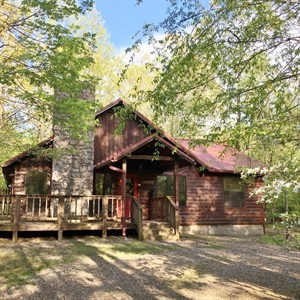
Update makes things really difficult!
Difficult to read.
Too hard to find how to edit -
to add last name - email address -- phone number of guest.
I hate this !!
Turno Integration 3 replies

Rezzy can automate conventional guest messaging (like check-in reminders) within OwnerRez, but it doesn’t yet have a direct integration point where Turno feeds it a “cleaning finished” event to trigger a guest message.
Is this something that can be added? It would be extremely helpful if guests could be notified. Currently I spend time manually letting guests know about check in.
WhatsApp Business Integration 48 replies

We use Host Buddy AI and they integrate with WhatsApp!
Time Log or Time Tracker 2 replies
We've received your feature request—thank you! If you think others would love this too, spread the word and invite them to upvote. Community feedback really helps us prioritize what to build next.
Increase Booking Number Size on New Booking Overview Screen 3 replies
We appreciate you taking the time to submit this feature request! If you know other users who would benefit from this, we'd encourage you to share it with them so they can add their support by way of an upvote at the top of the page.
Booking Overview Update — Slower Navigation & Workflow Challenges 0 replies

Hi everyone,
First, I want to say that I truly love OwnerRez and rely on it heavily for my business. We manage a high volume of bookings, and OwnerRez has been a huge part of keeping everything organized.
That said, I’m really struggling with the recent changes to the Booking Overview page, and I’m curious if other users are experiencing the same challenges.
What’s been difficult:
Before the update, the workflow felt very fast and intuitive. For example:
-
I could look at my calendar
-
Click on a guest’s name
-
Immediately see the information I needed in a clear, organized layout
Now, with the new layout:
-
It takes significantly longer to locate key information
-
I find myself clicking through multiple sections to find things that used to be visible right away
-
The flow feels less intuitive, especially when quickly moving between reservations
-
Tasks that used to take seconds now take much longer
As a property manager handling many reservations, those extra clicks and extra time really add up throughout the day.
Why this matters:
Efficiency is critical when managing multiple properties and guests. The previous layout allowed for:
-
Quick decision-making
-
Faster guest responses
-
Easier navigation during busy booking periods
Right now, the updated page feels like a step backward in terms of speed and usability.
Suggestions / What would help:
-
Consider bringing back some of the previous layout structure or a “classic view” option
-
Surface key booking details higher on the page
-
Reduce the number of clicks needed to access commonly used information
-
Improve quick navigation between reservations
I’m sharing this respectfully because I genuinely want OwnerRez to continue improving — and I know many of us depend on fast workflows.
If you’ve noticed similar issues (or have tips for navigating the new layout more efficiently), I’d love to hear your experience.
Thanks everyone!
Discount for No Cleaning Fee 1 reply

it would be great if we could offer a dollar amount discount (not percentage as we can today) by property and by number of nights, by channel.
Example
- roll the $100 feet into nightly rate of $200, $300/night
- one night stay, no discount - $300 charge
- two nights, $50 discount/night - $500 total
- three nights, $33 discount/nt - $700 total
- etc.
Inbox - add ability to search 6 replies

This would be great - I would love the ability to search for "conference" as my place is near a convention center and I would love to get a quick list of all conferences that my past guests have attended, so I can plan for future conference attendees and dates.
Enable Date Selection on Embedded Availability Calendars 6 replies

We are experiencing guest frustration with this as well. We would like the OwnerRez website availability to only show available dates for each property and also only highlight the dates available for arrival and departure. For example, we often restrict arrival and departure dates in our high season but since OR website is not dynamic like Airbnb's, guest's click around and receive the alert "arrival is not allowed on this date" or "departure is not allowed on this date". Since they do not know when arrival or departure is allowed they become frustrated and move on, leading to lower conversion rates and greater user frustration.
Additionally, Ownerrez's calendar will actually show all gaps in our calendar even when they are not bookable. For example, a 1 night or 2 night gap will appear bookable on our website but isn't. There is no reason for them to be appearing as bookable. Instead, this function would account for your property restrictions and only show bookable dates to prospective renters, leading to less frustration and greater conversion for all OR website users.
I feel like in an increasingly on demand world, where guests want instant service this should be high priority for OwnerRez. With more hosts placing a focus on direct bookings worldwide, this would help all Ownerrez user's level up to where platform's are and align everyone to this common goal.
Here is a side by side of one of our property's of what it appears like on the OwnerRez calendar and the Airbnb calendar:
To confirm, is this the feature that you're also describing or should I open a new feature request?
Broadcast Feature: Add ability to use message templates 1 reply
LOVING the launch of the new Broadcast feature!! Thank you!!
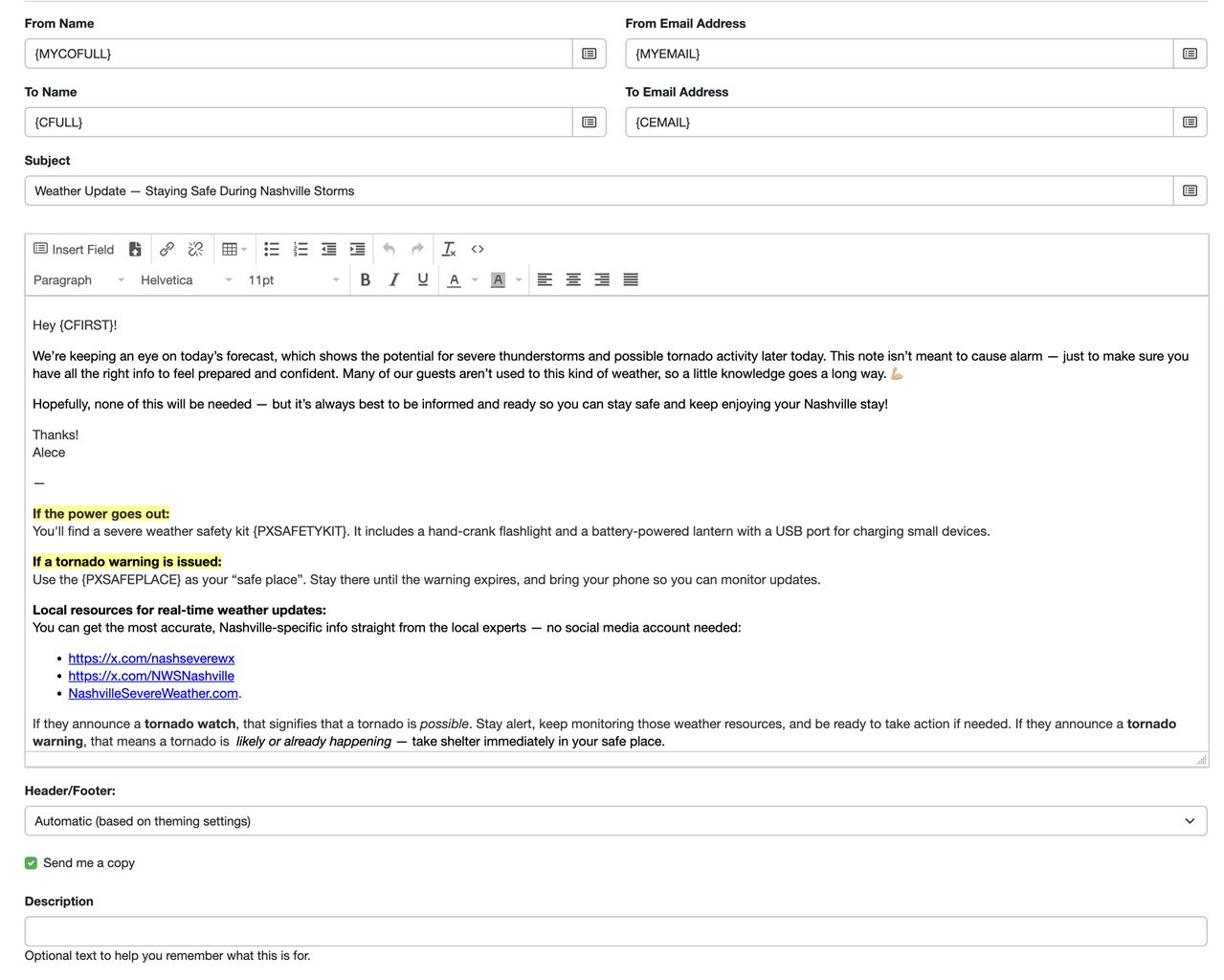
As these will be primarily used (in our case) in emergent situations, it is crucial to be able to select from one of our pre-written message templates to fully maximize this feature. I have templates, for instance, for tornado warnings and freezing weather. This Broadcast feature will be a gamechanger for getting those out to our guests quicker if I'm able to select the template when building my Broadcast message.
Broadcast feature for all current or future bookings 16 replies

Yay! Already used it. Thank you!
Broadcast feature for all current or future bookings 16 replies

yeah! dreams do come true!
Ability to filter by Tags when running reports 10 replies

The ability to filter by Property Tags on relevant reports was released yesterday!
PM - Automated Expenses 70 replies

Agreed! This has been #1 on my wish list since 2023.