
Blog
Latest Activity...
Google Vacation Rentals Now Available for All! 44 replies

also if I start with directing to my OR hosted site, can I switch to Google global landing page later? And vice versa? Is it an easy switch?
Google Vacation Rentals Now Available for All! 44 replies
Forgive the poor wording on my question.
of the two options:
1. OR hosted site
2. Global Landing Page
it seems like using the OR hosted site is the better option. Is that the consensus?
It depends on what is important to you....
If you use the hosted site option the guest is shown your website/brand directly when they come over from Google. If you use the global landing page, the guest will be taken directly to the quote/booking funnel and not see your website.
Going to your website means that the guest is shown your brand and web pages which gives them a good idea of who you are and what else you offer. They might be more likely to return in the future if they remember your website.
However, going to the quote/booking funnel directly means they will be pushed to book with fewer distractions. Sometimes, when guests visit a travel website, they click around and get distracted without focusing on booking. The global landing page does one job - show the guest pricing and encourage them to book that property.
Thank you for this insight. My tendency is to direct travelers to my OR hosted site. However, it sounds like maybe they may be more likely to book if not distracted by jumping to my site? If this is true, I would rather get the booking now and convert them to my brand later. But is true that it is more likely they will book if not "distracted"? Do we have data that shows this, or at this early stage is it speculative? Thank you!
Google Vacation Rentals Now Available for All! 44 replies

So if I already have a direct booking wordpress website not in OR, will I also need to create a landing page from OR to use for Google Vacation listing? I also have landing pages through another platform so I wanted to better understand whether it will be possible to use any of these or if I have to create a new product. Is the landing page for instance part of my subscription or will I have to purchase that separately? Thanks!
Google Vacation Rentals Now Available for All! 44 replies

Thank you so much for the detailed response!
Google Vacation Rentals Now Available for All! 44 replies

if GVR simply "displays your property listing information from OwnerRez on GVR." Why couldn't the plain text of our cancelation policy be displayed?
You can do this now. Simply edit the description of your property to show the cancellation policy in the body of the description.
And if you want this to only show for GVR (and not the listing body on Air, Vrbo, etc) then create a description override just for GVR.
Google Vacation Rentals Now Available for All! 44 replies
Forgive the poor wording on my question.
of the two options:
1. OR hosted site
2. Global Landing Page
it seems like using the OR hosted site is the better option. Is that the consensus?
It depends on what is important to you....
If you use the hosted site option the guest is shown your website/brand directly when they come over from Google. If you use the global landing page, the guest will be taken directly to the quote/booking funnel and not see your website.
Going to your website means that the guest is shown your brand and web pages which gives them a good idea of who you are and what else you offer. They might be more likely to return in the future if they remember your website.
However, going to the quote/booking funnel directly means they will be pushed to book with fewer distractions. Sometimes, when guests visit a travel website, they click around and get distracted without focusing on booking. The global landing page does one job - show the guest pricing and encourage them to book that property.
Integration With Enso Connect 10 replies

Once the messaging API is released, we will provide more information about how this will work with third-party apps. The messaging API will allow third parties to view any messaging coming into OwnerRez and send messages back via any of the messaging options through OwnerRez. It will be dependent on the third party to determine how message templates are set up/sent on their side. More information to come in early Q3 of 2024!
Integration With Enso Connect 10 replies
Reach out to Enso Connect to learn more about all their features.
Google Vacation Rentals Now Available for All! 44 replies
Forgive the poor wording on my question.
of the two options:
1. OR hosted site
2. Global Landing Page
it seems like using the OR hosted site is the better option. Is that the consensus?
Google Vacation Rentals Now Available for All! 44 replies

What are the chances that we can set the cancellation policy to generate from the OR settings for each property instead of the generic "Relaxed, Moderate, Strict, No Refund" settings?
Great question, Matt. Remember, GVR does not host a live booking engine but rather displays your property listing information from OwnerRez on GVR.
Without passing some cancellation policy information, GVR would assume that you always offer full refunds. Ultimately, all GVR bookings are direct bookings and are subject to your property's cancellation policy. It's probably best to set your "GVR cancellation policy" to a stricter policy than you actually have letting you have the option to be less strict on a case-by-case basis for these direct bookings.
I understand passing "some" information to GVR. I am more concerned with accurate information.
We have a minimum cancelation charge no matter what and have a policy that falls between the "moderate" and "strict" options.
The only "stricter" option would be "no refund". We cut our own throat when we are forced to advertise a more strict cancelation policy.
Also, variability in our advertised policies causes confusion and an immediate point of potential conflict for both the guests and us as owners.
Lastly, if GVR simply "displays your property listing information from OwnerRez on GVR." Why couldn't the plain text of our cancelation policy be displayed?
Seems like a simple thing to ask for.
I'm sure it is probably something GVR would have to develope on their end but it would be far more accurate and consistent for both guests and owners/managers.
Google Vacation Rentals Now Available for All! 44 replies
Will GVR be available for those of us using the WordPress Plugin?
Hi Sloanish. Just to be clear, GVR is available to all users right now, whether you use a WP Plugin website or not. If you use a WP Plugin website, you'll need to use our "global landing page" option for the landing page that Google should use when referring booking traffic.
If you are asking if you can refer GVR booking traffc directly to your WP Plugin website (instead of the global landing page), we don't have an ETA for doing that at the moment. We started building the GVR integration with that in mind - allowing custom websites - but it proved too difficult because of the "price accuracy" that Google enforces. Custom websites (including both WP Plugins and widgets) have a very high rate of inaccuracy when it comes to price matches - this is for a variety of reasons that don't necessarily include actual pricing. For instance, the style of the page (headline, photos, etc) can make price accuracy fail as well.
Google Vacation Rentals Now Available for All! 44 replies
It seems like linking GVR to our OR hosted website is the better way to go, rather than using the GVR platform.
Hi Trinity. I'm not sure what you mean by "using the GVR platform". Google does not offer any shopping-cart or payment screens on their side when guests go to book a property. All booking traffic comes across to OwnerRez. You can either use a OwnerRez hosted site or our new "global landing page" as discussed and shown above. Both the hosted site and global landing page are hosted and run on the OwnerRez side.
Google Vacation Rentals Now Available for All! 44 replies

Will GVR be available for those of us using the WordPress Plugin?
Thanks
Integration With Enso Connect 10 replies

Where can we learn more about these features?:
- Increase revenue with upsells, affiliate links and fees
- Know and trust guests with white-labeled verification tools
- Build and showcase your brand
- Get more return customers by collecting guest data for personalized marketing and retention
Google Vacation Rentals Now Available for All! 44 replies
It seems like linking GVR to our OR hosted website is the better way to go, rather than using the GVR platform.
is this the consensus from those of you using GVR?
Integration With Enso Connect 10 replies

Will in-app messaging via Enso also be relayed to OR conversations? Does that mean Templates and Triggers would also run through Enso?
Google Vacation Rentals Now Available for All! 44 replies

If we currently have it setup as Criteria > Listing Sites > All, (which includes GVR), can we just keep it this way??
You can, but keep in mind that some surcharges may not work on Google the same way they work on other channels. That is why differentiation may be important. You can set 2 surcharges : one for Google vacation rentals "only", and another for "everything but" google vacation rentals to account for those differences.
Google Vacation Rentals Now Available for All! 44 replies

What are the chances that we can set the cancellation policy to generate from the OR settings for each property instead of the generic "Relaxed, Moderate, Strict, No Refund" settings?
Great question, Matt. Remember, GVR does not host a live booking engine but rather displays your property listing information from OwnerRez on GVR.
Without passing some cancellation policy information, GVR would assume that you always offer full refunds. Ultimately, all GVR bookings are direct bookings and are subject to your property's cancellation policy. It's probably best to set your "GVR cancellation policy" to a stricter policy than you actually have letting you have the option to be less strict on a case-by-case basis for these direct bookings.
Google Vacation Rentals Now Available for All! 44 replies
What are the chances that we can set the cancellation policy to generate from the OR settings for each property instead of the generic "Relaxed, Moderate, Strict, No Refund" settings?
Integration With Enso Connect 10 replies
We are pleased to announce our partnership with Enso Connect to offer our users an AI-powered guest experience platform.
About Enso Connect
Enso Connect is an AI-powered guest experience platform for hospitality businesses that seamlessly plugs into OwnerRez and helps personalize and monetize interactions all along the guest journey. Enso Connect’s operating system works on “if this then that” principle, allowing for full customization of all features.
Features
- Save time and reduce questions asked with AI-driven communication
- Increase revenue with upsells, affiliate links and fees
- Know and trust guests with white-labeled verification tools
- Streamline access with or without smart locks
- Build and showcase your brand
- Get more return customers by collecting guest data for personalized marketing and retention
- Smooth digital experience through the Boarding Pass, a web-based guest super app
Enso Connect’s Boarding Pass digitally navigates guests from inquiry to checkout and beyond. It is customizable by property, channel, travel reasons, etc. Boarding Pass allows travelers to instantly access anything they need for a great stay in one place, at any point of their journey.
AI-Powered Unified Inbox
Enso Connect will be one of the first integrations to utilize our new Messaging API! This will allow Enso Connect to view and send messaging via the OwnerRez API. This means if you receive an SMS, Airbnb, Vrbo, or Booking.com message in OwnerRez, you can respond via Enso Connect or have their AI service respond for you. This new update is scheduled for release in early Q3 of 2024.
Pricing
Visit the Enso Connect pricing page and request a quote here. Enso Connect is offering a special deal for OwnerRez users. Get 30% off with a yearly subscription or 15% off with a quarterly subscription. Offer valid until April 20, 2024!
Ready to connect?
Get started with Enso Connect by visiting here and checking out the OwnerRez support article for integrating OwnerRez with Enso Connect.
Webinar 3/21: OwnerRez Q&A 0 replies
Join us this Thursday, 3/21, at 12:30 PM Eastern and 9:30 AM Pacific time for a live Q&A webinar!
Steve Clark, our Engagement Manager, and Paul Hall, Head of Partnerships & Marketing, will be live to answer all your burning questions about OwnerRez. Please write your questions on the CrowdCast registration page prior to the webinar so we can start off by answering those right away. It is free to join, but you need to use the sign-up for OwnerRez Q&A link to register.
You can find all of our past and future webinars on our Webinars page.
Google Vacation Rentals Now Available for All! 44 replies

That’s what I was hoping you would say. As always Ken, thank you.
Google Vacation Rentals Now Available for All! 44 replies

If we currently have it setup as Criteria > Listing Sites > All, (which includes GVR), can we just keep it this way??
Sure - the example was if you wanted to have a surcharge that applied only to Google. If you're content with a surcharge that applies in every case, that's just fine.
Google Vacation Rentals Now Available for All! 44 replies
"Users can apply Discounts and Surcharges to only Google Vacation Rentals by navigating to Settings > Surcharges > Additional Guest Fees > Change > Criteria > Listing Sites > and selecting Only Google Vacation Rentals. "
When you say "Only" this makes it sound like we have to select "Only" Google Vacation Rentals, like creating different D's & S's specifically for GVR only, which is confusing. I'm sure I'm just making this complicated.
If we currently have it setup as Criteria > Listing Sites > All, (which includes GVR), can we just keep it this way??
Google Vacation Rentals Now Available for All! 44 replies
The wait is over! Maybe you missed the most exciting part of our March 13th release with 21 updates, but it's not too late to read all about how Google Vacation Rentals is now available for all! Oh, and we tweaked some guest Booking.com billing messaging and fixed some bugs, too.
New Features
Google Vacation Rentals Now Available for All!
It happened! 🎉 In case you missed the forum announcement, Google Vacation Rentals (GVR) is now available for all users!
No more beta group, no more having to request to join. You can now connect and configure GVR directly in your channel settings.
If you're wondering what this is all about, here's a quick recap. For several years now, billions of travelers have used Google for flight and hotel planning. Google shows flight and hotel results directly in their search results, and a special Google Travel dashboard shows travel-related search options. Google recently added vacation rentals to the same Google Travel interface, and OwnerRez was approved as a vacation rental software partner. The integration was complex and took a year to finish, with a special beta group helping us test along the way. Now that the integration is finished, you can join at any time.
When you configure the GVR integration, you can select where you want guests to go when they book - your OwnerRez hosted website or a new OwnerRez-provided global landing page - both of which create direct bookings, not bookings created on Google. Google does not have a dashboard for hosts or any mechanism for guests to book on their side. Also, all bookings are commission-free as Google does not charge a fee for listing your properties or click-throughs. That's right, you end up with totally-free direct bookings by using GVR!
Wondering what your property could look like on GVR?
When the guest clicks on either the "Website" or "Visit Site" buttons, they will be taken to the property's default URL as defined inside of OwnerRez on the General Info tab of each property. Note that this may be different than the landing page you configured. The landing page is only used when the guest checks availability or rates and then requests to book that in GVR.
Can't wait to get started? First, you'll need to decide if you want to direct potential GVR guests to your own hosted website (if you have one provided by OwnerRez) or to the new global landing page.
If you choose a hosted website, potential GVR guests will be sent to your property's booking page, prepopulated with the dates, group size, and other information guests requested on the Google side.
Don't have an OwnerRez hosted site? No problem. The new OwnerRez global landing page is available to all OwnerRez users regardless of whether they have a hosted website or not. As with the hosted website, the global landing page is prepopulated with the dates, group size, and other information the guest requested on the Google side. Here's an example of how that looks:
The guest is shown a clean, focused interface that shows them their trip details, property, and price, and pushes them to move forward and book.
Does this snazzy new landing page look familiar? It should, as it's based on our work on the redesigned Guest Review and Guest Travel Insurance forms. If you want to add your logo or other brand information, you can do that using the header/footer options in the Settings > Themeing > Forms section.
If you're curious, GVR integration took about 15 months of development to get to this point, with many starts and stops along the way. It differs from our other channel integration in several significant ways, but we stayed the course and are proud to have reached this point.
We want to thank the 200+ users (and their nearly 2,000 properties) who participated in the GVR private beta. Your participation proved to be invaluable throughout this process.
Wondering about how "worth it" it is to join GVR? During the beta period, some users had great success, with a couple getting as many as 70 bookings! 🤑 That type of traffic is not typical for everyone, of course. Still, we are seeing really great signs across the majority of our customer base that there is positive, measurable activity. Google's massive size means that it can potentially send you a lot of traffic. And with it being free and a direct-booking result, there's no downside!
Read our Google Vacation Rentals Overview and Setup & Connecting support articles to get started today!
Enhancements & Tweaks
Send Billing Info to Guest System Message as Channel Message for Booking.com
Following February's Platform Email Addresses No Longer Imported for Airbnb, Booking.com, and Vrbo API-connected Bookings release, OwnerRez no longer uses platform email addresses for API-connected channels that have channel messaging (Airbnb, Vrbo, Booking.com). However, Booking.com guests who experienced credit card failures did not receive any OwnerRez system message notifying them of that with instructions to rectify.
To remedy this, we've added the first system message that goes out via channel messaging (instead of email) for this exact Booking.com scenario. Again, this is needed for things where you don't have the guest's email yet, but they need to receive information to complete their booking.
We're looking into adding other system messages to be sent automatically via channel messaging for other situations.
Bug Fixes
Fix for Airbnb RTB Option. Some listing channel settings were incorrectly set to Instant Book, which affected users who attempted to but were unable to set their Airbnb API connection to Request to Book (RTB). We resolved those listing channel settings to allow users to select the Airbnb RTB setting in their Airbnb API connection.
Fix for Deleting an Airbnb Channel Can Get Guest and Thread Participants Stuck. Airbnb API-connected users who messaged with guests in OwnerRez and subsequently disabled their Airbnb API connection encountered their Airbnb messages getting stuck in the "queued" status after their Airbnb API connection's reactivation. OR corrected this glitch, and Airbnb API-connected users can message guests in OR after their Airbnb API connection's reactivation.
Fix for Guest Conversations Being Mixed. Due to a bug, some guest conversation feeds were getting mixed up. We resolved this issue so that channel guest conversation IDs will always get attached to only the correct booking to ensure that guest conversation feeds are correctly reflected.
Fix Inquiry Triggers Executed Outside of After/Before Boundaries. Incorrect logic caused message templates to be sent in error for some inquiry triggers. OR fixed this bug, and inquiry triggers will send message templates correctly as configured.
Fix Query Timeout on Booking Grid Search When Filtering by Deposit Status. Filtering by deposit status on the booking grid search sometimes resulted in timeout errors. We corrected this issue to ensure that the filtering process on the booking grid will occur promptly.
Fix Search Widget Date Fields, When Configured to Show Results on a Different Page and Custom Account Datetime Format is Used. Custom account Date and time formats in the Search widget failed to display correctly when the search results were configured to display on a different page. OR fixed this bug, and any custom account Date and time formats in the Search widget will display correctly when the search results are configured to display on a different page.
Fix Viewing of Booking Messages. Some channel messages encountered triggers that linked incorrect IDs on the booking messaging tab, resulting in 404 errors when clicked on. We resolved this glitch, and channel messages will have the correct IDs on the booking messaging tab.
Fix for Vrbo Message Threads. Some Vrbo guest conversation thread merge events failed if the thread feed contained no reservation information. OR corrected this issue, and Vrbo guest conversation thread merge events will allow empty reservation information to process correctly.
Canceled Bookings Should Allow Rule Updates. The Change Rules and Reset to Property Rules buttons were not correctly displayed during the booking cancellation process. We resolved this glitch, and the Change Rules and Reset to Property Rules buttons will be correctly displayed during the booking cancellation process.
Google Vacation Rentals:
- Bookings Shouldn't be Calendar-linked Bookings That Block Changes. Google Vacation Rentals (GVR) bookings could not be changed without unlinking them from the channel because they were incorrectly calendar-linked. OR fixed this bug, and GVR bookings will allow for booking changes and not blocked due to being calendar-linked.
- Cap Availability at 999 Days in Feed. Due to a GVR limit, property future availability is limited to 999 days or less. Properties with future availability configured to more than 999 days will have future availability capped at 999 days for GVR.
- Remove Branding Editing and Errors. Unapproved GVR Brands generated widespread errors. We determined that adding GVR Brands will no longer be available for new GVR API-connected listings, and previously approved Brands will not have the ability to be edited by the user. OwnerRez will look to add this back in a future release, but we wanted to get Google Vacation Rentals released widely for all without these hurdles.
- StayDates are Computed for Rate Modifications and Promotions But Not Filled In. StayDates that included specific dates or a period of time with a start and end date, such as seasons, were calculated but not included in the feeds sent to GVR. OR fixed this issue, and calculated StayDates will be included in the XML feeds sent to GVR.
- Property Sync Messaging Clarifications. The property sync messaging language displayed on GVR API connections confused users. To clear up the confusion, we've removed the paragraph on the message page that starts with, "You can publish..."
Limit Line Item Pivot Report to 10K Rows. The Line Item Pivot Report will now be limited to 10,000 rows at a time for memory optimization.
Listing Quality Analyzer Shows Errors for Surcharge That Is Excluded From Channel. The Listing Quality Analyzer (LQA) incorrectly displayed surcharge errors for listing channels excluded from the surcharge. OR fixed this bug to ensure that the LQA no longer returns surcharge errors for listing channels excluded from the surcharge.
Report to User When an Unsupported Currency is Configured on an Airbnb Property. Notifications to Airbnb API-connected users who configured unsupported currencies failed to be sent. We resolved this glitch to ensure Airbnb API-connected users receive notifications regarding unsupported currencies.
Reuse Code From Existing Lock on the Same Integration. Property door lock integrations that had one failed door lock code and one successful door lock code experienced failures for both door lock codes. OR fixed this bug to enable the reuse of successful door lock codes from existing doors that are part of the same door lock integration.
When Editing/Reactivating a Booking, Clarify Damage Protection Default. Bookings for properties with Damage Protection (DP) enabled did not have DP added by default when a canceled booking was reactivated, nor was there any warning callout regarding the DP. Or resolved this glitch, and DP-enabled properties will have a DP warning callout when a canceled booking is reactivated.
STR Wealth 2024 Wrap-Up 0 replies
We went all-out for this year's STR Wealth Conference as a gold sponsor and were excited to see so many OwnerRez users in attendance!
The event took place from February 5th - 8th, 2024 in Nashville, TN, at Music City Center. Attendees enjoyed a 4-day immersive journey that left them feeling like unstoppable rock stars in their career and personal life. This event was not an average hotel ballroom conference, as there were surprises around every corner to keep everyone engaged and growing.
During the seminar, Bill Faeth and Paul Waldschmidt took the stage to discuss OwnerRez. They talked about upcoming updates, company culture, and the STR industry as a whole. You can watch the entire session below:
Take a look at some of the photos from the event below:


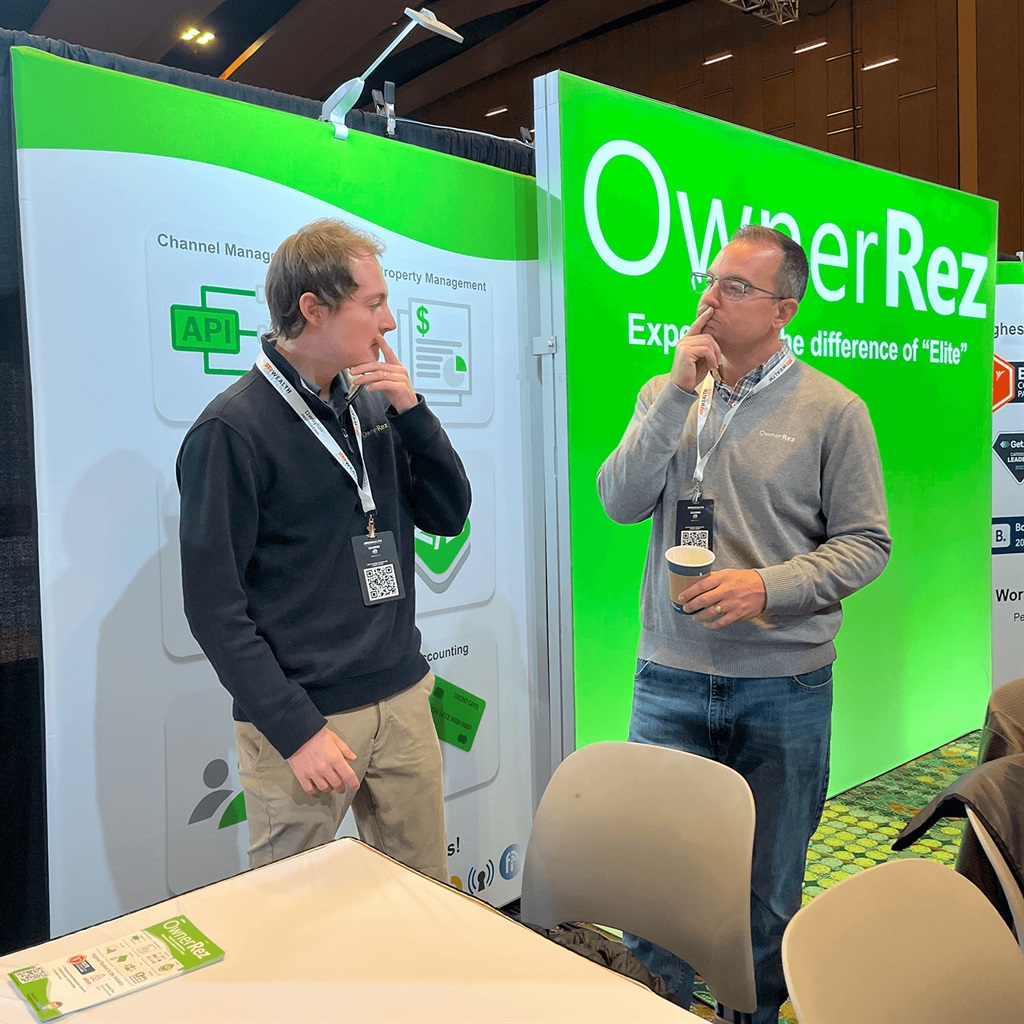


We will be at a handful of other events this year, so if you missed us at this one, check out our events page to see where we will be next!
Unveiling Schlage Door Locks Powered by OwnerRez, Accompanied by Some Creepy Crawly Fixes! 102 replies
I’m loving this integration, works perfectly except for the toggle on the Schlage app that says “notify me when code is used” is not automatically turned on so I have to manually go to each guest and turn it on. Any idea how to get this to be set as turned on by default?
Thanks, Susan! I agree. That would be very helpful. Ufortunately, that is a Schlage-only feature and isn't currently available to partners at this time. We suggest that you add this as a Feature Request.
Unveiling Schlage Door Locks Powered by OwnerRez, Accompanied by Some Creepy Crawly Fixes! 102 replies

I’m loving this integration, works perfectly except for the toggle on the Schlage app that says “notify me when code is used” is not automatically turned on so I have to manually go to each guest and turn it on. Any idea how to get this to be set as turned on by default?
Webinar: HostGPO/OwnerRez - Maximizing ROI By Choosing the Right Furniture, Linens, Amenities and More 0 replies
Join us live with the HostGPO team on March 12th at 1 PM Eastern and 10 AM Pacific time!
Do I need to use white sheets, and at what thread count? What shampoo is good enough for guests but won't break the bank? What kind of mattresses should I be putting in my rental? How much should I spend on furniture? Learn all of the answers to these and other burning short-term rental questions from Jeff Iloulian, CEO at HostGPO. Jeff operated a vacation rental company of over 150 properties before pivoting to solve one of his business's biggest problems, procurement. He started HostGPO, a buying ground for vacation rental companies that provides the guaranteed best discounts with retail brands like West Elm, Pottery Barn, Crate & Barrel, Article, Helix Sleep, RugsUSA, as well as wholesale brands that are generally only available to giant hotels like Standard Textile, Staples Advantage, Diversified Hospitality and many more.
Whether you're looking for the best way to set up an entirely new home or just the industry's best pricing on toilet paper - HostGPO is a one-stop-shop. Join our webinar to learn about how over 300k+ vacation rental properties have banded together to benefit through HostGPO.
The session is free to join, but you must use the HostGPO webinar link to register.
You can find all our upcoming and past webinars on our Webinars page.
Default Country Option Added to Account Culture Settings, Google Vacation Rentals For All Coming Soon! 0 replies
Why is Friday a happy day?
Because the next day is a sadder day... we couldn't resist! Jump for joy (and you'll see why below) into our latest product update that's all about our March 6th release with 18 updates, including a new default country option to account Culture settings.
But first, possibly the month's biggest release news is a Coming Soon update... that's right, we've updated Google Vacation Rentals' status in the changelog and this product update (below) as "coming soon." It will emerge from private beta into public beta sometime later this month!
New Features
Default Country Added to Culture Settings
OwnerRez users are not all located in the United States. Or their properties or most guests who book with them aren't. So to have the Country dropdown better reflect the needs of the user and/or their guests, we've added a setting to be able to adjust that. This new setting will help those needing their country setting to not default to the United States.
Following the October 2023 release of the Upgraded International Phone Number Input, we wanted to build on that effort and tie in the country dropdown selector and make it configurable.
You can now set Default Country which will change the default country used in OwnerRez dropdown lists. OwnerRez defaulted it based on certain factors from your existing account, but you can tweak it if necessary.
Users can change their account culture default country setting by navigating to Settings > Branding & Legal > Culture > Change.
When users add new guests to their account, we now reflect the default country setting, for the international-friendly phone number input, and place that country at the top of the country dropdown list. Here is a user-facing form (i.e., in-app) with Italy set as the default country under Culture settings.
These default country settings have been added to the various in-app areas (i.e., where phones/addresses are entered) and all guest-facing forms.
OwnerRez will also now attempt to detect if the guest is from a different country. Some browsers block that, so it OwnerRez can't detect the location, it will show the default country setting. Here is a guest-facing form with Italy still set as the default country.
Give this a try if you need it for your business or guests, and let us know how it's going for you out on the OwnerRez Forums!
Enhancements & Tweaks
Country Selector Added to Phone Number Field on Create Account and Setup Pages
Back in October, when we did the phone number input internationalization work, we left out a couple of spots. Well, we've circled back to those spots, and now when a new user signs up for OwnerRez, we automatically detect their country based on the phone number they enter, or if they select their country's country code first, we go off that. Then, when they select the country dropdown, their country is placed at the top of the drop-down list, making it that much quicker to get a new account going.
The chosen country (phone country code) is carried through to the start of the Setup Wizard.
Bug Fixes
Do Not Match Vrbo Inquiries to Disconnected Channels. Some Vrbo inquiries were incorrectly matched to disconnected Vrbo API channels rather than the correct Vrbo API-connected channel. We fixed this glitch to ensure Vrbo inquiries match the proper Vrbo API-connected channel.
Extract Arrival/Departure Dates Properly From Availability Search Widget. Some Availability Search widgets were not correctly populating arrival and departure dates in search results. OR resolved this bug so that Availability Search widgets will correctly populate arrival and departure dates in search results.
Fix Attempted Quote Creation for an Inquiry When No Dates are Provided. Some inquiries attempted to generate a quote for an inquiry without the required travel dates. We corrected this issue so that quotes will not be generated for inquiries without travel dates.
Fix Duplicating QuickBooks Payment Mapping Records. Due to a lack of duplicate payment checks, some QuickBooks users encountered duplicate payment mapping records. OR fixed this bug and instituted additional validation checks that will refuse to match Payment to QuickBooks if duplicate records exist.
Fix Email Failure Due to Mismatched Branded Portal. This edge case occurred when an email failed to send due to a mismatched branded portal. We resolved this glitch, and mismatched portal branding domains will be detected before users attempt to configure email templates and create triggers to send the email.
Fix Pricing Item Incompatibility With Airbnb API:
- Pass-through Taxes. The newest Airbnb API version no longer supports the
EligibleForPassThroughTaxes. All remaining usages have been updated to reference the newpass_through-taxes_collection_type. - Weekly/monthly Discounts. The newest Airbnb API version no longer supported the
weekly_price_factorandmonthly_price_factorfields, resulting in any discounts set for exactly 7 or 28 days, wouldn't correctly be passed to Airbnb. OR corrected this issue, and any discounts set for exactly 7 or 28 days will be correctly passed to Airbnb.
Fix Unpublish Error on Non-Airbnb Properties. Following last month's Airbnb API Updates for Photos, Security Deposit Options, and Unpublishing Reasons release, some users who attempted to unpublish non-Airbnb properties received errors. We quickly put out a hotfix to ensure users can properly unpublish non-Airbnb properties.
Fix Vrbo Listing Import Failures. Due to changes made by Vrbo, some users encountered only partial Vrbo listing imports or import failures. OR corrected the process so that users can perform the Vrbo Listing Import process properly.
Only PM Lock Bookings on Lynnbrook Refundable Damage Deposit Release if There are Fees. Before fees could be applied, PM Locks were incorrectly applied to bookings with Lynnbrook Refundable Damage Deposit Releases. We resolved this bug, and PM Locks will not be applied to bookings with Lynnbrook Refundable Damage Deposit Releases before fees are applied.
Properly Assign Pre-existing Vrbo Message Threads to Bookings. Occasionally, Vrbo inquiry message threads with different inquiry IDs for the inquiry and subsequent booking caused a failure to match the Vrbo message threads to the reservation. OR corrected this glitch to ensure that pre-existing Vrbo message threads will be assigned appropriately to bookings.
Reset Account Suspension Alerts When Balance is Paid. Some accounts received incorrect account suspension alerts despite the user already having paid the balance due. We fixed this bug, and account suspension alerts will be sent in the proper sequence.
Send Guest's Chosen Display Name to Vrbo for Reviews. Instead of sending the different display names for guests who opted to choose a different display name instead of their real name for direct booking reviews, we mistakenly sent guests' real names (first name, last name initial only) for direct booking reviews to Vrbo. OR corrected this glitch to send the accurate display names to Vrbo for guests who opted to add a different display name instead of their real name for direct booking reviews.
Update Account Theme Editor Help Text. Following the November 2023, My Account Restructure and Menu Changes release, we needed to update the OwnerRez account theme editor help text to reflect the change from profile to account owner language. We changed the account theme editor help text from "Leave blank to use account first/last name." to "Leave blank to use account owner first/last name."
Google Vacation Rentals Private Beta Coming Soon:
- Fix Error Caused by Stay Date Criteria on Extra Guest Charges. We encountered a rates API formatting issue that resulted in failing to correctly push extra guest charges to Google Vacation Rentals (GVR). OR resolved this rates API formatting bug, and extra guest charges will be correctly pushed to GVR.
- Send Alert if Property is Not Included in Hosted Website. Hosted Website properties marked as not viewable did not correctly receive an alert when they were GVR API-connected. We resolved this issue by checking property URLs when generating the GVR feed and generating a sync error if a property URL is missing.