
Blog
Latest Activity...
Channel Bridge Outage For Vrbo (UPDATE: Now working again) 19 replies

Thanks for letting us know. I rely heavily on Channel Bridge so will be monitoring for updates. Thanks for working on it!
Channel Bridge Outage For Vrbo (UPDATE: Now working again) 19 replies

UPDATE: June 30, 2022. Channel Bridge is now working for Vrbo again. There is no upgrade necessary. The current version (11.24 as of this blog post) should be working fine again.
Over the weekend, an update that Vrbo made to their control panel cut off some of the under-the-covers functionality that we use to make Channel Bridge work. Because of this, Channel Bridge is no longer working for downloading Vrbo bookings.
To be clear, this has nothing to do with our world-class API channel integration, built directly with Vrbo, or our "Elite" partnership status in general. The vast majority of our users rely on API integration, so most of you will be unaffected. This is only about Channel Bridge specifically and the manual process of downloading booking data into an Excel file. This also does not affect downloading reviews or anything Airbnb-related.
If you're API integrated with Vrbo, you can disregard this blog post. If you are relying on Channel Bridge to pull in booking information, then the good news is we are working to get a fix in place.
If it makes you feel any better, other companies that do not have the Elite Partner status with Vrbo, and no stable API connection, are affected much worse. Since we have built a direct channel API with Vrbo, our connection is constantly maintained, lightning-fast and unaffected!
We apologize for any inconvenience while we work on restoring Channel Bridge for Vrbo bookings.
If you have questions or concerns, as always you can reach out to our help desk and ask. However, please do not ask our help desk for an ETA on it working. At this point, we do not know how long it will be until Channel Bridge will work for downloading Vrbo bookings.
Do you need a designer to build your WordPress? 0 replies
We have partnered with Creative Edge Media Group to offer a certified WordPress design service for those looking to bolster their website.
We understand that everyone's needs and wants are different, which is why we offer our WordPress plugin alongside our Widgets and Hosted Website options. For those looking to create a very detailed and custom website, this can be very time-consuming and takes web design skills. This is where Creative Edge Media Group comes in! Their team will utilize our WordPress plugin to create an exquisite custom-built website for you.
Here is some information about their team that the Creative Director, Damien Cross, would like you to know:
We are a WordPress web development blogging agency located in The Alberta Arts District of Portland, Oregon. We work closely with our clients and partners to develop strategies that will benefit your online presence and brand.
Blogging can be a powerful tool for vacation rental owners and give your brand a more exciting voice.
Find out how a WordPress website and blog services can help your small business grow. Schedule a free consultation today!
Take a look at one of our recent sites created on WordPress utilizing the OwnerRez WordPress plugin. www.portlandecohouse.com
Webinar 6/28: RemoteLock - Kiss Those Keys Goodbye with Remote Keyless Access 0 replies
On Tuesday 6/28, join us to learn more about how RemoteLock's cloud-based vacation rental access control software can help hosts say goodbye to key handoffs, fussy lockboxes or lost keys for good.
Making sure guests, cleaners and maintenance contractors have access to their properties can be a full-time job for vacation rental hosts. Together, OwnerRez and RemoteLock are helping hosts automate this time-consuming task and provide a seamless experience for anyone who needs to access their properties.
The session is free to join, but you need to use the sign-up for RemoteLock webinar link to register.
You can find all of our upcoming and past webinars on our Webinars page.
Last 4 of Phone for Door Code, Auto-Create Listing Sites, Cleaning Fees on Statements, Charge Snapshots, Delayed Code Generation 7 replies

Thank you for the update. I just tried the dor code 3- digit segmentation and it still left the last digit but its lonesome. 034-408-882-3. Now trying 4 digit segmentation:)
That's by design! We discussed it and reviewed with various parties and determined that was the most consistent approach for most parties.
Last 4 of Phone for Door Code, Auto-Create Listing Sites, Cleaning Fees on Statements, Charge Snapshots, Delayed Code Generation 7 replies

Thank you for the update. I just tried the dor code 3- digit segmentation and it still left the last digit but its lonesome. 034-408-882-3. Now trying 4 digit segmentation:)
Last 4 of Phone for Door Code, Auto-Create Listing Sites, Cleaning Fees on Statements, Charge Snapshots, Delayed Code Generation 7 replies

Thanks for all the updates, especially the door code related ones.
I would like to be able to see/export a booking list from within OR / have a placeholder for defining own lists, that includes the associated door codes, so I could detect missing door codes easily.
Reason:
Unfortunately, my home automation system (villacontrol) doesn't have an API so I wrote a routine, that awaits and parses new booking notification emails from OR, logs into villacontrol, enters the booking there via simulated keystrokes/mouseclicks, picks up the door code generated there (no way to impose my own door code there), writes it back to OR via the OR API. This is tedious and prone to mistakes but it works quite reliable.
Integration with Jervis Systems 0 replies
We are excited to announce that we have partnered with Jervis Systems! This offers OwnerRez users an affordable door lock service that you can use with existing smart locks.
Jervis Systems makes it simple to securely and inexpensively add remote access and automation to enhance your property management. Easily connect Jervis Systems to your existing smart locks and garage doors, automating access for guests, cleaning companies, or friends and families. You can read more about Jervis Systems here.
Below are all the door lock brands that Jervis Systems works with and you can find the entire list of devices here.

Key points:
- Manage all locks with Jervis Systems. No more needing to deal with multiple apps.
- Stop handing out keys or keeping the same PIN for all guests. Invite, edit and remove keyless guest access easily and securely through Jervis Systems.
- Focus on what’s important; let Jervis Systems automate all access info, reminders, and emails to guests.
- No more lockouts or lost keys, provide contactless check-in and secure digital access so you can concentrate on what matters most.
If you're curious how much this will cost you monthly, you can find their pricing page here with all the details. Currently it will cost $5/month per device or $50/year per device for the PMS Plan, aka the one you'll use with OwnerRez.
Get started with Jervis Systems by visiting the Jervis Systems website and checkout the OwnerRez support doc for how to integrate OwnerRez with Jervis Systems.
VRMA Executive Summit/STR Wealth Conference Wrap Up 0 replies
We had a fantastic time meeting all the customers, property managers and partners at both the VRMA Executive Summit and STR Wealth Conference!
Our team will be attending a few more conferences this year, so if you missed out on these then check out the other events we'll be at here. If you didn't get a chance to speak with us, feel free to sign up for one of our weekly demo webinars or Q&A sessions.
Here are some photos we took at the conferences:
VRMA Executive Summit

(OwnerRez on the sponsor sign.)

(The OwnerRez booth all setup with our fancy new tumblers and pens.)

(The beautiful view from the Eau Palm Beach Resort in Manalapan, FL.)
STR Wealth Conference

(Paul Hall and Glen Ruggiero showing up early to setup.)

(Glen with one of our amazing OwnerRez users.)
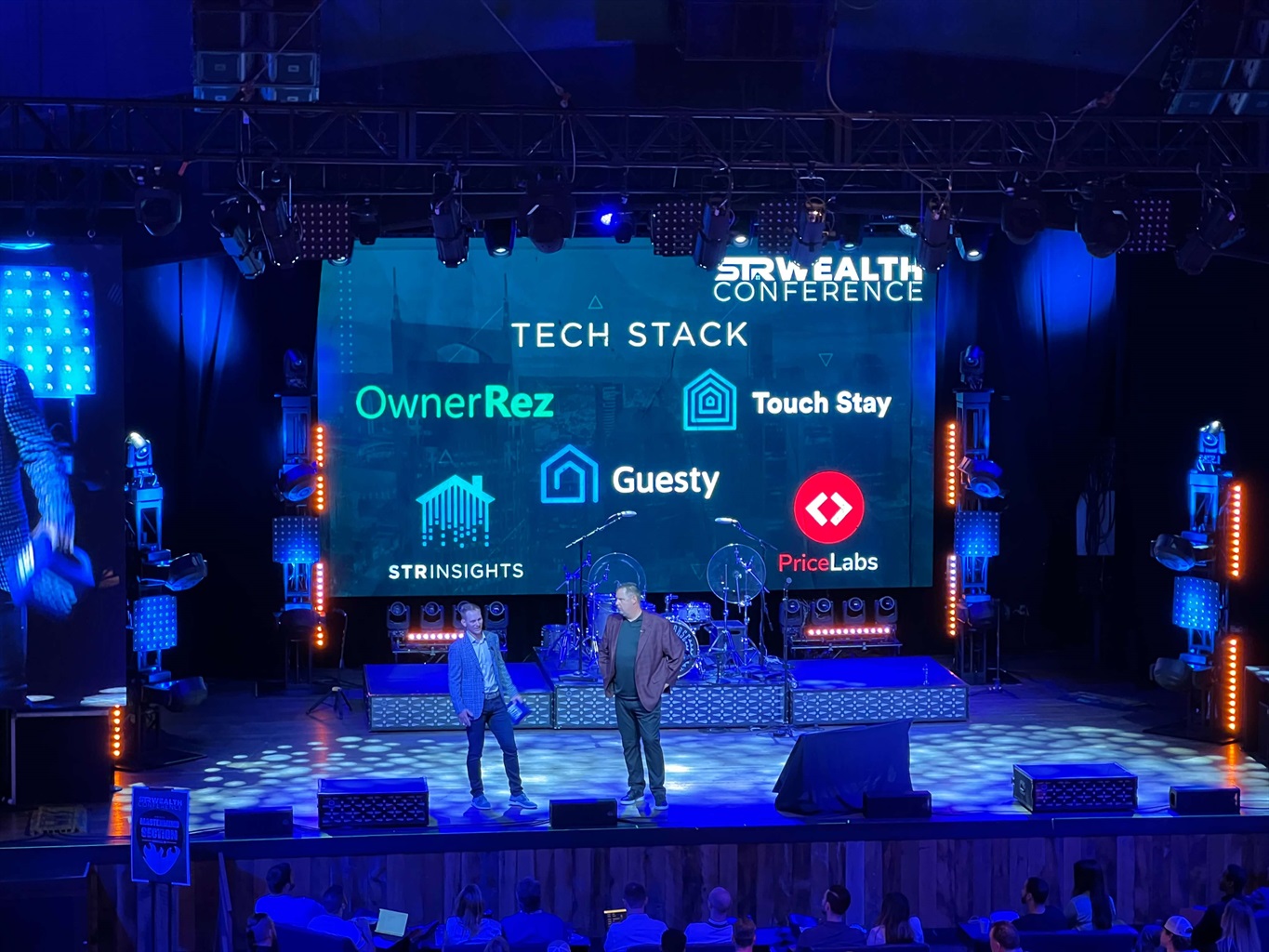
(Bill Faeth and Michael Sjogren kicking off the conference and discussing their tech stacks. FYI Bill Faeth uses OwnerRez for his own short term rentals.😉)

(The OwnerRez team grabbing a much needed lunch with the wonderful team from The Host Co.)

(Curious how crowded Nashville was the week of the country music awards?)
(Bill Faeth and Glen Ruggiero talking about OwnerRez.)
This was the first time we have sponsored back to back events, and it was totally worth it! We look forward to meeting more of you and make some new acquaintances at our upcoming conferences.
New Lynnbrook Payment Processing, ReadyPIN Door Locks, Editable Default Booking Emails, Affiliate Tweaks, Custom YouTube URLs 1 reply

Hey everyone, remember how we used to do product update blog posts all the time? 😂 It's been way too long since the last one, but here we are, at long last, about to drop one on you!
This release (with 45 updates) was actually released more than a month ago, but the write-up got delayed for a few weeks. Since then, we've actually put out two other releases, both of which we'll write product updates for soon, but for now, we'll go ahead and publish this one.
- New Features
- Enhancements & Tweaks
- ReadyPIN Door Locks for RemoteLock
- Custom YouTube Channel URLs
- Statement View Columns for Show-As-Rent
- Editable Template for Default Booking Email
- Affiliate Enhancements
- Set Specific Check-In and Check-Out Times on Quotes
- Indicators for Review Eligibility on Vrbo
- Enhance Date Display on Inquiry, Quotes, and Bookings
- Bug Fixes
New Features
New Lynnbrook Payment Processing
At long last, the new payment method from Lynnbrook Group is here!
We have been partners with Lynnbrook for a long time, but back in 2020, their ability to accept new applications became heavily restricted. Because of that, most new applications were rejected unless you were a large PM or had many years of processing history. For several years, Lynnbrook has been working on a new platform that would allow them to underwrite risk internally, so that they could provide processing options to customers of all sizes as well as onboard new customers in just a few hours (instead of days or weeks). Back in the fall, they revealed their new platform and we wanted in! It took some time for us to schedule it on the roadmap, but it's now it's done and out live!
The first thing to note is that the old Lynnbrook processing is still around, but we have renamed it "Lynnbrook Classic". If you used Lynnbrook before, you will continue to use them under the Lynnbrook Classic method in Settings > Payment Methods, but that option has been moved to the bottom. At the top of that page is the new Lynnbrook Group method, and it's open for business.
The new Lynnbrook Group payment method is different in several ways. Instead of entering your payment credentials (username and password) into OwnerRez, Lynnbrook will provide us with the credentials that are needed directly, and our team will put them in place. Also, the new Lynnbrook Group payment method does not support hold-based security deposits. When you switch over, our system will notify you about any properties that have hold-based security deposits and have you switch them to refundable-type security deposits which will happen automatically.
Wondering why you should consider Lynnbrook Group instead of your existing payment processor?
- You will most likely get a better rate. The rate is different for every user, but Lynnbrook will definitely beat the typical 2.9% rate you get from processors like Stripe and will be competitive with other processors as well.
- Automatic fee data. coming soon In the very near future, we will be automatically bringing in fee data with every payment and refund automatically similar to what we do for Stripe right now. Lynnbrook already has fee data available, but we were not able to support this given our current timeline. We plan to add it very soon. This will allow you to expense fee data to owners, see fees in reports, and do other automatic things without manually entering fees yourself.
- Fast onboarding. Gone are the days of waiting weeks or even days to get a new account. Lynnbrook can turn around a new account the same day, often in minutes.
- Works for newbies. coming soon Their new platform will work with users who have no processing history. Lynnbrook now supports a "fund at arrival" model that will allow any users to process credit cards but hold the guest's money until the booking arrival. This allows new users to start building their own reputation and processing history right off but helps fight fraud in the industry. With good history, the funding method is later changed to "fund at booking" and your money is deposited right away. Like the fee data, this is something that Lynnbrook offers but we do not yet support on our side. Coming soon!
- Brand new control panel. The new Lynnbrook platform includes a ground-up brand-new portal that you can use to see all your processing history, manage disputes, and more. You no longer need to log in to a third-party gateway (such as Authorize.Net or BridgePay) to use their system.
- Devoted to vacation rentals. Your current processor may have all of the above, but are they solely devoted to the vacation rental industry? Lynnbrook understands the short-term rental market and knows the booking/payment lifecycle that other more-general processors do not understand.
To start the process, read our support article on applying for, setting up, and configuring the Lynnbrook Group payment method.
Enhancements & Tweaks
ReadyPIN Door Locks for RemoteLock
If you use RemoteLock to manage your codes, you'll be happy to know that we've added support for their new "ReadyPIN" option. ReadyPIN is a way to provide offline support for door locks. ReadyPIN codes are based on a date and time and work regardless if the door lock is connected to the internet or local network. These are ideal for environments where the internet is spotty and you want to make sure guests have easy access.
To use ReadyPIN, you must have the ReadyPIN option enabled in the RemoteLock dashboard. If you registered your lock in "Offline Mode" to begin with, ReadyPIN will be enabled by default. If not, navigate to your lock in the RemoteLock dashboard, then select Settings. Click on the "Enable ReadyPINs" check box and then hit Save.
Back in OwnerRez, you'll notice that the "Code Type" for your locks now has multiple options: Wifi and ReadyPIN. Select ReadyPin and save.
This will only be the case if the lock was configured with ReadyPIN on the RemoteLock side first. If you only see "Wifi" showing, the lock must be configured wrong in RemoteLock.
That's it! After you flip those couple of details, we'll take it the rest of the way. From that point forward, your bookings will have ReadyPIN codes generated automatically which you can email out or view at any time same as always.
Custom YouTube Channel URLs
Do you maintain a YouTube channel for your vacation rental business? If so, cool! YouTube is a great way to showcase your best property features and show your guests what to expect before they arrive.
In the Social Network section of Themes, we have a YouTube field you can use to put in your channel name. Then, in message templates, you can embed a YouTube field code that will smartly show the correct YouTube channel for each of your property themes or your business at large.
We recently noticed that some users have custom-named YouTube channels. So instead of a channel URL that looks like this:
https://www.youtube.com/channel/UCoghNwfLtsc0_vhD5iKNuJQ
You can show your own business or property name like:
https://www.youtube.com/c/OwnerRez
Both URLs go to the same place, but your guests and website visitors see your own brand.
Wondering what a custom YouTube URL is and how to create one? Here's a quick animation of the process:
Read the Google support article about creating a custom YouTube URL for more details.
Once you have your custom YouTube URL ready, head over to the Themes section of OwnerRez and drill in. The Social Network section now shows a YouTube field that will now accept either type of URL:
Statement View Columns for Show-As-Rent
If you use our PM module, you probably know that we support custom statement views so that you can customize the information your owners see each month. On those custom views, there is an option to show "Rent" to owners, but Rent is a bit ambiguous. Which rent are you showing? Is it purely the nightly rent that shows at the top of the booking charges, or should it include all "show as rent" surcharges as well?
We added several new column options to take care of this problem. You can now see Rent Only amounts and Show-As-Rent amounts as separate columns, and both have In Period versions as well.
Notice that the Rent Only option is under the "Charge Categories" grouping because it is a line item amount and not an aggregate.
Remember that Show-As-Rent items will include standard rent line items, any surcharge that is marked as "show as rent", and also any discount that is "show as rent". It is the combination of all of those line items. Additionally, if you select any "show as rent" surcharge or discount column to show on the view, as an individual column, the owner may see a larger amount overall because the surcharge/discount amount is included in both columns.
Editable Template for Default Booking Email
Do you ever send email messages to guests by going to the guest's booking and clicking "Send Email"? If so, it might have annoyed you to always see the placeholder there which starts "Something I wanted to mention about your booking at [property name]...". Of course, you can always create and select templates to send, but sometimes you just need to dash off a quick manual email. Regardless, many users compose manual email messages, and it's frustrating to always have to erase the placeholder text before starting. We realized that we could use a system message to control this placeholder text.
When you go to a booking and click Send Email, you'll now notice that the blue information bar points out that the placeholder text is based on a new system message called "Send Manual Email to Guest".
Like all system messages, you can change the default message by clicking the Action button on the far right and clicking the "Change Message" option.
Make your changes to the template, save, and from then on, the default booking email will show whatever you entered.
For instance, here's a quick little change I just whipped up in my account:
Moving forward, this will now be the default booking message any time I click "Send Email" or "Compose Email" on any booking.
Affiliate Enhancements
We've done a lot of work on the Affiliate Program area in recent months, to bring a lot of clarity to what you've earned and which users are signed up under you, and we identified a few more tweaks we wanted to make.
Below the "Total Earned" and "Total Paid Out", we added a Payout Balance line that shows what your current balance is as well as a status in case you aren't eligible to receive a payout yet. For instance, if your payout balance is less than $100, you aren't eligible yet. If you haven't submitted a valid W9, you aren't eligible either.
We also added an internal tool that will allow our team to look at your referred-user's invoice totals to answer any questions you might have about your earnings.
Set Specific Check-In and Check-Out Times on Quotes
Did you know that when the guest makes a request to book on Airbnb, it's possible to request specific check-in and check-out times? Oh yes! Airbnb used to not provide us with this information via API, but they now do. So we updated our system to support it.
Then, we realized that our own quotes (for direct bookings) didn't have a place to set a custom check-in or check-out time either, so we went a step further and updated our quotes to also set those as well. When creating a quote, you will now see fields for check-in and check-out time which default to the property level rules.
As with bookings, if the quote has a custom check-in/out times (ie. different than the default for the property) we also show that with labels right on the quote overview page.
And yes, now when a guest requests a specific check-in or check-out time on Airbnb, that will flow through to OwnerRez once the accepted booking comes through.
Indicators for Review Eligibility on Vrbo
By now, you probably know that some of your direct OwnerRez reviews can actually be shown on Vrbo even though the booking didn't happen through Vrbo. But hey, which reviews are eligible and when do they sync with Vrbo?! This is a constant source of questions by users. Why aren't my reviews showing on Vrbo, or why are some but not others?
We've updated OwnerRez to hopefully make that clearer. In addition to some internal controls for our team to access, we also added some indicators to show you if your review is "Vrbo eligible" and if so, when it last synced. On the main reviews list (under CRM > Reviews) you can see these columns show up on the far right side of the list.
Then, if you drill into a review, you'll see fields there about Vrbo eligibility as additional help text explaining what that means.
Don't see any of this? You probably don't have Vrbo reviews turned on! There's a setting for that on the Vrbo API dashboard. Click into the options, find the "Sync my reviews from OwnerRez" setting, flip it on, then save.
Once you go back to CRM > Reviews, you'll see the Vrbo columns show up. Hopefully, this will help you understand which reviews are eligible to push to Vrbo and, if so when they last synced across.
Enhance Date Display on Inquiry, Quotes, and Bookings
The yellow bar on every inquiry, quote, and booking has a sub-header that shows the arriving/departing dates right under the name of the guest. But have you ever noticed that it says "arriving" and "departing" even when the booking is in the past? No one probably cares, but it was annoying to us so we fixed it. 🤓 And yes, it can be "arrived" (past tense) and "departing" (future tense) at the same time.
While we were there, we also added the day of the week (eg. Sun, Sat, Mon) to the dates so that it's easy to see at a glance what kind of stay this is - weekend, mid-week, etc.
Finally, we tweaked the year to bold the last two digits if the stay is more than 300 days in the future. We've noticed a common occurrence where users are sometimes confused about bookings because they don't realize that the stay dates are in a future year and not this year.
We also noticed that a one-night stay often says "1 nights" in parenthesis which is grammatically incorrect, so we fixed that too, and inquiries weren't showing the number of nights so we added it over there.
Bug Fixes
Cap min and max rates to bookable period. On the property's General Info tab, we show a Max Rate and Min Rate value for display purposes. These numbers are display-only figures, shown on websites and widgets, which are meant to be a fast indicator of what the property costs depending on the time of year. It is not meant to be exact, and it is never actually used when calculating the charges for a quote or booking. We noticed recently that these numbers were being generated off of all future booking dates even when the booking window is limited. We updated the numbers to only calculate for valid booking windows.
Default PM batch to future. Our PM module includes a great Batch Update screen that lets you update many bookings to be managed or un-managed, or recalculate the commission and expenses on many bookings. This is handy for when your settings change or you're configuring a new account with PM settings. We noticed that the Batch Update screen was defaulting to "all time" even though most batch operations typically target future bookings. This was leading to many users accidentally updating too many historical bookings, so we changed this to default to future bookings.
Clean more characters for Travel Insurance. When guests purchase travel insurance in OwnerRez, we transmit those purchases to our travel insurance partners under the covers. Recently, we've done some work to clean up the information that was transmitted because we found that guests were sometimes entering too many special characters for what our insurance partners could handle. In this release, we identified a few more characters and now detect and clean those up as well.
Editing charges after removing charges. If you edit a booking or quote and delete all the charges, that works fine. However, if you then edit the no-charge booking or quote and save it again with still no charges, it blows up. This is now fixed.
Dining/parking notes cleared when editing rooms. In the Properties area, we used to have dining and parking notes on the rooms tab when it was "Rooms + Accommodations", but we've since moved those to the standalone Accommodations tab. Recently, we noticed that we were still clearing the feature text for dining and parking when saving rooms. All better now!
Gap rules during holidays. Previously, when using both "Holiday Min. Nights" and also "Use this minimum instead during gaps rule" settings, the Holiday Min wasn't properly reduced to the "Use this minimum instead" rule. We updated the rules engine to defer to the "Use this minimum instead" setting even during holidays.
Home page title. Previously, on our hosted websites, we put the "Page Title" value as the browser title (ie. what you see at the top of the tab or window) except we ignored it for the home page, blog post, and multi-property pages. Blog posts and multi-property pages make sense since those have their own names, but if the user takes the time to put a title on the home page, they probably want it on the tab, so it was confusing. To fix this, we updated our hosted websites to be a little smarter. We now use the page title if it's set even on the home page. We then fall back to using the page type name if it's not a home page, and we still use the property name and blog post name on those pages.
Remove + from highest option in search filter. When using our hosted website pages or search widgets, you may have noticed that the Beds, Baths, and Guests filter drop-downs have a "+" on the last option in the list. Like this:
However, that's kind of confusing. After all, we calculate what options to show based on what your highest number is. If you only allow 6 max, why does the last option show "6+"? This is confusing for guests. We fixed this to remove the "+" from the last option.
Channel tile alignment. Because of some "coming soon" channel tiles in our Settings > Channels > API Integrations area, new channel tiles were getting "caught" on the right side of the page and not aligning properly with others. We fixed this by removing the old "coming soon" channel tiles.
Un-hush Hushmail. We have hundreds of fraud and security checks that monitor user activity every day. One of those is the type of email addresses that are used when signing up for new accounts. There are many domain names that we don't allow because they are known to be fraudulent (or at least sketchy) in nature. If you'd like to use Hushmail, you can do that now. In the past, it was on our block list because it was used for throw-away temporary email addresses. At some point, that must have changed. Hushmail now provides a reputable pay-for email service like any other. Users contacted us about allowing it, and after doing some research about it, we have updated our system to allow it.
Taxes charges not updating correctly on mobile devices. When editing charges, you can select "Taxed" on each line item to denote if that line item should have taxes calculated on it (if any tax line items exist). We recently found a super-rare edge case where on some mobile devices, the charges editor wasn't recalculating taxes when selecting/de-selecting the "Taxed" setting. We found and fixed the problem.
Reports not including bookings that arrive on last day of period. The Booking Summary and Booking Detail reports have a date option for "any stay during period" along with the Stay reports. However, the Stay reports include bookings that depart on the arrival date, but that's not considered "in period" for Summary and Detail reports. We rejigged the reports to make sure they were following the same "any stay during period" convention, including bookings that arrive on the end date of the selected period.
Blank values when previewing custom fields. Custom fields are one of many powerful features that OwnerRez provides to help you manage and customize your business workflows. Even if you use custom fields, your fields may not have a value filled in all of the time. There might be a property or guest that doesn't have any information to provide, or you might still be working on filling out your fields. When rendering custom fields in email templates or renter agreements, if the custom field has no value, we typically show nothing (ie. a blank spot), but we noticed that the preview window was showing the name of the custom field instead of a blank value, so we fixed it to follow the same pattern everywhere.
Property-share widgets and links. Property sharing allows you to create multi-user widgets that search, show, and link to the properties of many users at the same time and from the same place. This allows like-minded users and friends to advertise their properties together on all of their websites. We recently noticed that when embedding a property-share widget in a hosted website page, the property-sharing widgets were using the wrong URLs after the first page of results. This is because hosted websites are designed to use their own URLs instead of the widgets. We now detect the property-sharing widgets and make sure to use the correct URL for each property.
Airbnb Scenic View mappings. "Scenic Views" are things like beach, harbor, sea, pool, valley, mountain, ocean, garden, lake, courtyard, bay, city, golf, and so on. Basically, if it's something interesting to view, Airbnb probably has a "scenic view" category for it. We parse these views out of public listings when doing a listing import, and we also set these views in our API integration with Airbnb when pushing updates for your properties. We noticed recently that some of these options were a bit messy under the covers. We spent some time organizing these things so that they were clearer and fixed a couple of mapping bugs between our amenities and Airbnb's system.
Clarify IP restrictions on API. We have Allow and Block IP lists on our API which allows developers to allow or reject certain connections to their OwnerRez apps. Recently, we noticed that developers were sometimes getting confused because the API returns ambiguous messages like a 401 "invalid username" when in fact the request was blocked for an IP issue. We have clarified that with a proper 403 "IP address blocked" message instead.
Not "Bad", just "Delayed". On each booking, you can see a list of the reviews that were submitted by you (the host) and the guest for that booking. Typically, it's just one review by the guest, but sometimes it's two reviews if you also wrote one. We recently noticed that delayed host reviews were showing as "bad reviews" even though we recently changed our language from "bad reviews" to "delayed reviews". We already updated the Host Reviews tab of the Reviews menu, but the booking side was never updated. All fixed now!
Round-away cents on GA instead of multiplying. Google Analytics only supports an integer (ie whole number) as the event value. Previously, we multiply by 100 to save the cents, but that was a constant source of confusion. We changed this to round off the cents and only store a whole number in Google Analytics.
Booking date as due date on payment form. Previously, we showed "the final payment for this booking is due" in the Grace Period section of the payment form for offline payments.
But that was confusing when the form was used for a first payment, not a second payment. We tightened this up in two ways. First, if no payment has been made and the booked dates are after the second payment date, we now show the booked dates instead of the second payment date in this Grace Period spot. Then, if the date is in the past, we say "was due" instead of "is due".
Pending Vrbo booking more than 30 days old. We noticed a bug with pending Vrbo bookings where the booking was pending for more than 30 days and some of the data we use to record information was archived to our backup systems. We now detect this and use the archive in the (very rare) event that this happens.
Duplicate Verified Email Domains. We found a very rare edge case where Verified Email Domains that already existed in the system were able to be added again. This has been fixed.
SMS/DP lines on user invoice. Have you ever noticed that your monthly OwnerRez invoice email shows extra lines for SMS and Damage Protection even when you aren't billed anything? We noticed too. That has now been removed. To be clear, those lines still show if you are billed for SMS and Damage Protection.
Case sensitivity in Google Font selector. We use Google Fonts on our hosted website to give users a wide array of free fonts they can use. Previously, when typing to search for a font by name, our search tool would not return partial matches because Google's internal list of fonts was matching by case. In layman's terms, this means that typing something like "cOURIER nEW" would not match the result "Courier New". The differences in capitalization would be enough to throw off the search. We added some logic to work around this, so searching for Google Fonts should now be easier.
SMS failure reasons. SMS messages sometimes fail to be delivered, which is outside of our control, but we do show the reason the delivery failed. We noticed recently that the failure reason was not showing in the message detail under the Communication History area. We now show the reason when hovering over the failure tag, and we also show it inside the message detail under the Activity bullets at the top.
Don't create listing sites for ownerrez.com. Last year, we updated our quote and booking logic to automatically create and assign new listing sites when we detected where and how guests were booking. The idea is that you always want to track where quotes and bookings are coming from and if our automatic detection was wrong, you can always fix the listing site and update the quotes and booking widgets yourself. Recently, we've noticed that sometimes those automatic listing sites are being created for "ownerrez.com" because that is what is being detected by the booking and quote widgets depending on what website a widget is embedded within. We have updated it to never create listing sites for OwnerRez domain names, even if no other source is detected.
Converge issue with extra information. We found and fixed a problem where payment-verification type transactions were including extra information that was being rejected by subsequent responses by Converge.
Airbnb permission denied on 200 when importing listings. When importing listings from Airbnb, our system will sometimes get a "200" (which in code speak means "success") from Airbnb even when there is a permission denied error underneath. We now look for a deeper response before continuing the import.
Email suppression banner above suppression list. Just like it sounds. When an email suppression occurs, and it's an account-affiliated email, OwnerRez shows a permanent alert bar at the top of the control panel until it's resolved. However, we noticed that we were showing the alert bar on the Suppressed Emails list in the settings area. This made it so that when you reactivated an email address, the global alert bar didn't go away until you navigated away from the page. We finally fixed this by simply not showing the global above that particular list.
Rich text custom fields with large images. Previously, if somebody flips a custom field to HTML mode and uploads a very large image into a custom field, it gets clipped off. We fixed this by adding a max-width on images so that large images would show in a smaller resolution.
"Enter new card" when no cards exist. This made my eyes hurt:
Ok, maybe you don't see anything wrong with this, but I'm glad we removed it! If a booking has no cards on file, why have that selector at all? We now detect this and remove it from the page. Of course, if there are one or more cards on file, the selector will show those cards.
Multiple field codes in TO for SMS templates. Previously, if you tried to enter multiple field codes in the "To" field of an SMS template, it would give you a "duplicate phone number" validation error message. This is because the validation was assuming only concrete phone numbers would be entered there, but that wasn't a good assumption. After all, a user could want to send the same SMS template to multiple people using field codes to store their phone numbers We removed this validation and now check for correct phone numbers down the line when the message is actually being sent.
Clarify skipped auto-reviews messaging. If you manually skip an automatic 5-star review, the system will show a message reminding you of that. However, some users were confused by the red banner and messaging, so we clarified it. We now show a yellow (warning) banner instead. We also added a sentence reminding the user that "you may manually submit a review by completing the form below". Finally, we clarified that the booking did not match the automatic review criteria as of the scheduled review date" instead of leaving the user to assume it was skipped.
Google says "You're Logged In". If you have one of our hosted websites, you might have noticed that some of your pages will occasionally show up in Google search results with some funny text in the description including "You're logged in to OwnerRez" like this:
Typically, this would only show up on pages that don't have page descriptions or other content in the body. For instance, the "Book Now" page would often show this because the Book Now page has no body other than a form to submit.
To be clear, Google cannot actually access your OwnerRez account and no other internet visitor can use that link to access your OwnerRez account. This was happening because our hosted website engine was rendering a bar across the bottom of every website page with that message ("You're logged in...") and then the website would show or hide the bar based on your actual logged-in status. When other anonymous internet travelers visit your website, the website would not recognize them and so the bar would be hidden. But Google and other search engines were seeing the bar under the covers and indexing the content.
We fixed this so that search engines no longer index that part of the page. The bar is still there, but it's hidden from search engines.
Background Settings on Hosted Sites, Property IDs in Google Analytics, Smarter iCal Detection, Affiliate Tweaks & 32 bug fixes! 2 replies

Thanks as always for being such a pro-active and forward thinking provider!
Star Rating on Google, New Charges Grid, Other Rooms (eg. Kitchen), Disable Rates on Websites, Property Sharing Between Accounts 5 replies
Yes, you can find the topic in the forum (under the Blog forum) and "watch" it. Watches are shown on your forum profile.
Integration with TIDY 0 replies
We are happy to announce that we've partnered with TIDY to offer our OwnerRez users another housekeeping service.
TIDY takes care of turnovers between guests' check-in and check-out so you don’t have to. They make it easy to keep properties clean and well-maintained with their powerful AI system and a
group of professional cleaners supercharged with software.
You can add your listings, sync bookings, and select automatic booking for jobs: a cleaner will be there at your chosen date and time.
Plus, track assets and issues, pay and manage service pros, and rely on TIDY in case you need to find new ones. Basically, TIDY puts your property portfolio on autopilot. Over 10,000 Airbnb
hosts and property managers are already using TIDY as part of their tech stack to book turnover cleanings. Whether you want to receive notifications on low stock levels, automate bookings, digitize to-do lists, or find the best available cleaners, TIDY can do it all.
Here are some key items TIDY offers:
- A bird’s eye view of all your properties, reservations, and cleanings
- Save time by automatically setting up cleaning requests. That’s right—no phone tag with cleaners.
- Bring all the cleaners you work with and love to TIDY and make their lives easier. Yep. It's free.
- Get all the tracking you want and need: upcoming jobs, completed ones, and what turnovers need to be done.
- Integrating is as simple as clicking a couple of buttons.
Get started with TIDY by visiting the TIDY website and checkout the OwnerRez support doc for how to integrate OwnerRez with TIDY.
Integration with Ok2Charge 0 replies
We are pleased to announce that we have partnered with Ok2Charge. This will allow OwnerRez users to provide an EV charging station at the vacation rental home and upsell charging sessions to guests.
Ok2Charge is the first fully automated EV charging solution designed for vacation rental properties. As a bonus, every time you charge, Ok2Charge plants a tree!
"At OK2Charge, we’re on a quest to make this planet greener, cleaner and healthier, by making eco-friendly energy more accessible for electric vehicle (EV) travelers. We’re doing this by building a network of smart charging stations at thousands of destinations — bringing clean energy to the last mile of vacation travel."
Get started with Ok2Charge by visiting the Ok2Charge website and checkout the OwnerRez support doc for how to integrate OwnerRez with Ok2Charge.
Integration with GuestSmiles 8 replies

Great! I'm not sure how to contact you directly since I don't see any contact info, but please email me at drew@guestsmiles.com. Looking forward to hearing from you!
Integration with GuestSmiles 8 replies

Ok great, yes USD and OR payments. Please contact me directly to move things along.
Integration with GuestSmiles 8 replies
Hi Le Touquet Holid. We can add the property in Peru if it is in US Dollars and merchant processing is through OwnerRez, but we don't currently focus on driving any traffic to Peru. We hope to expand your way in the future!
Integration with GuestSmiles 8 replies
What about Peru? I have a 1 property that is priced in USD.
Integration with GuestSmiles 8 replies
Hi Le Touquet Holid! I'm with GuestSmiles. Our current focus is on expanding our distribution in North America at this time. Concentrating on properties that transacts in US dollars. We hope to move your way sometime in the future. Thank you!
Integration with GuestSmiles 8 replies
I have properties in France. GuestSmiles seems to be US property based is there any point in signing up for me??
Thank you
Explore 22 Wrap Up 0 replies
Last week a couple of the OwnerRez team members attended Explore 22. We had a fantastic time and participated in a few very important planning meetings with the higher ups at Vrbo/Expedia.
We can't say too much about what was discussed, but there are some very exciting things coming down the pipeline...sooner rather than later. A couple items we've been mentioning for a while now are the Reviews & Messaging API for Vrbo. From our discussions, it sounds like we may be able to pilot these towards the end of the year! Everything else we talked about with them we'll hopefully get more information on later this year. But just know, our team made your wants and needs known to Vrbo at Explore!
If you missed out on this conference, don't worry! The OwnerRez team will be at a few more this year, and you can find a list of upcoming events here. If you didn't get a chance to speak with us, feel free to sign up for one of our Q&A sessions or weekly demo webinars.
Here are some photos we took during the conference:

(Paul W, Katy W and Paul H in front of the Explore 22 show floor entrance.)

(Paul W standing in front of the huge Explore setup.)

(Paul W asking important questions during the Elite partner meeting.)

(Paul W receiving the Vrbo Elite partner award for the second year in a row!)

(Paul W and Paul H out on the town.)

(Sitting down at dinner for the first time after having a ton of one on ones.)

(Having a bit of fun at Top Golf, Paul W driving them back into the far blue rings.)
This conference was a fantastic opportunity to speak with those in charge at Vrbo and we look forward to attending many more as an Elite partner.😎
Integration with GuestSmiles 8 replies

Update 6:09PM PST from GuestSmiles:
"We like your recommendation, and we will support owner confirmation with the commission model. We’ll make the updates on the drop down soon. Thank you and have a good night."
Signing up now for the 9% commission plan (to see how it goes), and the drop down menu in GuestSmiles only seems to have Instant Booking as a selectable option. I'm inquiring with them now. For Request to Book maybe they require the monthly or annual subscription...
Do you think OwnerRez is the best channel manager? Will you vote for us? 59 replies

You guys are awesome!!!
Do you think OwnerRez is the best channel manager? Will you vote for us? 59 replies

Done :-)
Integration with GuestSmiles 8 replies
We’re happy to announce our integration with GuestSmiles as a new "first class channel"!
OwnerRez will be the channel manager, end to end, for your listings and bookings on GuestSmiles. All your content (photos, amenities, descriptions), rates, rules and availability automatically sync with GuestSmiles. Also, you can take live bookings using your own credit card processing, and all guest communication is direct!
Who is GuestSmiles and what do they do?
As a distribution channel, GuestSmiles has taken a unique approach to gain eyeballs and reservations for your properties. Their process is to reach unique markets and provide, as close as possible, direct bookings between you and your guests.
They’ve developed a white-label booking engine that provides a straightforward process of adding your real-time bookable (or owner confirmation) vacation rentals to any website. They call these connections Vertical Partners. These vertical partners range from international companies down to local mom and pops. This allows them to utilize already existing traffic from existing websites, as opposed to building a brand.
You have direct communication with guests and own the guest relationships. Your rental and cancellation policies apply to all reservations, and you control the money, as the merchant of record.
GuestSmiles offers commission only (9%) or subscription options ($40 monthly or $384 annually). With the commission only, take full advantage of reaching these unique markets with nothing due until after the guest arrives.
Ready to connect?
Get started with GuestSmiles by visiting here and check out the OwnerRez support doc for how to integrate OwnerRez with GuestSmiles.
Do you think OwnerRez is the best channel manager? Will you vote for us? 59 replies

Done! Well deserved! You guys have come a long way with excellent improvements!
Do you think OwnerRez is the best channel manager? Will you vote for us? 59 replies
Done! Well deserved! You guys have come a long way with excellent improvements!
Do you think OwnerRez is the best channel manager? Will you vote for us? 59 replies
Done! Well deserved! You guys have come a long way with excellent improvements!
Do you think OwnerRez is the best channel manager? Will you vote for us? 59 replies

I voted. You guys are the best. While I applaud your success and love what you have done I beg you, please, do not sell your company.
Do you think OwnerRez is the best channel manager? Will you vote for us? 59 replies

Great system! I was able to come up to speed quickly. Everything works. I always recommend it to my friends.