
The Calendar Import/Export process, which keeps your OwnerRez calendar in sync with channel calendars. This article provides a walk-through guide for configuring a calendar export for Emerald Coast By Owner (ECBYO).
Stop: if you use or plan to use the ECBYO channel integration, do not set up iCal for ECBYO. Channel-integrated properties sync availability automatically, and iCal must never run alongside an ECBYO channel integration connection. If you try to add a calendar import to a channel-integrated property, you will see "Property is managed by an active channel and doesn't need calendar syncing" — this means the property is already covered, not that something is broken. iCal is only for the rare setup where a channel integration connection is not possible.
You only need a calendar export for ECBYO. There is no way to import a calendar from ECBYO because they don't provide one, and you don't need one anyway since ECBYO doesn't take bookings on their platform. As with most regional/local listing sites, ECBYO inquiries will come to you (or into OwnerRez) directly for booking.
Go to ECBYO.com and log in. It should show you the owner dashboard by default. From there, click the Manage Rates/Calendar link next to the property you want to work on.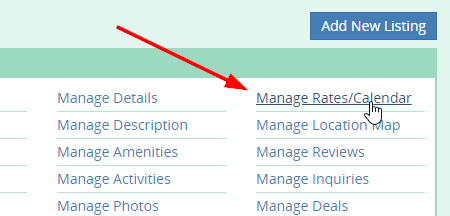
Once the calendar loads, scroll down beneath the calendar, and you'll see a gray bar labeled "Import iCal (Internet Calendar) Link". Click the arrow on the right side of it to expand it.
In the resulting section that opens, there is a Your iCal Link field that needs to be filled in with a calendar export link from OwnerRez. To get that link, do the following...
In a new browser tab, while leaving open the current window, going into OwnerRez and go to Settings > Channels > Calendar Import/Export and click the Export tab. A list of your OwnerRez properties will show with an export link next to each one.
Find the property you are currently working on and copy the export link for that property. Go back to the ECBYO window and paste the export link from OwnerRez into the Calendar URL field. Then click the Save button.