
OwnerRez offers many different payment processing options, including the ability to accept credit cards. However, we are not a credit card processor ourselves. Instead, we integrate with dozens of industry-standard processors and gateways, so you're free to pick and choose which processor you want to use, and OwnerRez will connect with it and happily process your guest's credit cards under the covers.
As of February 2026, users of existing USA ePay connections must disconnect their old USA ePay connections and create a new USA ePay connection by following the instructions in this support article.
USA ePay is an online payment gateway that enables merchants to accept credit card payments online.
Setup & Connect
To use your USA ePay account with OwnerRez, you will need to add your Source Key and PIN provided to you by USA ePay.
Navigate to Settings > Financial > Payment Methods > + Connect a Payment Method > Supported Connections > Connect USA ePay.
Add your USA ePay-provided Source Key and your required API PIN as configured in your USA ePay merchant console. Feel free to Test your API Credentials.
Select your Accepted Card Types, enter your credit card Statement Text, select which Properties you want USA ePay to use, and Save.
Business Location Requirements
USA ePay accepts businesses with a business address and bank location in the United States.
Currencies
USA ePay's gateway can process international payments. Users should contact USA ePay directly (Option 1) to confirm support for currencies other than USD.
Test
After creating the payment method in OwnerRez, do a test transaction using a real credit card. There is no better way to test your API Credentials than using a real credit card. To do that, create a manual booking and collect a payment using your personal credit card for a small amount (say $5). Once it goes through, use the Void & Delete option on the payment to void the credit card payment. Then cancel or delete the booking. That will tell you definitively that everything is good to go.
Support
Contact USA ePay support at support@usaepay.com or (866) 872-3729.
Common Issues & Questions
Potential Errors
Error 10117 means that USA ePay has a specific setting misconfigured in your account that is not compatible with the API version we're using.
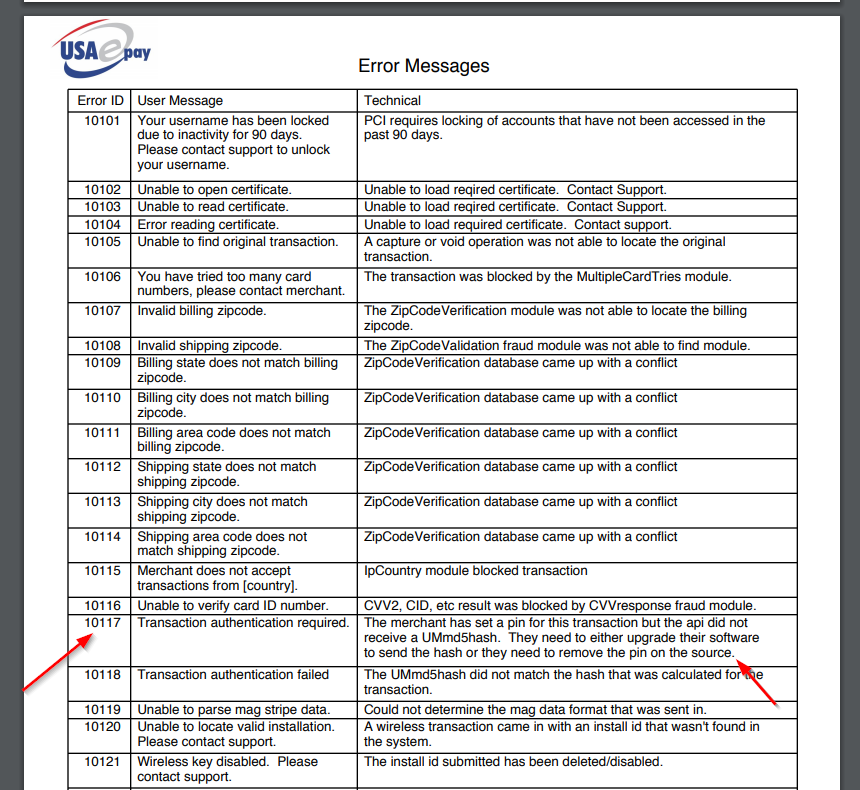 USA ePay must "remove the pin on the source". Contact their technical support and ask them to make this change in your account settings.
Error 57286 is an "invalid merchant account configuration":
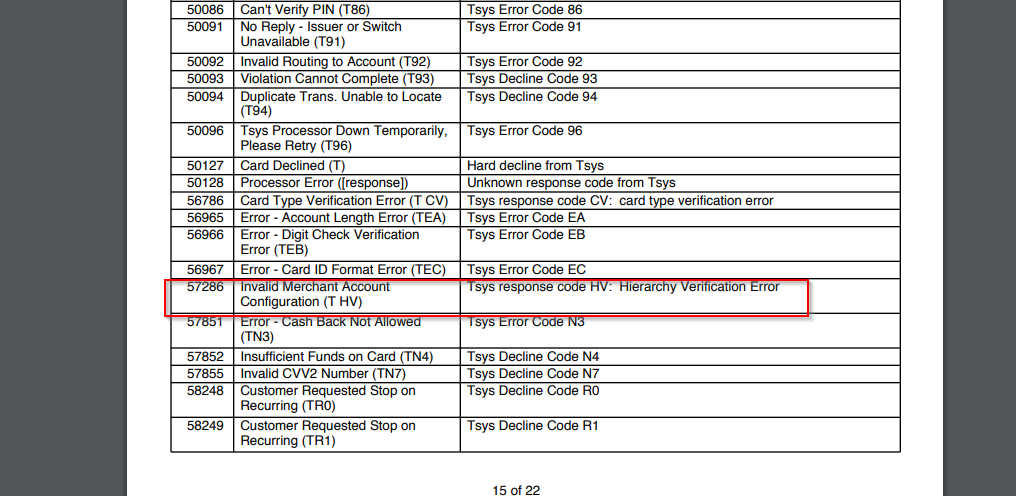
This is usually caused when USA ePay has configured their gateway settings for your account, for swipe/in person only. USA ePay needs to make an adjustment to the gateway config to support e-commerce. Contact USA ePay support and ask them to make this change in your account settings.
Can I void a transaction?
OwnerRez users should follow the instructions to process a Cancellation Within 24 Hours of Booking, but for a definitive answer about handling your payment processor, see USA ePay's "Void or Refund a Payment" support article for instructions.