
ProhostAI is an AI assistant for hosts that includes automated guest messaging, maintenance ticketing, cleaning scheduling, AI upsells, guest guidebooks, and more. ProhostAI aims to help you scale your hosting business more efficiently, profitably, and with less stress, no matter the size of your portfolio.
Steps for Integration
Follow the integration steps in the Prohost AI Connecting your OwnerRez account guide.
To connect your OwnerRez account, make sure you are logged into your OwnerRez account in your browser.
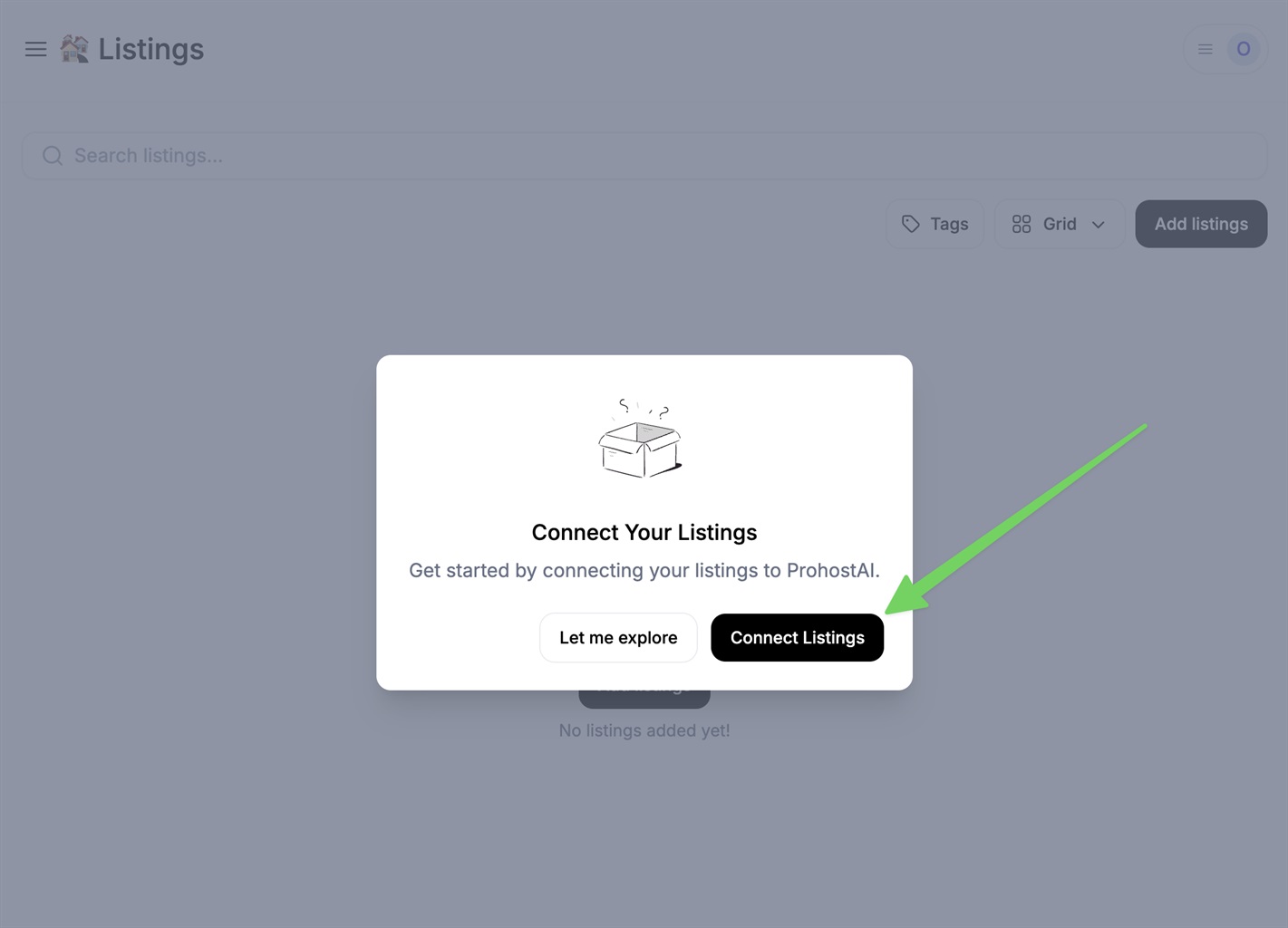
Then, in ProhostAI, go to Listings > Add listings > Add connection > OwnerRez. If you haven't connected any listings before, you will see the pop-up below. Click on "Connect listings."
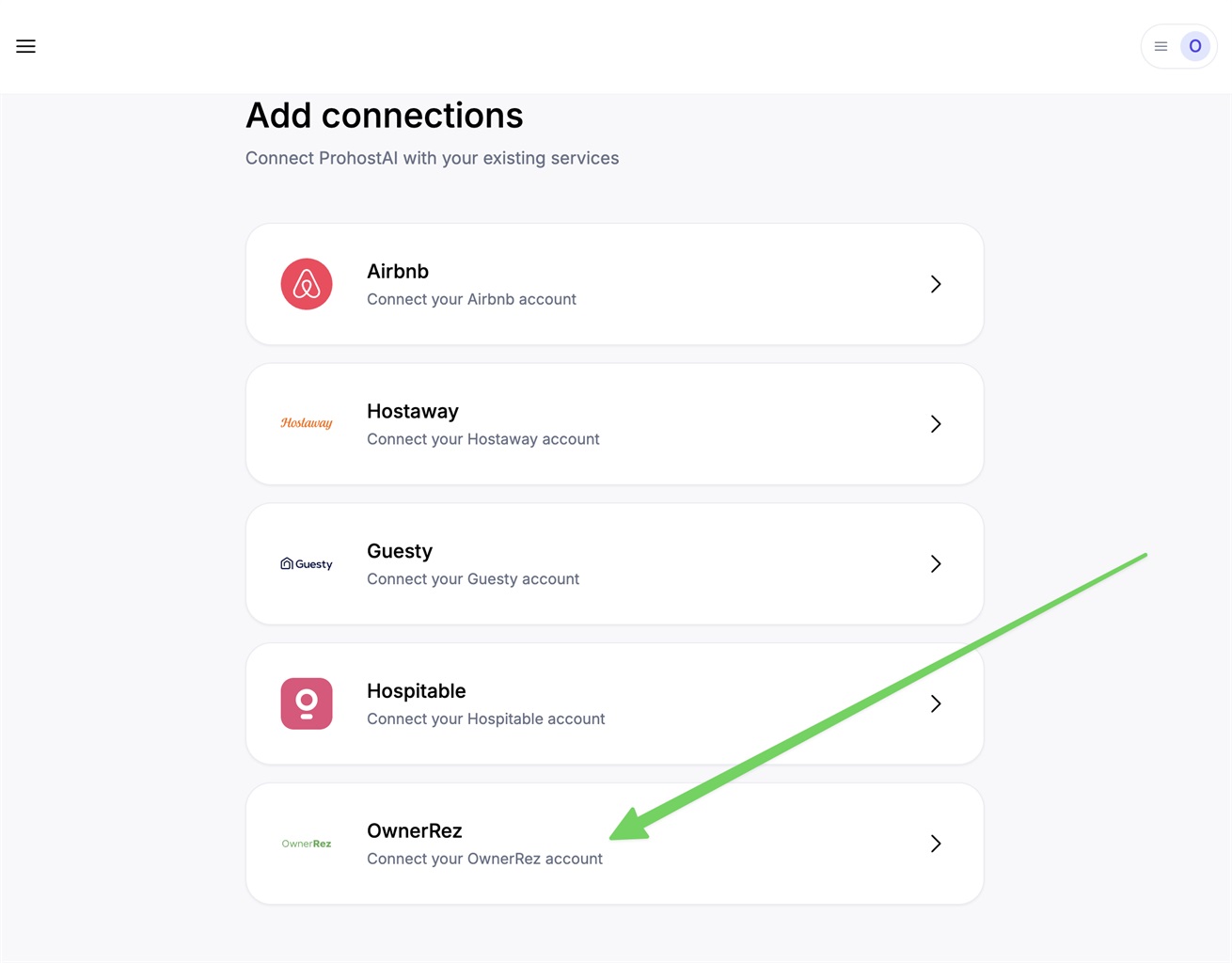
Click "OwnerRez."
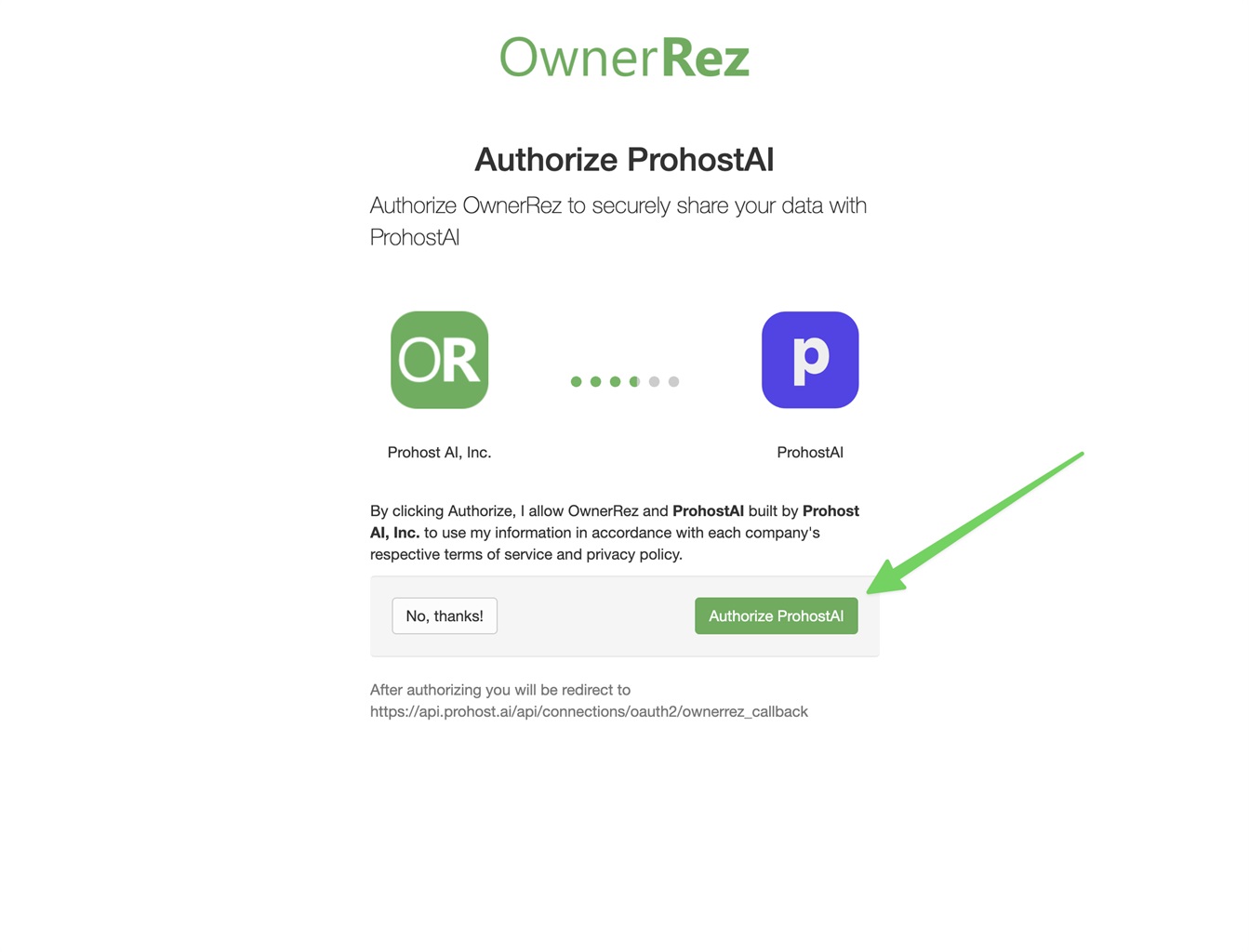
In the screen that appears, click "Authorize ProhostAI."
Then click "Add connection."
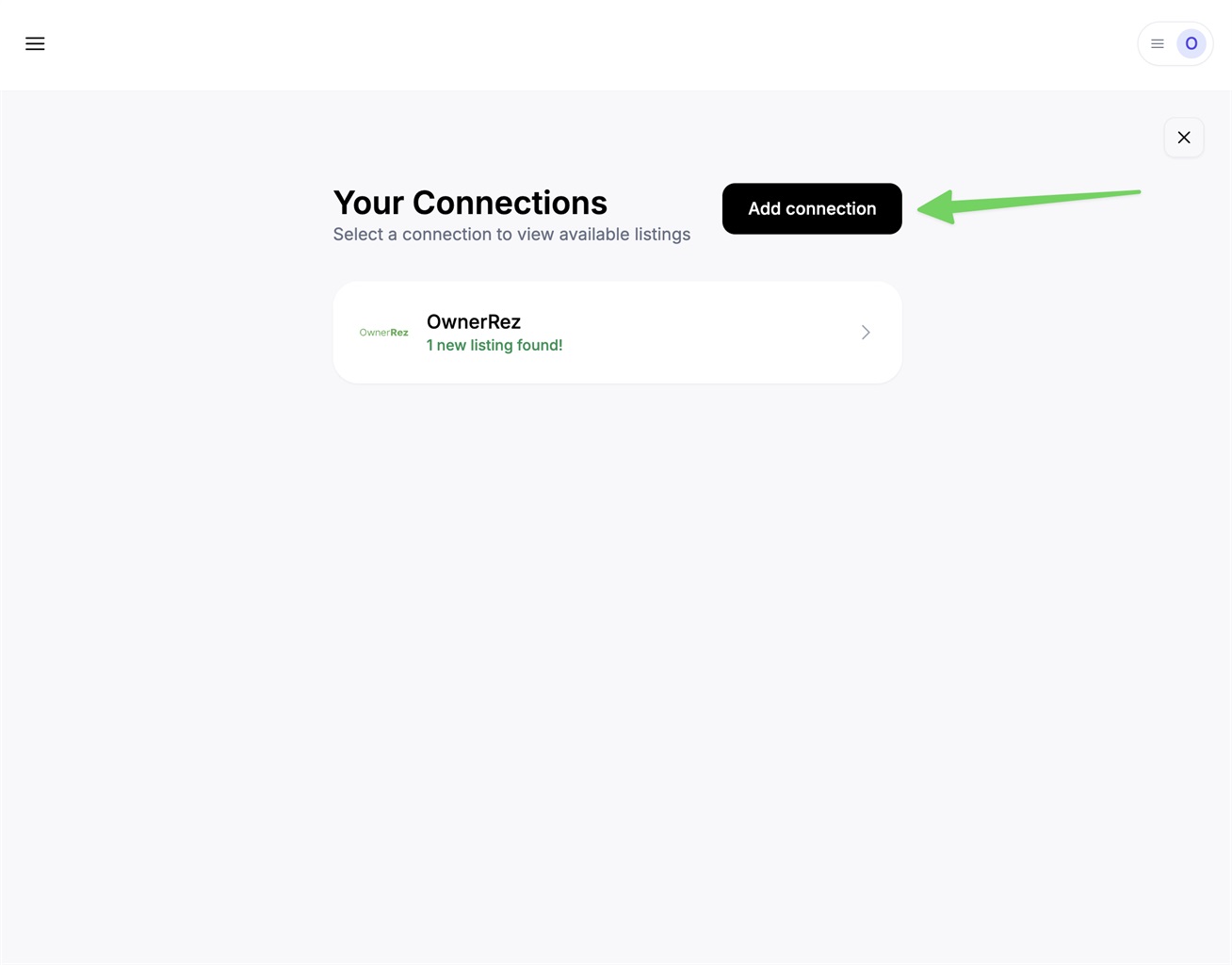
After that, click on the connection and then click "Add listings."
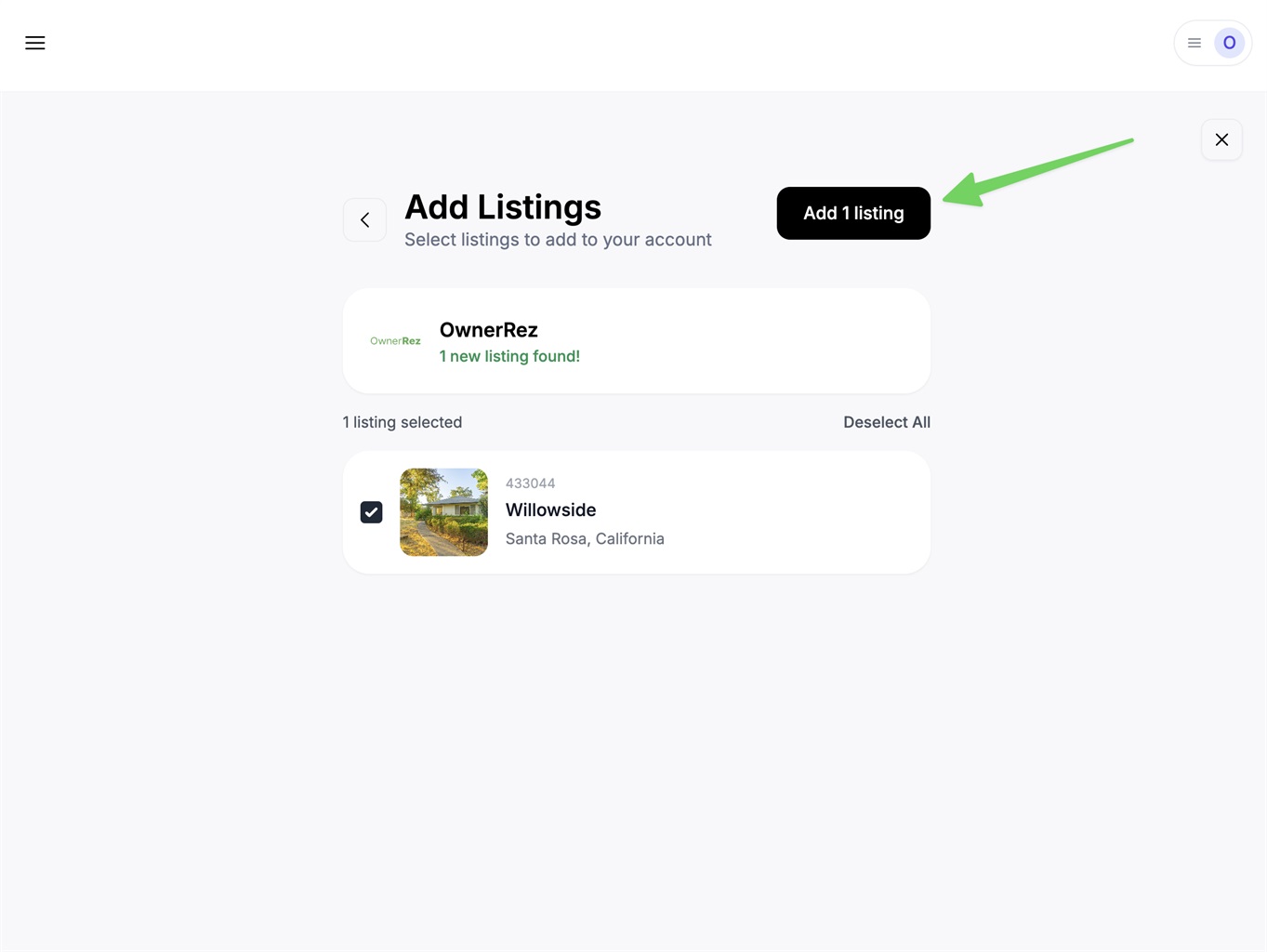
Your listings will be imported. Depending on your listing count, it might take several minutes to finish.
You are all set! You will start seeing AI memories populated in your account as the AI reads your past messages and learns about your listings and hosting rules.
What Data is Transmitted
- Messaging Data - Guest & host messages
- Booking Data - Reservations, check-in/check-out dates, booking status, and pricing information
- Guest Data - Guest names, contact information, and booking details
- Property Data - Listing information, amenities, descriptions, and property settings
Webhooks are used to sync messaging and reservation data instantly.