
Overview
This document explains how to grant Messaging API access for personal use.
This process is only for individual developers or companies using the API for their own OwnerRez account(s), not for partners building integrations that connect multiple OwnerRez users.
If the request involves multiple customer connections to their OAuth app, this falls under the Partnership + Rev Share model and should be routed to partnerhelp@ownerrez.com or assigned directly to PH.
Step 1: Confirm Use Case (Critical)
Before granting access, confirm:
-
✅ They only need Messaging API access for their own OwnerRez account(s)
-
✅ They are NOT building a public integration
-
✅ They are NOT planning to connect multiple OwnerRez users to their OAuth app
You can ask something like:
“Just to confirm — is this for personal/internal use only within your own OwnerRez account(s), and not for a partner integration with multiple users?”
If the answer indicates:
-
Multiple accounts outside their ownership
-
A SaaS tool
-
AI chatbot for many customers
-
Public integration
➡ Route to Partnerships (Messaging API requires 15% rev share at partner level).
Step 2: Confirm OAuth App Exists
Messaging API access requires an OAuth app.
Ask:
-
Do they already have an OAuth app created in OwnerRez?
If NO:
-
Ask them to create one first.
Once created, have them send:
-
OAuth App Name
If YES:
-
Proceed to Step 3.
If confirmed personal use Helpdesk can:
-
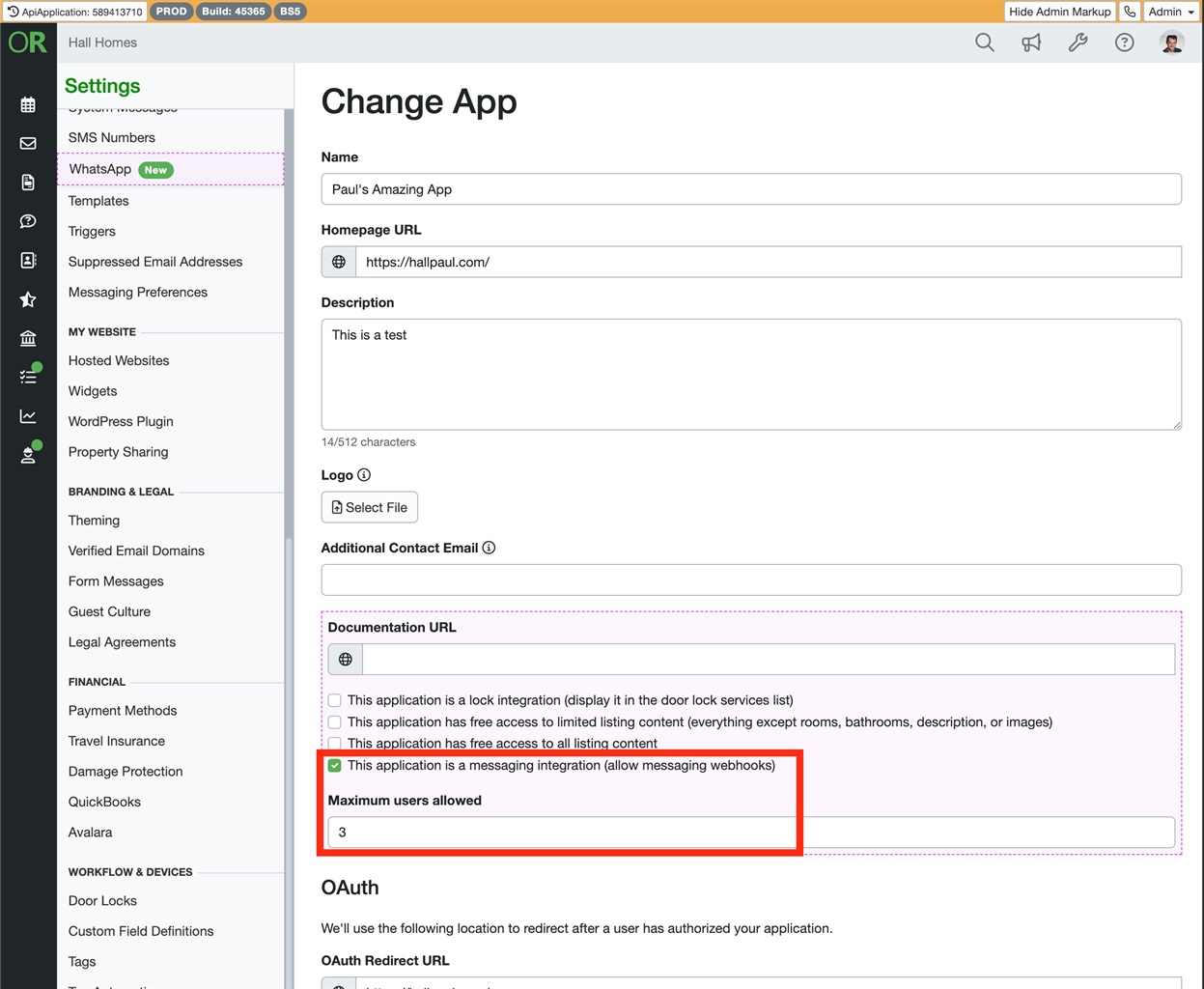
Enable Messaging API access on the OAuth app
-
Limit the app to 3 connections maximum
You can do this by impersonating the user's account and going to the following page:
https://app.ownerrez.com/settings/api
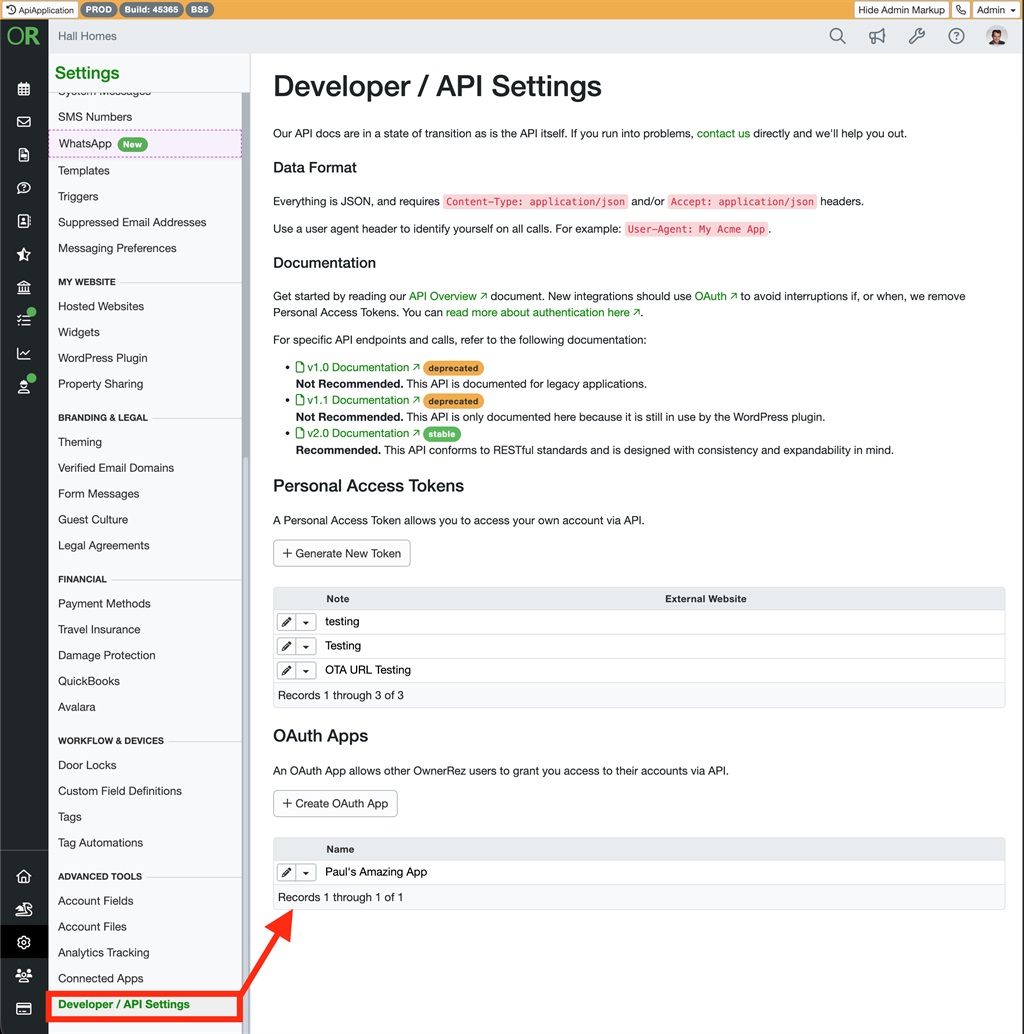
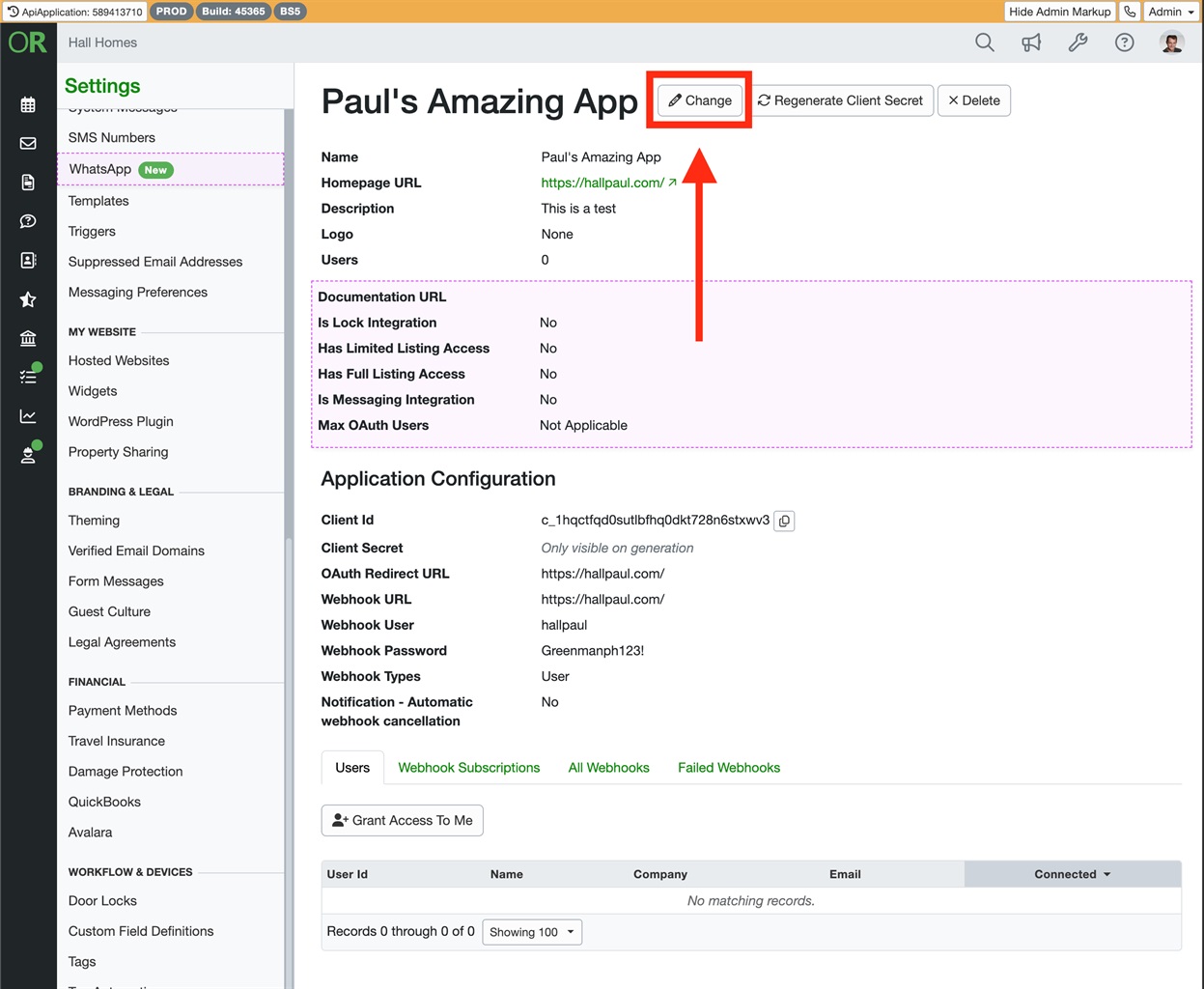
Here you will find their OAuth app (if they have one set up), and you can click into it, then click Change at the top, enable write impersonate access, and check "This application is a messaging integration (allow messaging webhooks)" and put "3" where it says "Maximum users allowed" and then click Save.
Summary Decision Flow
|
Scenario |
Action |
|---|---|
|
Personal use, single account |
Grant Messaging API access (limit to 3 connections) |
|
No OAuth app yet |
Ask them to create one first |
|
Multiple users / public tool |
Route to Partnerships (15% rev share required) |
Key Notes
-
Messaging API is restricted by default.
-
Personal-use access is a courtesy exception.
-
Anything resembling a commercial integration must go through the Partner process.
-
When in doubt, escalate to Partnerships.