
Registro Parte Viajeros is a guest registration service for vacation rentals. It sends each guest a registration form and reminds them to complete it.
When you connect OwnerRez, Registro imports your bookings and property details, and changes you make in OwnerRez appear in Registro within minutes.
Steps for Integration
You need a Registro account and an active OwnerRez account. The setup wizard takes a few minutes.
- Select OwnerRez
In Registro, open the integrations page, find the OwnerRez card and click Configure integration. - Connect
The wizard walks you through three stages. OwnerRez opens so you can authorize access. - Sign in and authorize
Sign in to OwnerRez with your email and password, Google or a passkey, then authorize Registro. You return to Registro automatically. - Select properties
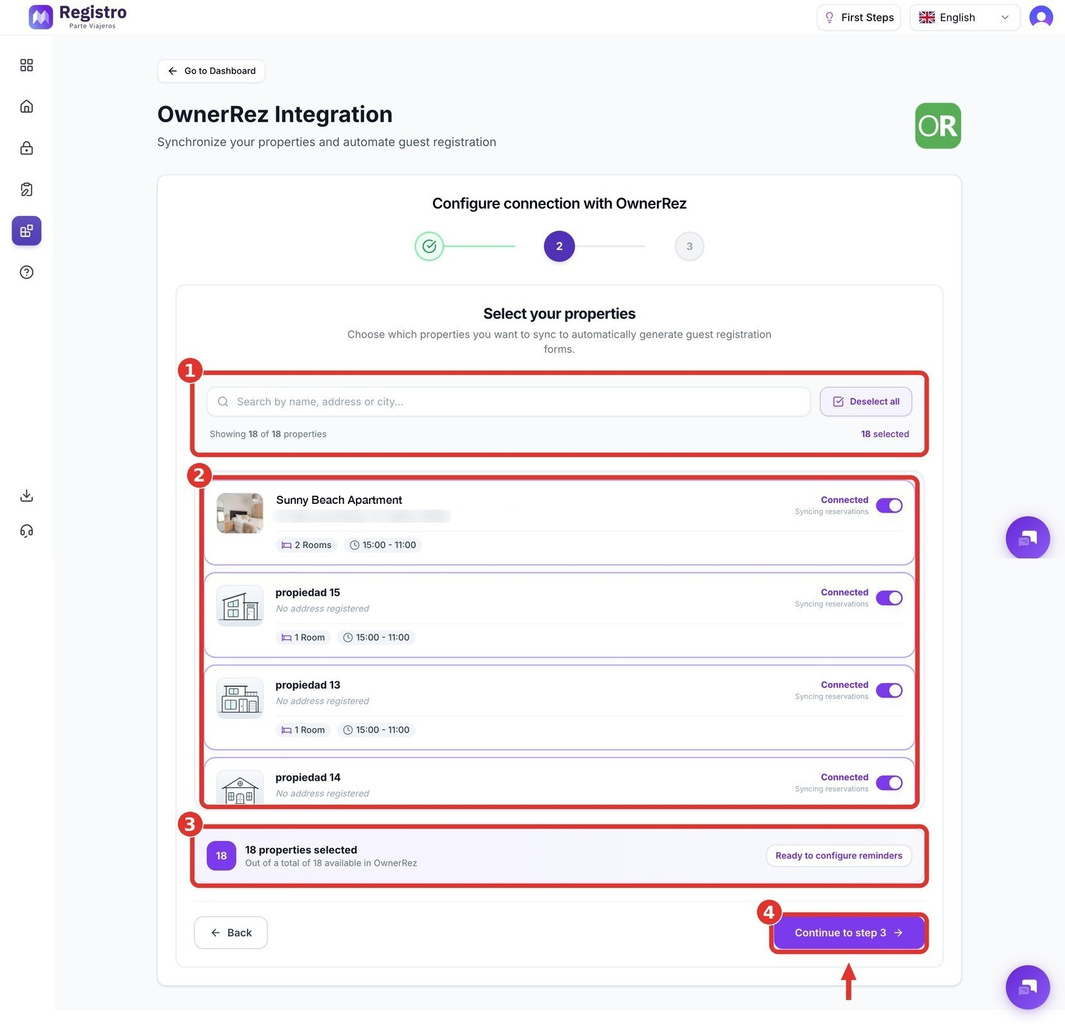
Search by name, address or city. Turn on the switch for each property to sync, check the counter and click Continue. - Set reminders and notifications
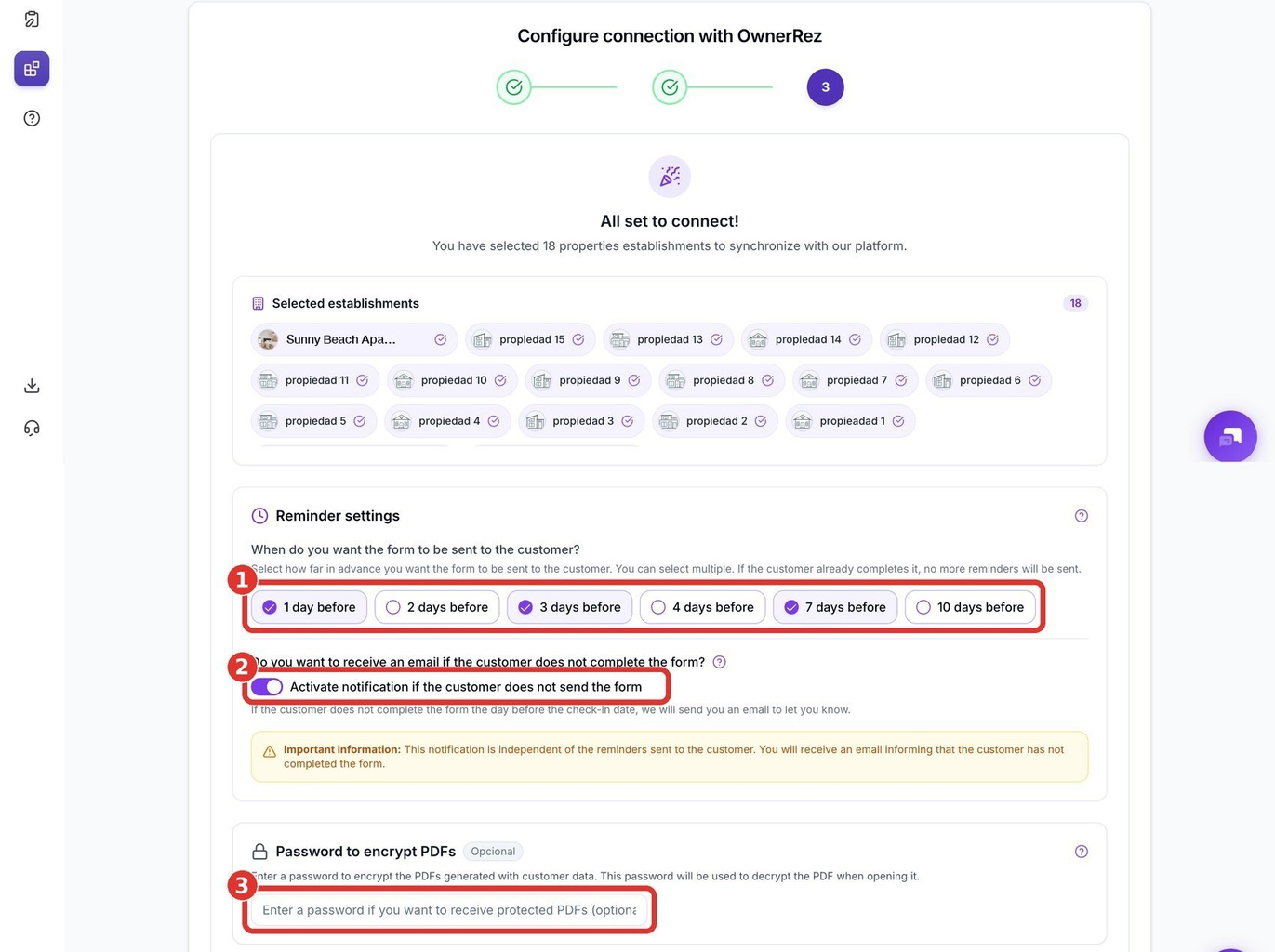
- Choose how many days before arrival Registro sends the form. You can pick several, such as 1, 3 and 7.
- Optionally turn on an alert to you if the form is still incomplete the day before arrival.
- Optionally set a password to encrypt PDFs that contain guest data.
- Customize the guest message and finish
Edit the message, insert variables such as the property, dates and registration link, and check the live preview. Keep the [ENLACE_CHECKIN] variable in the message, because it holds the guest's registration link. Click Complete synchronization. - Check the sync
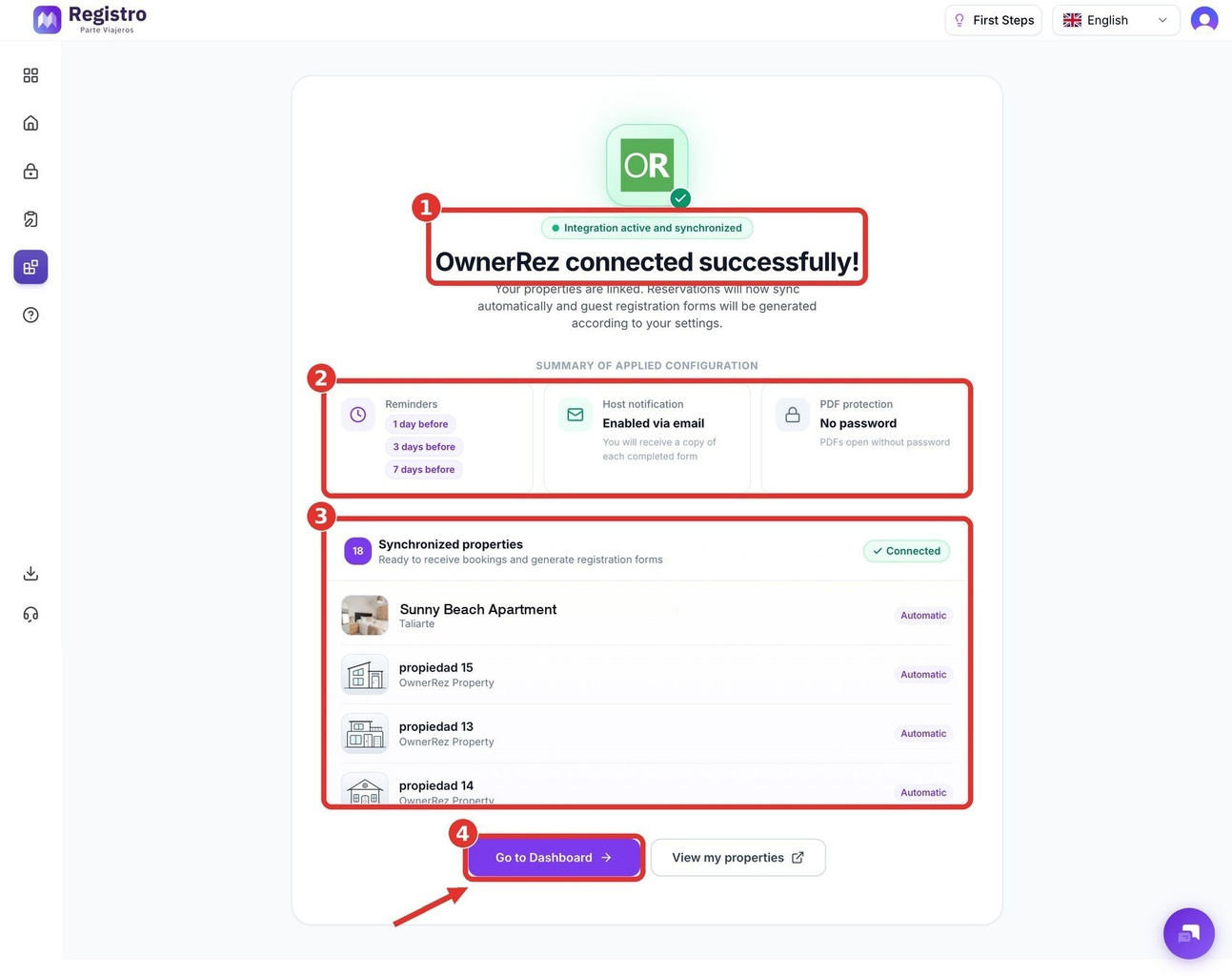
Confirm that OwnerRez shows as connected and active, review your settings and click Go to dashboard. - Enter your SES Hospedajes details
For each property, add your SES username, password, establishment code and lessor code so guest reports can be sent to the authorities.
To add properties later, use the OwnerRez card on the Integrations page in Registro. Your Registro subscription updates automatically to include them.
Support
Questions about Registro? Use the chat button in the lower-right corner of the Registro dashboard, or email info@registroparteviajeros.com.
What Data is Transmitted
What Registro reads from OwnerRez
- Bookings and property details, which are imported and kept in sync.
What Registro sends and stores
- The registration form and link, sent to guests in the message you write.
- PDF documents with guest data, which you can password-protect.
- The SES Hospedajes credentials you enter for each property.