Model Context Protocol (MCP) securely connects AI assistants, such as Claude or ChatGPT, to your OwnerRez account. Ask questions in your AI Assistant about your vacation rental business and get answers, analysis, dashboards, and files from your data.
The OwnerRez MCP gives your AI assistant read access to your bookings, properties, guests, messages, rates, and calendars. Ask for occupancy summaries, upcoming arrivals, or guest details in plain language instead of running reports.
Who Should Use the OwnerRez MCP and Why?
The OwnerRez MCP is for anyone who spends too much time clicking through reports to answer a simple question. It's a good fit if you:
- Manage several properties and want quick answers across all of them without building a custom report every time
- Handle owner relations and regularly pull booking, revenue, or statement details for owners
- Run the business side and want to spot trends in occupancy, revenue, or booking sources
- Already use an AI assistant such as Claude or ChatGPT and want it to work with your real OwnerRez data
You don't need to be technical. If you can type a question, you can use it.
It's probably not the right tool if you need a scheduled, repeatable report. OwnerRez's built-in reports are still better for that. The MCP works best for ad hoc questions, digging into your data, and one-off analysis.
OwnerRez holds a lot of data, and the MCP lets you ask questions about your data in plain English, so you don't have to know which report, filter, or screen has the answer.
Instead of opening the Bookings report, setting a date range, filtering by property, and exporting to a spreadsheet, you can ask: "Which of my properties had the lowest occupancy in August?"
Your AI Assistant pulls the data from your OwnerRez account, does the math, and gives you the answer. Then you can ask follow-up questions without starting over.
Common Use Cases
Daily operations
- "Who's checking in this weekend, and which properties still need a cleaning scheduled?"
- "Show me all bookings with an outstanding balance."
Revenue and performance
- "Compare my total revenue by property for Q2 and Q3."
- "Which channel brought in the most bookings last year: Airbnb, Booking.com, Vrbo, or direct?"
Owner reporting
- "Summarize bookings and revenue for the Smith properties for September."
Guest insights
- "How many repeat guests did I have this year?"
- "What's my average length of stay by property?"
How to Communicate With It
Talk to it the way you'd talk to a sharp assistant who knows your account but can't read your mind. A few tips:
- Be specific about time, properties, and scope. "How did we do last month?" works, but "What was total booking revenue for all properties in September 2026, excluding owner stays?" gets you exactly what you want the first time.
- Use names you already use. Property names, owner names, and guest names all work. If a name is ambiguous, the AI will usually ask which one you mean.
- Build on previous answers. You don't have to cram everything into one question. Start broad ("Show me September bookings"), then narrow it down ("Just the lake properties," then "Now sort by revenue").
- Ask it to show its work. If a number looks off, ask "How did you calculate that?" or "Which bookings are included?" AI assistants can misread a request, so it's worth checking any figure before it goes into an owner statement or a tax document.
Requesting Visualizations
Most AI assistants can turn your data into charts. Just ask for one directly:
- "Make a bar chart of revenue by property for this year."
- "Show monthly occupancy for 2026 as a line chart."
- "Create a pie chart of bookings by channel."
For better results, tell it what kind of chart you want, what goes on each axis, and the time range. If the first version isn't quite right, ask for changes: "Make it a stacked bar," "Add last year for comparison," or "Label each bar with the dollar amount."
Chart features depend on your AI Assistant, not OwnerRez. Some AIs show charts inline, some build interactive dashboards, and some can only describe the data.
Shaping and Exporting Your Data
The MCP isn't just for quick answers. You can also use it to reshape your data into whatever format you need.
Shape it. Ask for exactly the columns, grouping, and sorting you want:
- "List every September booking with the guest name, property, check-in date, nights, and total. Sort by property."
- "Group revenue by owner, then by property."
Export it. Ask the AI to package the results as a file:
- "Put that in a CSV I can download."
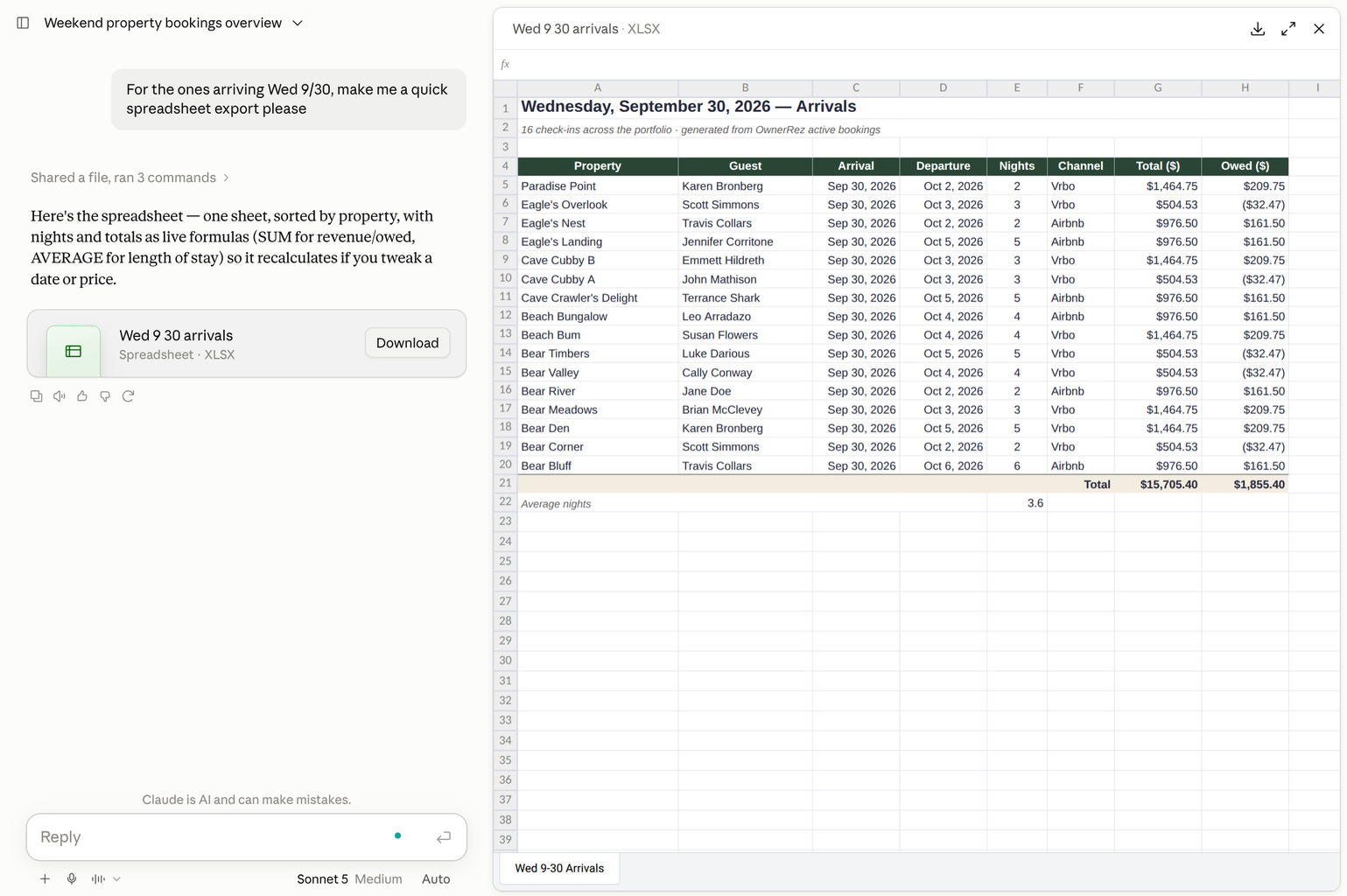
- "Turn this into an Excel spreadsheet with a totals row."
- "Format this as a table I can paste into an email to the owner."
File exports depend on your AI's capabilities. Most desktop and web assistants can create CSV or Excel spreadsheet files, but some can only show a table on screen that you'd need to copy.
Caveats
- The OwnerRez MCP can only access the data from your OwnerRez account
- The OwnerRez MCP has read-only access, so your AI assistant cannot add, change, or delete data or send guest messages
- AI assistants can make mistakes. Double-check important numbers against your OwnerRez reports, especially any financial information.
Connect an AI Assistant
Connect the OwnerRez MCP to your AI Assistant by following the instructions in these support articles.
Example
What sorts of information can you use with your AI Assistant? The examples below are in Claude.ai, but the process is similar in ChatGPT.
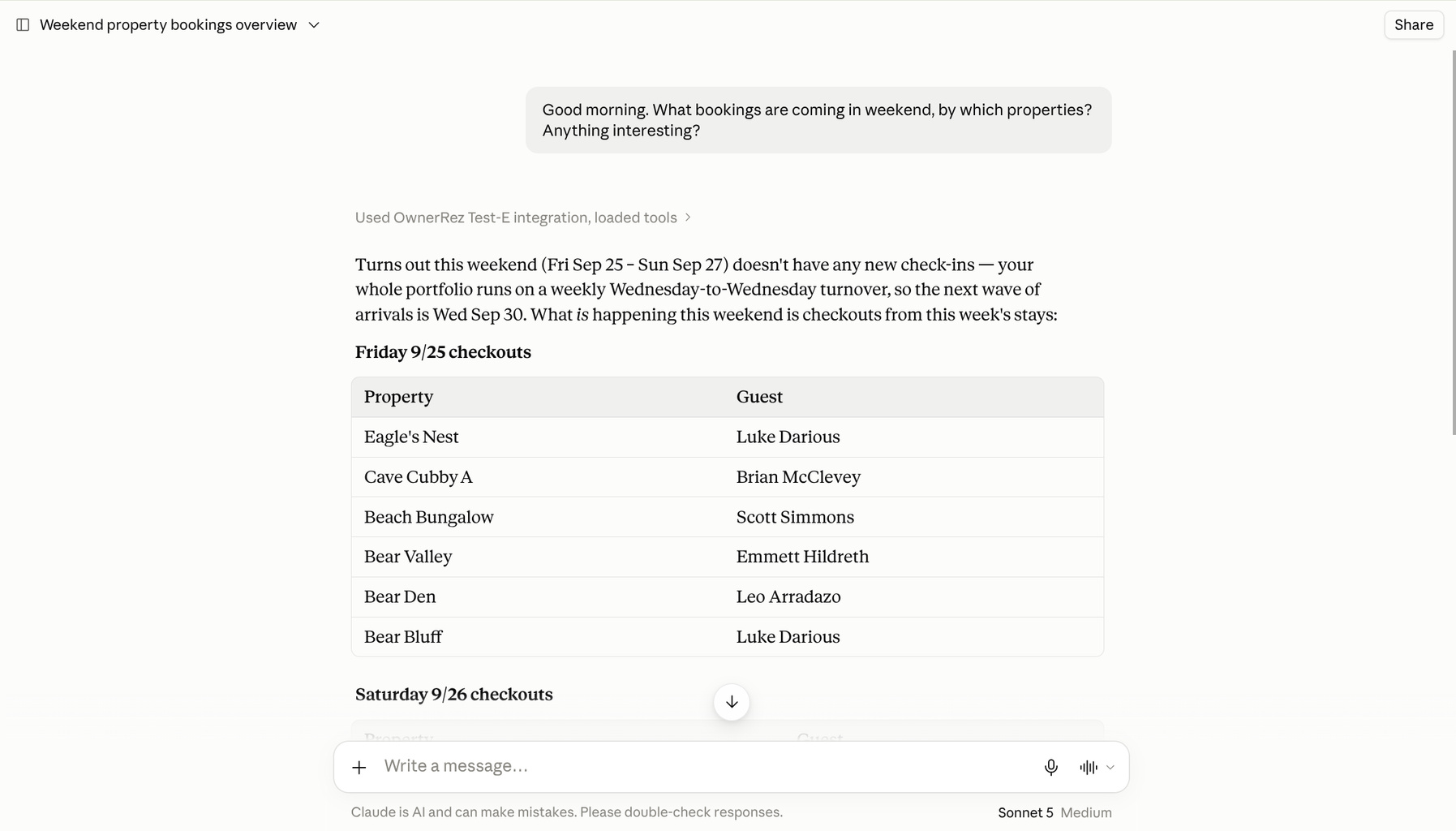
Once connected, you can begin asking questions directly within your AI assistant (Claude.ai or ChatGPT), such as "What bookings are coming in this weekend, by which properties? Anything interesting?" Where appropriate, your AI Assistant displays tables or other dashboards with the answers.
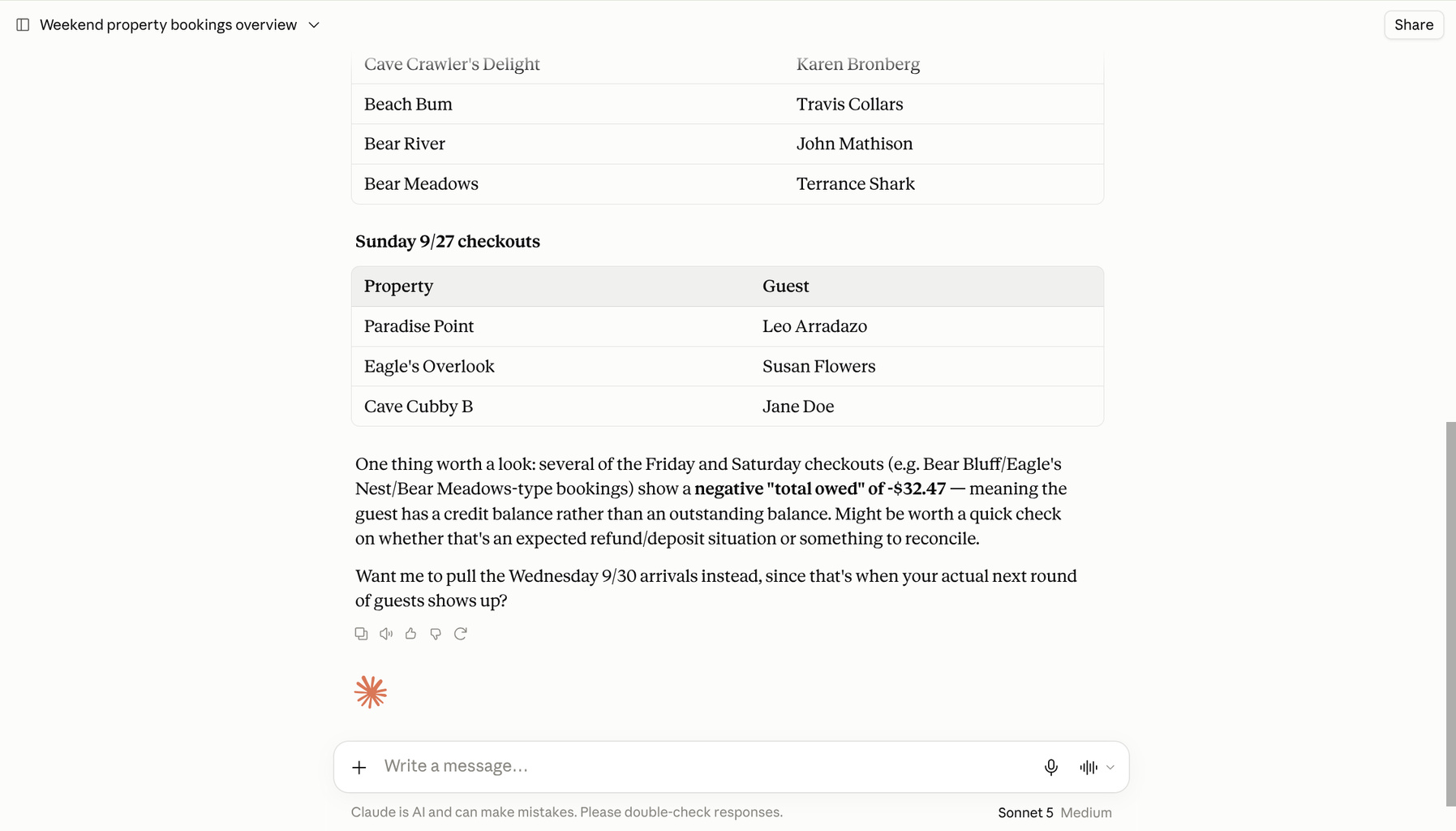
In many cases, your AI Assistant will ask follow-up questions to validate the request and ask whether it should perform further analysis on something interesting it came across.
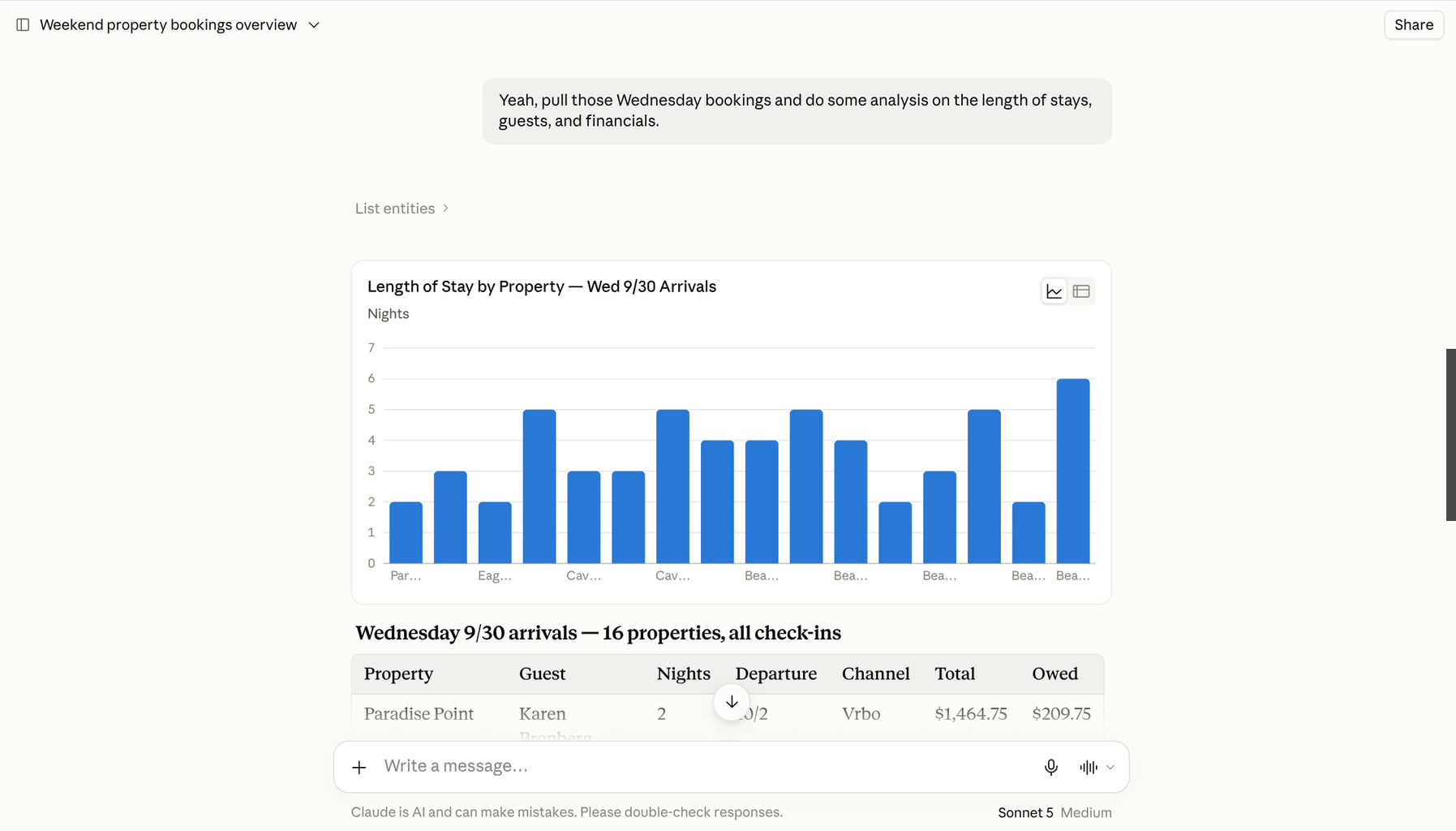
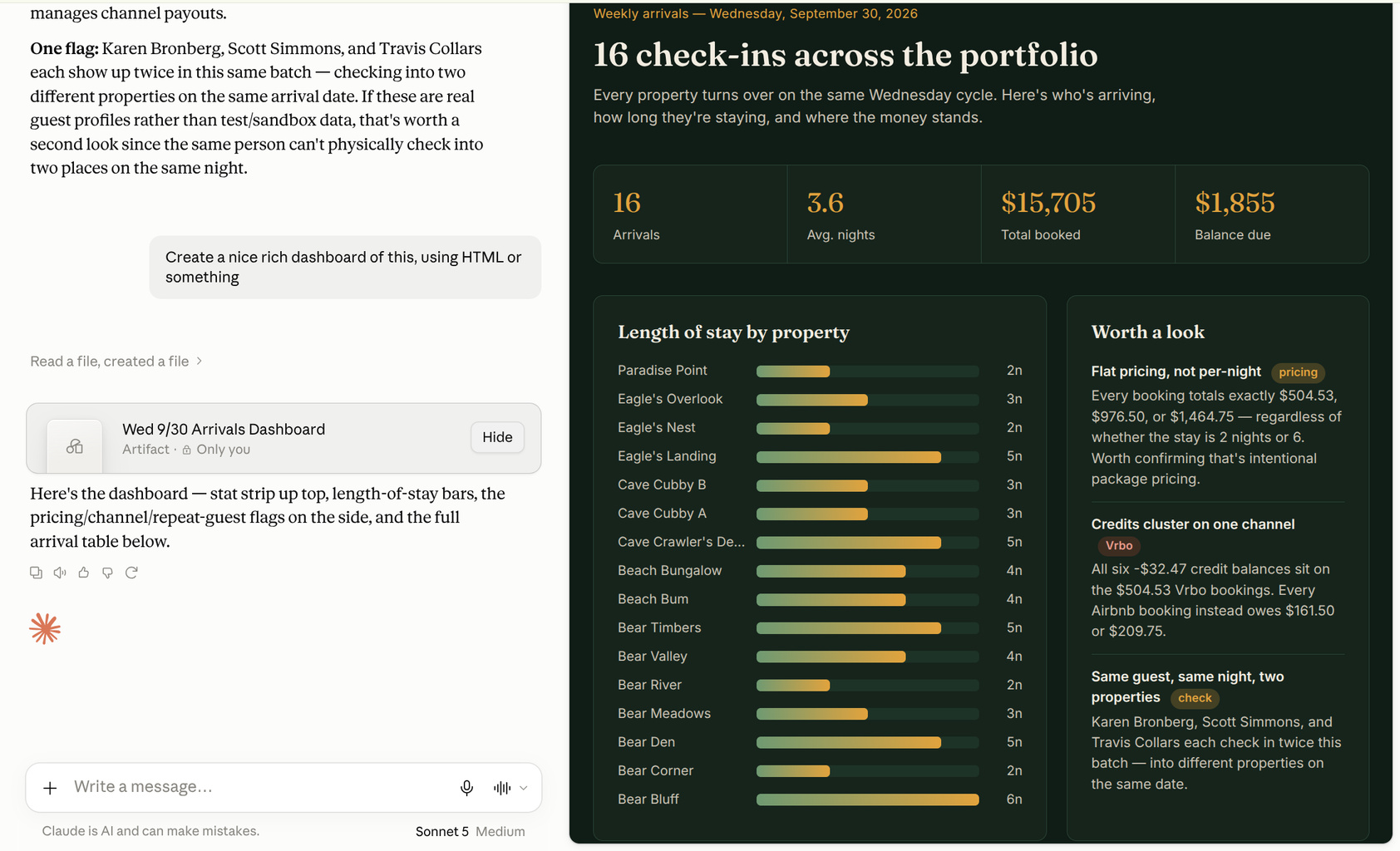
In this case, you told your AI Assistant to pull a set of bookings and show the length of stay and other analysis. And your AI Assistant responds with a graph and a data table to illustrate the visual differences.
Now that you can see the visuals and realize the potential, you can lean into this and ask your AI Assistant to create even richer visual dashboards. Your AI Assistant can add a new dashboard that displays the same information, but with a full graphical interface.
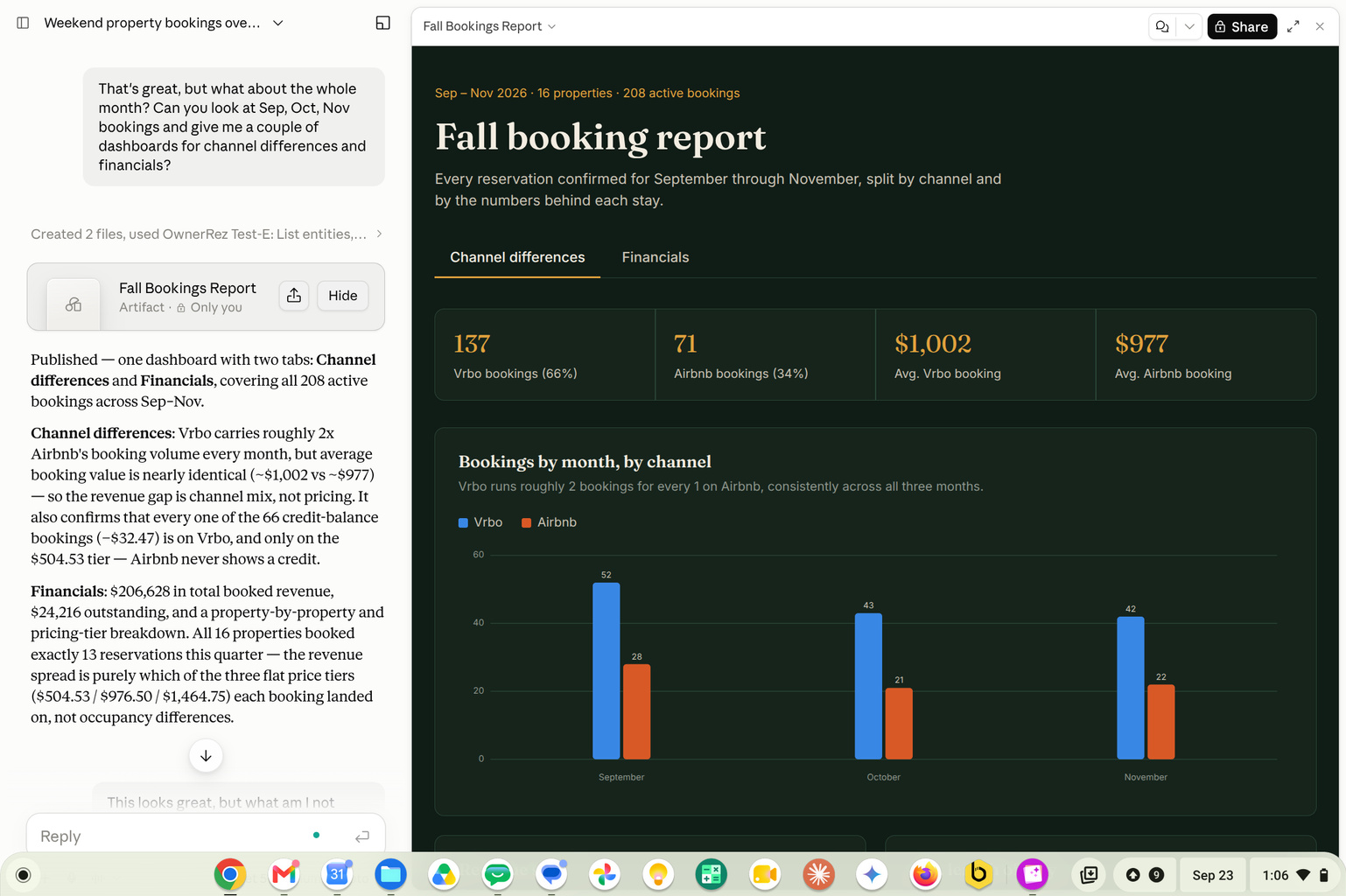
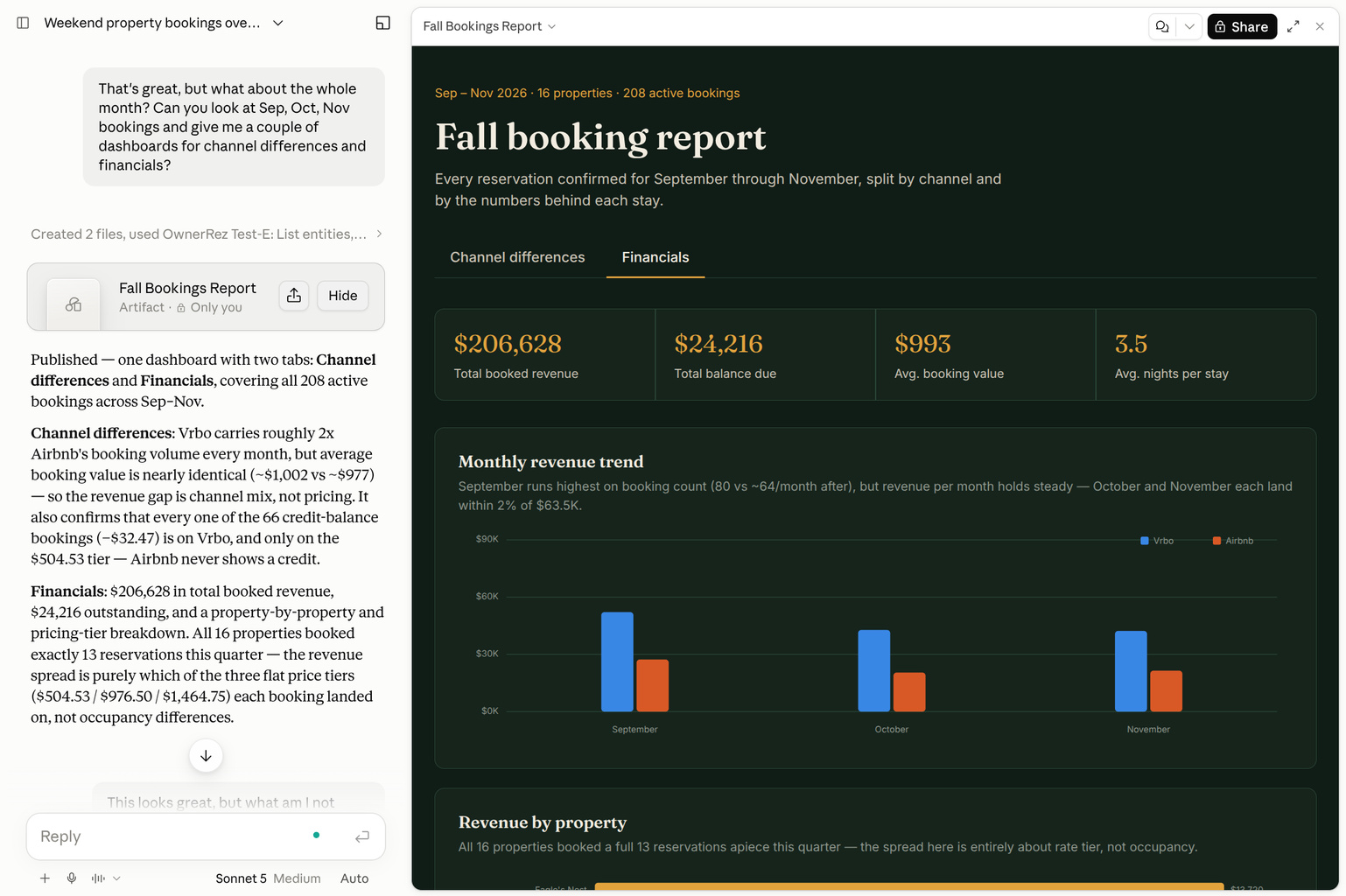
By expanding your question, you can request a visual representation of the channel and financial differences over several months. Your AI Assistant creates another dashboard with two tabs.
Channel analysis:
Financial analysis:
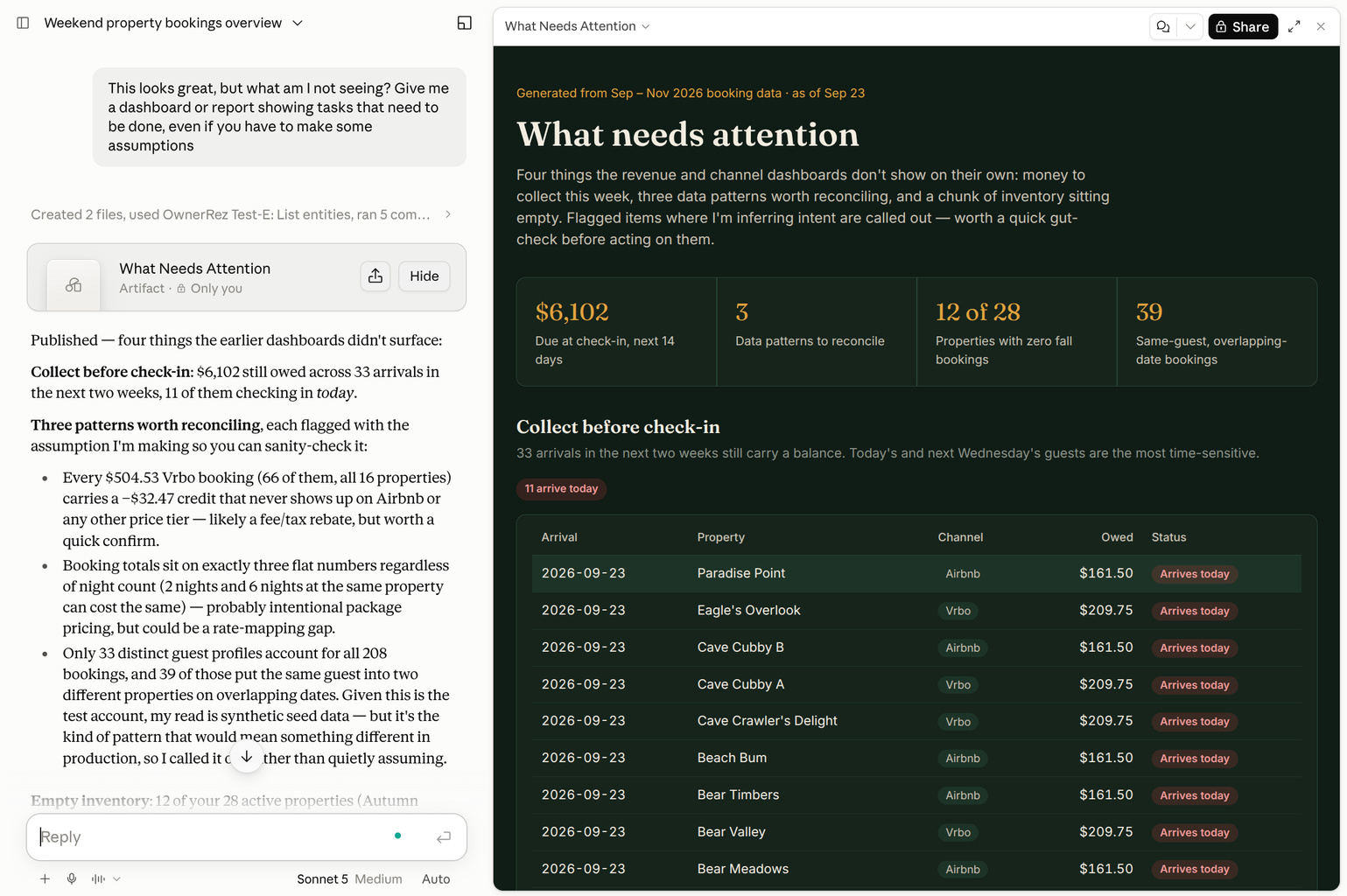
Stepping back, you can also ask your AI Assistant, "What am I not seeing?" Your AI Assistant can review your data and identify other important areas.
In conclusion, you can request a spreadsheet export of all guests arriving next Wednesday, with reference to your original reason for your visit. Your AI Assistant can generate an Excel file and switch over to a spreadsheet viewer.