
Waive connects to OwnerRez so property managers can sync OwnerRez properties and bookings into Waive, generate Waive guest links for eligible bookings, and write Waive completion status back to OwnerRez booking custom fields.
After OwnerRez is connected, Waive imports property and booking data, keeps the workspace updated through OwnerRez webhooks, and creates the OwnerRez booking fields used to show the Waive link and completion status inside OwnerRez.
- What the OwnerRez integration does
- Before you connect
- Steps for Integration
- What Data is Transmitted
- What Waive writes back to OwnerRez
- Disconnecting OwnerRez
- Troubleshooting
What the OwnerRez integration does
The OwnerRez integration lets Waive:
- Import OwnerRez properties into the Waive workspace.
- Import OwnerRez bookings as Waive reservations.
- Match each booking to the correct Waive property.
- Create or update guest records from OwnerRez guest details.
- Create a Waive guest link for bookings that need waiver or deposit coverage.
- Write the Waive guest link and Waive completion status back to OwnerRez booking custom fields.
- Process OwnerRez webhook updates for bookings, properties, guests, and authorization revocation.
Before you connect
Before connection, you'll need:
- Access to the Waive workspace at app.waivecover.com.
- Permission to manage workspace integrations in Waive.
- Access to the OwnerRez account you want to authorize.
The connection starts from Waive and redirects to OwnerRez for authorization.
Steps for Integration
1. Open Waive settings
In Waive, open Settings, then go to the integrations area
2. Choose OwnerRez
Find the OwnerRez integration card. If OwnerRez is not connected yet, the card shows a Connect button and the description Sync properties and bookings from OwnerRez PMS.
3. Click Connect
Click Connect. Waive creates a secure OwnerRez OAuth request and sends you to OwnerRez to authorize the connection.
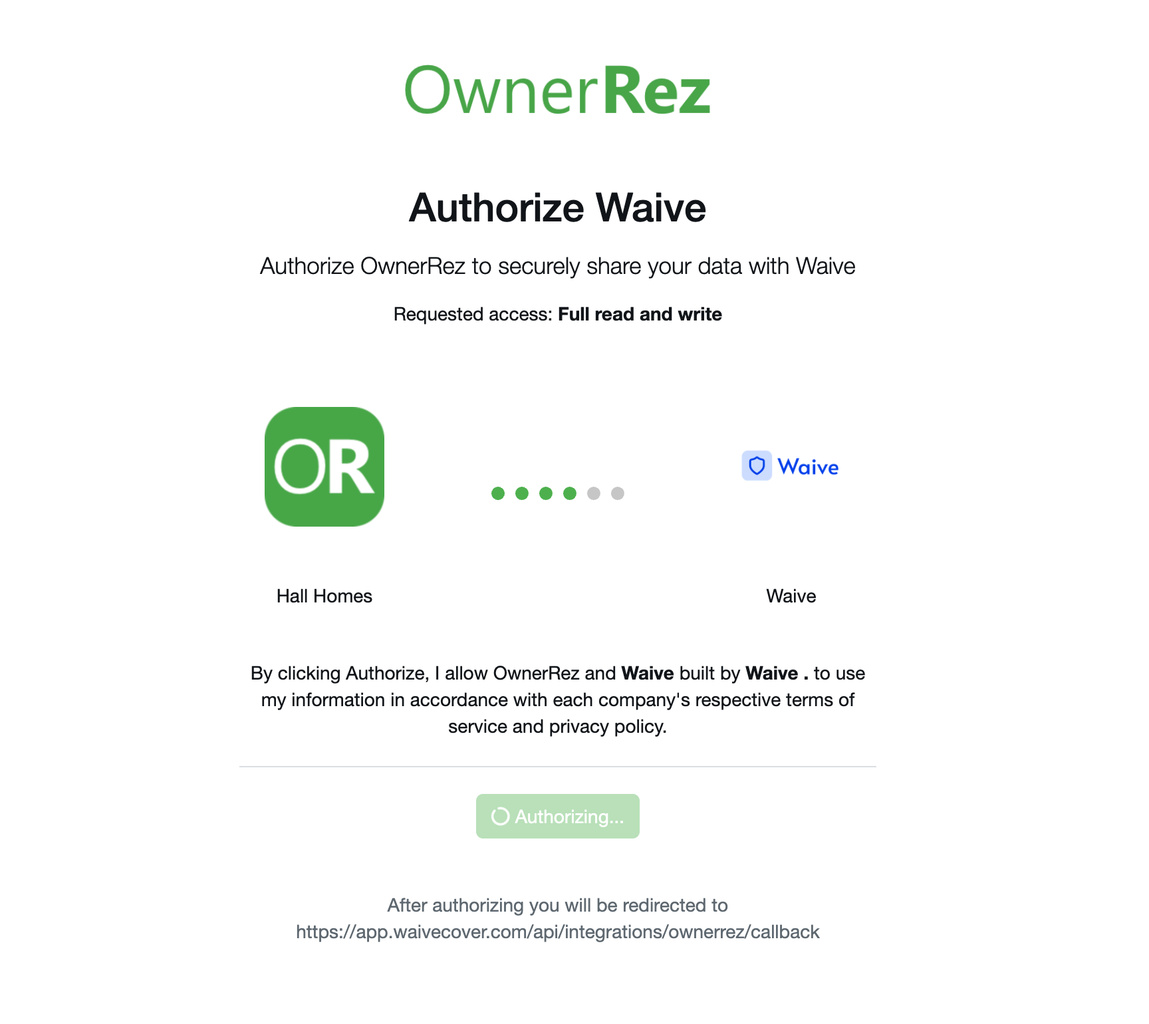
4. Authorize Waive in OwnerRez
In OwnerRez, approve the authorization request for Waive. After approval, OwnerRez redirects you back to Waive.
5. Return to Waive
After OwnerRez redirects back to Waive, the OwnerRez card shows as connected. If OwnerRez returns a user ID, Waive shows the connected OwnerRez user ID on the card.
6. Initial sync starts
Waive queues a full sync in OwnerRez after the OAuth callback succeeds. The full sync imports OwnerRez properties first, then imports OwnerRez bookings for the mapped OwnerRez properties.
7. Use Sync Now when needed
When OwnerRez is connected, open the OwnerRez card menu and click Sync Now to queue a manual OwnerRez full sync.
What Data is Transmitted
Waive processes OwnerRez data needed to create properties, reservations, guests, and Waive guest links.
OwnerRez connection data
Waive stores:
- OwnerRez OAuth access token, encrypted before storage.
- OwnerRez user ID, when returned by OwnerRez.
- OwnerRez account label.
- Connection status, connected timestamp, revoked timestamp, webhook URL, and webhook configuration status.
- OwnerRez custom field definition IDs for Waive-managed booking fields. OwnerRez property data
Waive imports:
- OwnerRez property ID.
- Property name and internal or external code.
- Address line, city, state or province, and country.
- Bedroom and bathroom counts.
- Active or snoozed status.
- Thumbnail or image URL.
- Currency.
Waive stores the OwnerRez property ID as the PMS property ID and creates a property mapping for future booking sync.
OwnerRez booking data
Waive imports:
- OwnerRez booking ID.
- OwnerRez property ID.
- OwnerRez guest ID.
- Arrival and departure dates.
- Booking status.
- Booking channel or listing source.
- Conversation or thread id, when present.
- Booking total amount.
- Currency.
Waive stores the OwnerRez booking ID as the PMS reservation ID. Canceled and blocked OwnerRez bookings are mapped to Waive reservation statuses.
OwnerRez guest data
Waive imports:
- Only the contact guest.
- OwnerRez guest ID.
- Guest name.
- Guest email address.
- Guest phone number.
What Waive writes back to OwnerRez
Waive writes two booking custom fields to OwnerRez:
- Waive Reservation Link
- Waive Completion Status
When a reservation needs Waive coverage, Waive writes the guest link to the OwnerRez booking and sets the status to Pending.
When the guest completes the required Waive flow, Waive updates the OwnerRez booking status field to Completed.
Disconnecting OwnerRez
From the OwnerRez card in Waive, click Disconnect and confirm. Waive deletes the OwnerRez connection.
Disconnecting stops future OwnerRez syncs from Waive. Existing Waive properties, reservations, and guests are not deleted by the disconnect route.
Troubleshooting
OwnerRez does not appear connected after authorization
Check whether the OAuth callback returned an error in the Waive settings URL. Waive redirects back to /settings with ownerrez_error when OwnerRez authorization fails or required OAuth parameters are missing.
Sync does not start
A sync can start only when OwnerRez is connected. If a sync is already queued or running, Waive returns a conflict instead of starting another full sync.
Webhook warning is visible
If the OwnerRez card shows a warning icon, Waive has detected that OwnerRez webhook credentials are not configured in the environment. OAuth can still connect, but webhook delivery will not be accepted until the webhook username and password are configured.
Waive link is not visible on an OwnerRez booking
Waive writes the OwnerRez booking fields only when the reservation needs Waive coverage through property settings, policy assignment, or a reservation requirement.
OwnerRez authorization was revoked
If OwnerRez sends an authorization revoked webhook, Waive marks the OwnerRez connection as revoked. Reconnect OwnerRez from the Waive OwnerRez card to authorize again.